0

Toca Robot Lab

FREE for limited time – Toca Robot Lab, another imaginative, educational app from Toca Boca. Kids create robots by mixing & matching scrap parts and pieces of junk. They choose the legs, trunks, heads, and arms for their robots. Three different suggestions are given for each body part – pencils, fans, parts of coffee machines, tape recorders, etc. Once the robot is assembled kids test it in the lab. They drag the robot to make it fly through a maze that has three hidden stars for kids to collect. The goal is to deliver the robot to the big magnet to receive a test report. Then they can start the creating again!

I love the that Toca Boca apps encourage kids to use their imaginations. A parent or teacher can challenge kids to think and talk about what their robots can do based on their parts. They could screen shot the creation of the robot in sequence then pull the pictures into another app for kids to write or talk about. Once he final arm is added, the robot flies into the lab. I wish there was an option to get a picture of the final creation before that happens. It would be fun to have pictures so kids could explain their thinking or compare & contrast their creations. Toca Robot Lab is another fun app from Toca Boca! 🙂

Download link: https://itunes.apple.com/us/app/toca-robot-lab/id434826169?mt=8&uo=4

0

15 Educational Halloween Apps

Happy first full day of fall! Halloween is just around the corner – time to start planning. Here is a list of educational Halloween apps that you may want to download to use in October. They were all FREE when I downloaded them and seven of them are still FREE. 🙂

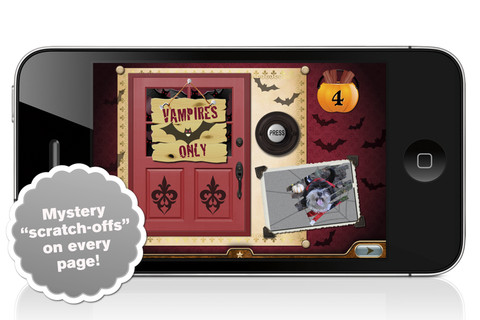
Millie’s Book of Tricks and Treats is currently $.99. The Millie books feature a very cute, lovable dog and kids absolutely LOVE them! If you own some of Millie’s other books: Meet Millie and Millie and the Lost Key, you will want to download this one too. This book presents a series of silly tricks & treats featuring Millie – nothing scary for little ones. Every time you read it, the randomly generated video clips change so the book is always different.There is also a scratch-off picture & hidden sticker on every page. Love this series!

Millie's Book of Tricks and Treats - Megapops LLC

Also $.99 – Millie’s Book of Tricks and Treats, Volume 2, featuring more doggy tricks and/or doggy treats. LOVE these books!

Download link: https://itunes.apple.com/us/app/millies-book-tricks-treats/id569720229?mt=8&uo=4

FREE  – Toca Kitchen Monsters, another fun educational app from Toca Boca. Kids take to the kitchen to cook for two lovable monsters. In the frig they will find eight different foods that they can slice, blend, boil, fry, or microwave. They can also add seasoning to the food but they need to be careful not to add too much. Once the food is prepared they plate it up, serve it to the monster and wait for a reaction. Kids will learn which foods each monster prefers – fun creative play!!

Teachers – use this app to inspire creative writing. Write stories or poems about each monster. It would also be fun to compare and contrast the food preferences of the monsters on a graphic organizer. Fun learning activities for Halloween!

Download link: https://itunes.apple.com/us/app/toca-kitchen-monsters/id510301841?mt=8&uo=4

Carve-a-Pumpkin from Parents Magazine is FREE for the iPhone/iPad. Kids first choose one of five pumpkins (orange, white, orange with green, black or orange & bumpy). They can “cut” it by hand or use premade eyes, noses, mouths, and faces. Instead of cutting the pumpkins, kids can choose to decorate them with stickers. In either mode, kids can manipulate the size and orientation of the objects that they add. There is an undo and redo button to change things easily. Once the pumpkins is complete, kids choose a background. The final project can be shared on Facebook. Twitter, & emailed, or saved as a photo. This app would be fun for kids to use as a planning tool for real pumpkin carving.
Carve-a-Pumpkin from Parents magazine - Resolute Digital, LLC

Giggle Ghosts, a counting app for toddlers currently $.99. The giggle ghosts are very cute – kids will love to hear them laugh. Kids help twenty ghosts get the party by bouncing them across rooftops. In the first level the sky is clear and they have to bounce five ghosts. The app counts to five and shows the written numbers. The second level is the same but there are leaves blowing in the sky. In the third level there are clouds in the sky and in the fourth level it is raining – both provide additional practice counting from one to five. At the end, all twenty ghosts at the party are counted. This educational app is great for little ones at Halloween – nothing scary, just fun & friendly ghosts going to a party 🙂

Giggle Ghosts - by Busy Bee Studios - Busy Bee Studios

Currently $.99 – Monsters: Videos, Games, Photos, Books & Interactive Activities for Kids by Playrific. This digital activity pack features monster-themed books, songs, and activities for kids – just in time for Halloween! Read Where the Wild Things Are, sing songs with the Happy Monster Band, make monster cupcakes, watch monster cartoons. All content has been prescreened by the developer.

Download link: https://itunes.apple.com/us/app/monsters-videos-games-photos/id667015095?mt=8&uo=4

Zombies

Math vs Zombies is currently full price – $4.99.  Kids become highly trained scientists with the mission of saving the world from zombies. Using their math skills, they transform the zombies back into humans. The app has four worlds – addition, subtraction, multiplication, and division. Each world has 7 levels which can be set to easy, medium, or hard – making this app suitable for multiple grade levels. Kids will love the “spooky” music, howling wind, and “scary” zombies. The combination turns math practice into a Halloween treat!

Download link: https://itunes.apple.com/us/app/math-vs-zombies-math-games/id470896560?mt=8&uo=4

My Beastly ABCs

My Beastly ABCs (featured in USA Today’s Top 10 iPad Apps for Kids) is currently $2.99. Kids join a young boy (who is reluctant to get out of bed) on a magical adventure through a not-so-ordinary day. Told in rhyme, the story recounts the boy’s day as he encounters 26 friendly monsters (one for each letter of the alphabet) from all over the world. Kids join in this interactive tale as they play hide & seek with a Boogey Monster, learn how to floss from a Vampire, uproot a Mandrake family, and much more. The app is narrated by Jim Dale with whimsical background music & great sound effects. It has 3 play modes: with narration, without narration, or auto-play. Everything about this educational app is top quality – beautifully illustrated with the perfect amount of animation & interactivity. There is also an index that gives kids monster facts & descriptions. Kids can read and learn about each of the beasts’ unique characteristics and place of origin. Lots of fun!!

Download link: https://itunes.apple.com/us/app/my-beastly-abcs/id578158826?mt=8&uo=4
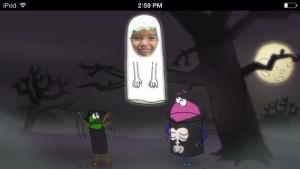
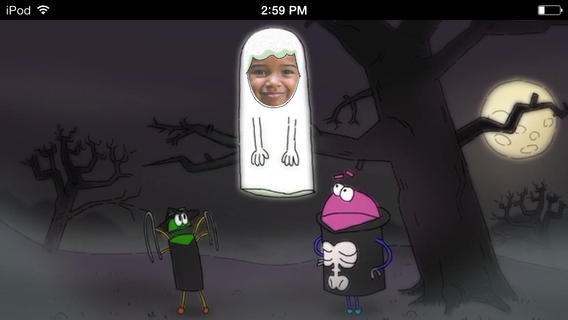
StoryBotsA StoryBots Halloween is currently FREE! Cast up to 5 members of your family in this cute & catchy animated Starring You® Video. It’s easy to cast your family members as a vampire, a ghost, a werewolf, a mummy, or Frankenstein’s monster. Just take or upload a photo, position the face, then name your character. In no time you and your kids will be dancing with the StoryBots like the “Boogie” Man! If you’d like, you may share your final creation via email, Facebook or Twitter. VERY cute and fun!

Download link: https://itunes.apple.com/us/app/storybots-halloween-starring/id701184040?mt=8&uo=4
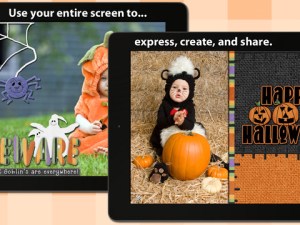
FREE again – Scrap It: Halloween HD for the iPad. You (or your child) can add a Halloween touch to your photos with this app. First take a photo or use an existing one. Using the photo editor, you can crop it and/or add an effect (about 40 filters available). Then its time to get creative – add stickers, change the papers & tiles, add letters & numbers/ribbons/word art, and add & manipulate text using the text editor. Items can be resized, shadowed, sent to the back, sent to the front, etc. Creations are saved in My Scrap Pages. They can also be shared on Facebook, Twitter, Tumblr, via email. They can be saved to your camera roll or printed. I think kids would love decorating pictures of themselves, their family & friends, and the family pet. 🙂 You could also create an electronic postcard or invitation with this app. Lots of possibilities!!
Scrap It: Halloween HD - Dirk Bost

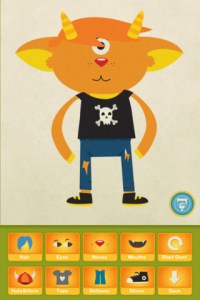
Dibu’s Monster Maker Lite is FREE for the iPhone/iPad. Dibu is a little boy who loves monsters so he created a machine to build them – I think this is how Dr. Frankenstein got started 🙂 The Monster Maker has hundreds of combinations of monsters waiting to be made. The lite version has 2 bodies to choose for the base.Then kids add hair, eyes, noses, mouths, hats & horns, tops, bottoms, and shoes. There is also a random monster generator which creates a monster with one tap. Finished monsters can be named then saved, printed, made into a puzzle, or emailed. This app also has a child lock that hides all promotional buttons and disables printing & emailing. And… there is a “parents only” button which gives written instructions for access to the app store. The developer does not want young children to end up there accidentally – how refreshing!

This app would be great to use with elementary aged kids. They could create a monster then write a descriptive paragraph about it. They could create two monsters and do a Venn diagram comparing and contrasting the monsters. Lots of possibilities!

Dibu's Monster Maker Lite - Playtend Apps LLP

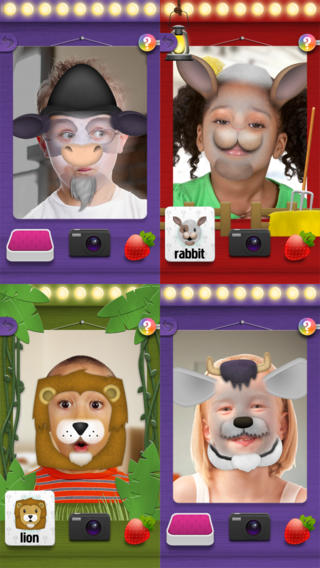
Mask Jumble AnimalsMask Jumbled Animals is a fun educational game for kids. It turns their faces into animal faces! Kids look into the app’s mirror and animal parts will appear on their faces. They tap to match the ears, nose, chin, and hair in order to complete 1 of 20 different animal masks. When the mask is complete, kids catch strawberries in their mouths to unlock a new mask. The mask puzzles are really cute for preschoolers who will be delighted to be an elephant, a lion, a panda, etc. But… the best part of this app is the ability to take pictures of kids in their masks which makes this app a fabulous resource for creative writing! Pull those pictures into a story writing app and off you go.

Download link: https://itunes.apple.com/us/app/mask-jumble-animals/id548763608?mt=8&uo=4

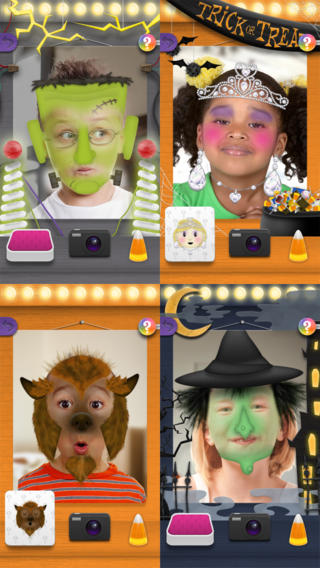
Mask Jumble Halloween

Also FREE from the same developer – Mask Jumble Halloween. This app works just like Mask Jumbled Animals. 🙂
Tilly Witch

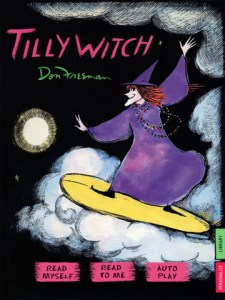
Tilly Witch by Don Freeman (author of Corduroy) is Currently $1.99. The story is a Halloween classic about a witch who forgets how to be mean!  Check out this great story from a well-known author of children’s books.

Like other titles from Auryn Apps, this story can be personalized by having your child narrate it – a super option for kids who are learning to become more fluent readers.

Tilly Witch - Don Freeman's classic Halloween story book for kids (iPad version, by Auryn Apps) - Auryn Inc.

The Scariest Halloween  Story Ever  is currently $1.99. Kids follow Candy Corn Man on an interactive Halloween adventure. I taught third grade for MANY years and I think this book would be enjoyed by most kids 8+. Younger students may be a bit scared by the bugs, bats and/or the monster eyeballs (which turn out to only be meatballs) so make sure you know your audience. It’s a cute story. 🙂

The Scariest Halloween Story Ever! - 3CD

0

Hanx Writer

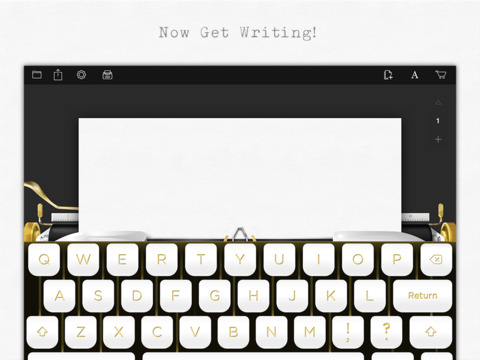
hanxLooking for a fun way to get your students to write? Try Hanx Writer, a FREE app created by Tom Hanks. Hanx Writer recreates the experience of typing on a manual typewriter – without the hassle! Students can enjoy the look, feel, and sound of a good old-fashioned typewriter coupled with the ease and speed of an iPad. Created documents can be messaged, emailed or printed. This app would also be great for teaching students how to keyboard. With in-app purchases, you can add ribbon colors, background colors, and more. Check out the FREE version. If you grew up using a typewriter, you’ll feel quite nostalgic as you “type” your documents. 🙂

Download link: https://itunes.apple.com/us/app/hanx-writer/id868326899?mt=8&uo=4

0

Mr. Sandman

mr sandmanFREE for a limited time – Mr. Sandman is a beautiful, interactive bedtime story for the iPad/iPhone. The story does a nice job of addressing a common fear of childhood. It is about a young boy who is afraid of the dark. The sandman appears and the boy drifts off to sleep. In his dream, he meets an owl who shows him wonderful & magical things about the dark. The app features incredibly beautiful artwork and dreamy music – perfect to set the mood for the story. But the most wonderful thing about this app is the way that it transitions from page to page. Kids move the story forward in a variety of unique ways. They help the sandman sprinkle the sand, say “Shhh” to calm the frogs, scratch the owl’s belly, touch the moon, and more. Each page transitions to the next page in a uniquely delightful way. And, the app can be switched different languages – nine in all. Mr. Sandman is wonderful – don’t miss it! 🙂

Download link: https://itunes.apple.com/us/app/mr.-sandman/id511273529?mt=8&uo=4

0

ABCmouse.com – Ham with Jam, Dan & Jan, Hen in the Pen, Big Pig & Little Pig, To Run is Fun, Big Bug & Little Bug

FREE for a limited time – 6 beginning reading apps!! These educational apps for the iPhone/iPad are from the ABC Mouse word family beginning reader series. I chose to downloaded The Hen in the Pen to review the series. Each story emphasizes words from a particular word family. There are also easy sight words in the stories. There are several ways that the books can be read: Read to Me, Read with Pause, I Can Read It, and Hear the Words. I really like the Hear the Words option. It allows the child to read alone but tap any word that he/she gets stuck on. There are parent tips on the title page that explain word families and sight words for beginning readers. There are also parent tips throughout the books. The illustrations are colorful and support the text so that kids can use picture clues as they read. The story lines are very simple. But, that is not a negative thing because these apps are more about the process of reading than the actual story. When my son was an early reader, he loved books like these because he could read them “all by himself” and that alone makes them worth downloading. 🙂

Common Core Standards met:

K.RF.3 – Know and apply grade-level phonics and word analysis skills in decoding words. c. Read common high-frequency words by sight (e.g., the, of, to, you, she, my, is, are, do, does). d. Distinguish between similarly spelled words by identifying the sounds of the letters that differ.

ABCmouse.com Ham and Jam - Age of Learning, Inc. Ham with Jam    ABCmouse.com Dan and Jan - Age of Learning, Inc. Dan and Jan

ABCmouse.com The Hen in the Pen - Age of Learning, Inc. Hen in the Pen     ABCmouse.com Big Pig and Little Pig - Age of Learning, Inc. Big Pig & Little Pig

ABCmouse.com To Run is Fun - Age of Learning, Inc. To Run is Fun   ABCmouse.com Big Bug and Little Bug - Age of Learning, Inc. Big Bug and Little Bug

0

12 Vocabulary Apps for Kids

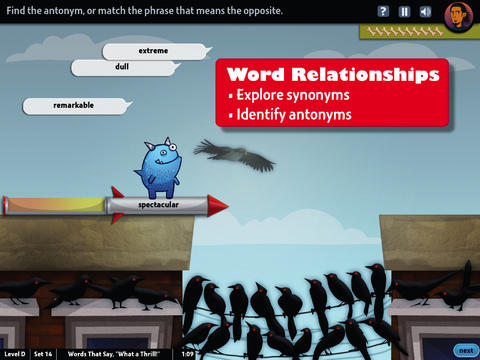
world's worst petFREE & fabulous – World’s Worst Pet-Vocabulary, an educational app for kids in grades 4 – 8. Snargg, a cute blue pet needs kids to use their vocabulary skills to get him out of trouble. The app’s four games teach context, word sorts, synonyms, & antonyms as they expose kids to over 1000 words across 5 levels: grades 4 – 8. Words are taught in sets – 10 conceptually related words per set. Kids are encouraged to replay each word set to improve their scores. Other features of the app include: clearly explained definitions with examples of how the word is used, multiple exposures to words, writing prompts, and… a really fun narrative with rewards. The app allows multiple players which makes it perfect for the classroom. Teachers can use it to differentiate instruction, as part of a center, for individual or group assignments, as homework, etc. There are so many great things about this app – meaningful content, a fun interface, and it meets CCSS. It’s fantastic, wonderful, remarkable, tremendous, amazing … 🙂

Common Core Standards met:

  • 4.L.5 – Demonstrate understanding of figurative language, word relationships, and nuances in word meanings. c.Demonstrate understanding of words by relating them to their opposites (antonyms) and to words with similar but not identical meanings (synonyms).
  • 5.L.5 – Demonstrate understanding of figurative language, word relationships, and nuances in word meanings. c. Use the relationship between particular words (e.g., synonyms, antonyms, homographs) to better understand each of the words.

Download link: https://itunes.apple.com/us/app/worlds-worst-pet-vocabulary/id730540095?mt=8&uo=4

bluster

Recently updated for iOS 7, Bluster is a FREE app for the iPad developed by McGraw-Hill. This educational app was designed to teach vocabulary and word development to students in grades 2 – 4. Topics covered are rhyming, prefixes & suffixes, word roots, synonyms, homophones, and adjectives. There are 3 modes of play – single, team, and versus. Team mode permits collaboration with a friend. Versus mode allows head-to-head play with the ability to disrupt your opponent by causing weather related attacks. Kids start by choosing their mode of play, grade level, and word match type. They then swipe through the list to match 3 words with the same meaning, rhyme, prefix, suffix, or word root. There are 10 groups of 3 to match in each round of play. Bluster presents 800+ vocabulary words in a fun way!

Common Core Standards met:

  • 2.L.4 – Determine the meaning of the new word formed when a known prefix is added to a known word (e.g., happy/unhappy, tell/retell). Use a known root word as a clue to the meaning of an unknown word with the same root (e.g., addition, additional).
  • 3.L.4 – Determine the meaning of the new word formed when a known affix is added to a known word (e.g., agreeable/disagreeable, comfortable/uncomfortable, care/careless, heat/preheat). Use a known root word as a clue to the meaning of an unknown word with the same root (e.g., company, companion).
  • 4.L.4 – Use common, grade-appropriate Greek and Latin affixes and roots as clues to the meaning of a word (e.g., telegraph, photograph, autograph).
  • 4.L.5. Demonstrate understanding of words by relating them to their opposites (antonyms) and to words with similar but not identical meanings (synonyms).

Download link: https://itunes.apple.com/us/app/bluster!/id416160693?mt=8&uo=4

Words to Learn By

Words to Learn By by McGraw Hill has 300 words to study. It was offered for FREE when I downloaded it but it is currently $.99. The words are grouped into 3 levels – building, expanding and advancing. Each word includes a definition, an audio pronunciation, and a synonym. There are 4 options in the quiz mode – flashcards, definitions, fill-in-the-blanks (GREAT for teaching context clues), and a synonym shuffle game. This app is not too difficult and could be used with upper elementary and junior high students.

Words to Learn By - McGraw-Hill School Education GroupWord a Day

Word a Day was offered for FREE when I downloaded it but it is currently $1.99. This app takes a fun approach to expanding your vocabulary – one day/one word at a time! This app features a new word every day – each word has a humorous illustration and a narrated audio which pronounces the word, defines it, and uses it in context. If you feature a vocabulary word of the day in your classroom, you may want to look at this app – it’s a cute one!

Word A Day Pictures & Audios by VocabAhead - Lafazi, Inc

Vocabology

Vocabology – Word of the Day was offered FREE the day I downloaded it but is currently $.99.  It offers words of the day from several sources on the internet: foreign language words (Spanish, Portuguese, German, Italian, French, Latin), Dictionary.com, Wiktionary, Merriam-Webster, TheFreeDictionary.com, Yahoo  Education, Common SAT words, Urban Dictionary, and WordSmith.org. The app also includes a quizzes. In-app purchases are available for SAT words, Latin words, and more. BEWARE – some of the words from the urban dictionary are explicit and NOT suitable for the classroom. You have the option of disabling this word source within the app. You need to do so before you put this app in the hands of kids! I appreciate that the developer has included this option.

Vocabology - Word of the Day - ThatWith.Me, LLC

Cultiwords

Currently $.99 – Cultiwords, an educational app for systematically building your vocabulary. The app comes with a 40-words set which includes definitions, anecdotes, and review questions. There are 3 additional sets of words available as in-app purchases. The app introduces each new word by posing a multiple-choice question with 3 possible answers. After you answer, it tells you if you were correct, gives the word’s definition, and provides additional clarifying information about that word. Words are then added to your personal dictionary. The review mode quizzes you on words in your dictionary. Review questions test a deeper understanding of the word – synonyms/antonyms, contextual settings, etc. Once you answer 3/3 questions about a word correctly, that word moves to the Acquired List. Well-organized and simple to use – this app would be great for kids in upper elementary and beyond. My only wish is that it had more words!!

Download link: https://itunes.apple.com/us/app/cultiwords/id585437267?mt=8&uo=4

vocab

Was FREE but now $3.99 – 3rd Grade Vocabulary Prep, an educational app designed to improve children’s vocabulary. Teachers enter an administrative password before entering their students’ names. This administrative feature permits teachers to review their students’ scores and track individual student improvement. The app also generates a “most difficult words for this student” list so teachers can see where individuals are having difficulty. Once the students’ names have been entered, kids can begin to study. There are 10 words to study at each level. Kids click on each word to hear its pronunciation, meaning, and a sample sentence. I love that the words are used in context! They can go through the lesson as often as needed to learn the words. There are 2 quizzes to take to make sure that students are making progress. If a student misses a word on one of the practice quizzes, the word goes back in the deck for further review. A test must be passed (90%) in order to move to the next level. Teachers can send emails to parents that provide specific test results or that recap the child’s progress to date. Nicely done!

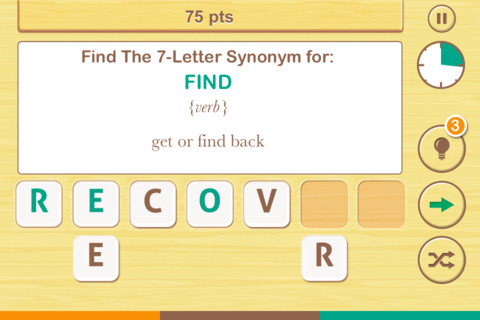
FREE  – Find the Synonym, an app designed for the iPhone/iPad. This app is listed as a game rather than an educational app but it would be great for kids in upper elementary school/junior high. A word is shown with its part of speech and definition. Kids are challenged to create a 4 – 7 letter synonym of that word using the letters provided. Points are awarded based on the length of the word, the time involved, whether clues are used, and/or if any mistakes are made. Badges are earned as the game is played. It’s simply designed  – not a lot of bell & whistles but it is heavy on content. There are a total of 1600 synonyms in the app. After you find 250 of them, the antonyms are unlocked. There are 700 antonyms in the app.

I realize that this app was not necessarily designed for students but it could easily be used for educational purposes. More flexibility in the settings would make it more suitable for classroom use. I could not find a way to restart the game. The game picks up where it left off & points are cumulative, so only one person can play. Also, having access to both synonyms and antonyms would be a plus. Regardless, I am sure that teachers will come up with creative ways to use this resource. 🙂

Find The Synonym - FreshLogo

FREE again – The Opposites for the iPhone/iPad. Designed for kids 7+, this educational app requires the matching of increasingly difficult pairs of opposite words. There are two sections of the app: dictionary and play. In the dictionary section, words are listed next to their opposites. To learn the meaning, students just tap on the word and a definition appears. There are 10 levels with 100+ words per level. In the play section, words are pronounced by a boy or a girl as they appear in bubbles and float towards the top of the screen  Kids are to tap pairs of opposites as they appear – which makes the words turn a color then pop. The goal is to match 12 sets of opposites  – which completes the level. A bonus round then appears in which the student has 20 seconds to match up an entire  board full of opposites. This app starts off simply but becomes quite challenging in the later levels. It could be used for differentiating a lesson and/or for helping students grow their understanding of antonyms.

Common Core Standards met:

  • 4.L.5 – Demonstrate understanding of figurative language, word relationships, and nuances in word meanings. c.Demonstrate understanding of words by relating them to their opposites (antonyms) and to words with similar but not identical meanings (synonyms).
  • 5.L.5 – Demonstrate understanding of figurative language, word relationships, and nuances in word meanings. c. Use the relationship between particular words (e.g.,synonyms, antonyms, homographs) to better understand each of the words.

The Opposites - Mindshapes Limited

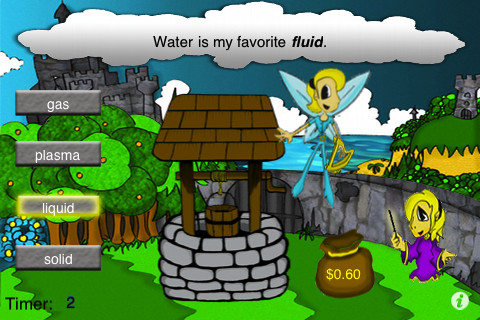
same meaningSame Meaning Magic  – The day I downloaded this iPhone/ iPad app it was FREE. It is now $.99. In this word game, kids help two young magicians named Leo & Luna by choosing a synonym for the bolded word in the sentence. Kids earn coins for choosing the correct answers. At the end of each level, you are shown the number of questions answered, the amount of money collected, and a percentage score for that level. There are 5 levels of play from very easy to very hard. Although I found some overlap in the earlier levels, the difficulty of the sentences definitely increased. Lots of good practice…  This game could be used in a one iPad classroom to teach using context clues. The app could also be used as an independent or buddy activity. Also available is Same Meaning Magic Part II for an additional $.99.

Common Core Standards met:

  • 4.L.5 – Demonstrate understanding of figurative language, word relationships, and nuances in word meanings. c.Demonstrate understanding of words by relating themto their opposites (antonyms) and to words with similar but not identical meanings (synonyms).
 Same Meaning Magic (Synonyms) - NRCC Games
quizzitive

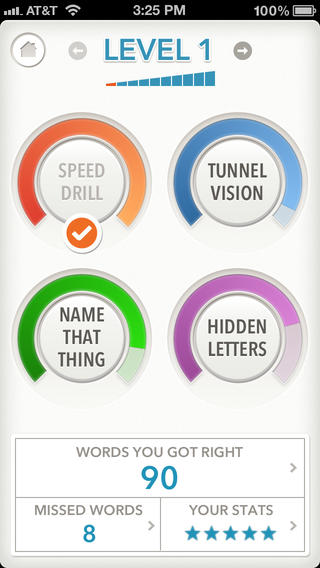
FREE (with in-app purchase to complete) – Quizzitive, a vocabulary game that helps you master “1000 Words Worth Knowing” – chosen by Merriam-Webster editors. The app has ten levels of difficulty. The first two levels (100 words each) are free. An in-app purchase of $1.99 unlocks the full game. The game features four kinds of vocabulary quizzes: Speed Drill, Name That Thing, Tunnel Vision, and Hidden Letters. After playing each game, there is the option to review your answers. You can replay each level as many times as you want – without resetting the game. The app tracks your achievements as you master the words and try to beat your personal best. It also compares your scores to other players’ scores. Try the FREE levels to see if this app is for you. 🙂

Download link: https://itunes.apple.com/us/app/quizzitive-merriam-webster/id645814720?mt=8&uo=4

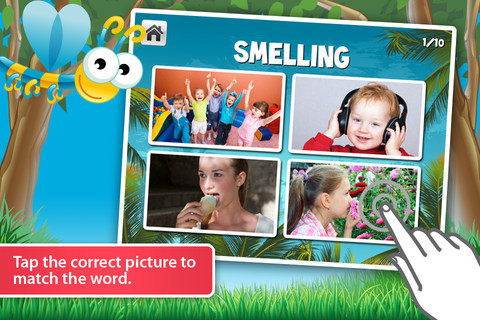
Vocabulicious Kinder for the iPhone/iPad is a flashcard app designed to help preschoolers and kindergartners increase their vocabulary. The FREE version includes 4 categories: animals, more animals, fruit, and plants. 14 additional categories are available as in-app purchases. Children earn stars by correctly tapping on the named/written object. The images on the flashcards are high quality photographs. There is an option to show either 2 or 4 cards at a time which permits adults to adjust the level to meet their child’s needs. There is also an option to set the type to be all caps or lowercase letters. The settings permit you to have up to 4 players. This app could be used with toddlers, students with language delays, or ESL students. Check out the FREE version if your child needs to work on vocabulary development.

Vocabulicious Kinder - Brainster Apps

1

Penelope HD

Penelope

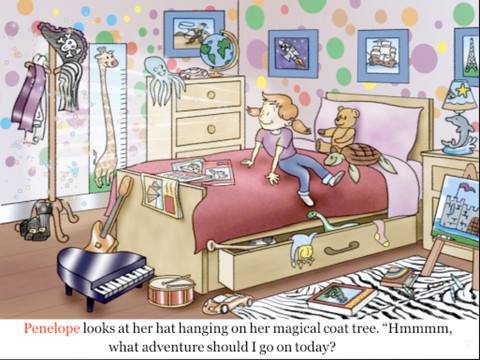
FREE for a limited time – Penelope HD, a delightful story for 4 – 8 year olds. It’s Penelope’s nap time but instead of napping she puts on a pirate hat and a magical thing happens. Her bedroom is transformed into a gigantic pirate ship and she becomes Penelope the Purple Pirate! She goes in search of treasure with her three friends: Daphne the dolphin, Teddy the sea turtle, and Oliver the octopus. This cute story also has a nice message about sharing. 🙂 After reading, there are 13 questions for discussion or to test your child’s recall. There are also suggested activities for the classroom/home. Ideas such as – have a treasure hunt or make a treasure test. The app also included fun facts about the featured animals and pirates. Nicely done!

Penelope HD - PicPocket Books

0

Hiding Hannah

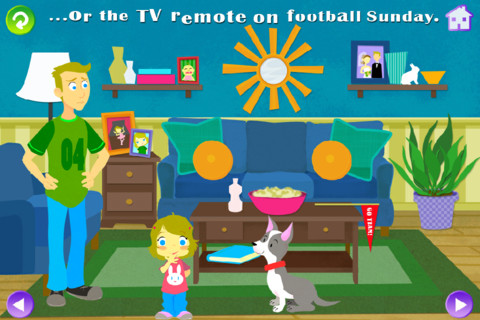
FREE today – Hiding Hannah is an interactive book for kids 2+ for the iPhone/iPad. Hannah LOVES to hide everything, including herself. Narrated by Tom Kenny (the voice of SpongeBob SquarePants) and illustrated by Melanie McCall, this book is adorable! Your child will love reading through the story and finding where Hannah has hidden things. And the best part is that the hiding places change every time you read the story. Really cute!!

Hiding Hannah - Squeaky Frog

0

Animal Game Show – Whose Toes are Those? – Matching Fun for Kids and Family – Ultimate Edition

toesFREE again – the full version of Whose Toes are Those, a very cute app for preschoolers. The app has a game show host, music, and an audience. Kids (contestants) have to identify which animal/person is behind the curtain by their toes. If the child chooses correctly, the animal/person does a silly dance – really cute and sure to bring some giggles! Little ones will have fun building their matching skills with this app!!

Animal Game Show - Whose Toes are Those? - Matching Fun for Kids and Family - Ultimate Edition - Eggroll Games LLC

0

SparkleFish

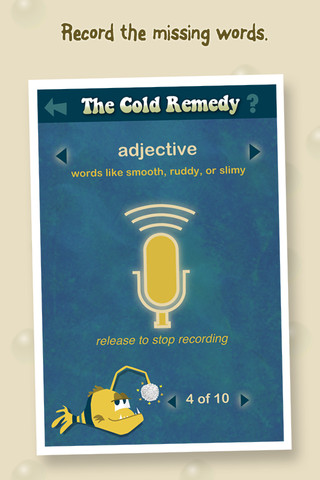
SparkleFish is a FREE educational app for iPhone/iPad that works like a digital version of Mad Libs. Five stories are included in the app with others available as in-app purchases. Kids are asked to provide words from a specific category (animal, body part, etc.) or a specific part of speech (adjectives, nouns, adverbs, past tense verbs, etc.). If the child cannot think of a good word, he/she can get suggestions from SparkleFish by touching the word. Instead of writing the words, kids record their choices in their own voice. Their words are played back in the reading of the story. Kids can save their recordings and listen to them later. This app allows kids to practice parts of speech in a fun way. Kids love Mad Libs because the results can be hilarious. I am sure they will feel the same way about SparkleFish. 🙂

SparkleFish - Whosagoodboy Partners