0

Ocean – Animal Adventures for Kids

ocean

FREE for a limited time – Ocean – Animal Adventures for Kids, an educational app for preschoolers. Kids will become sea life experts as they explore 3 ocean scenes – a coral reef, a shark reef, and the deep sea. The app has two modes – one for tapping/interacting with the creatures and the other for listening to/learning facts about them. Kids will learn fun facts about more than 30 animals and be delighted with the 60+ animations. The app is narrated in 12 languages – English, German, French, Spanish, Russian, Swedish, Japanese, Chinese, Portuguese (Brazilian), Turkish, Dutch and Italian. Check out this cute interactive book for your 1 – 5 year old today. 🙂

Download link: https://itunes.apple.com/us/app/ocean-animal-adventures-for/id819165012?mt=8&uo=4

1

Counting Money

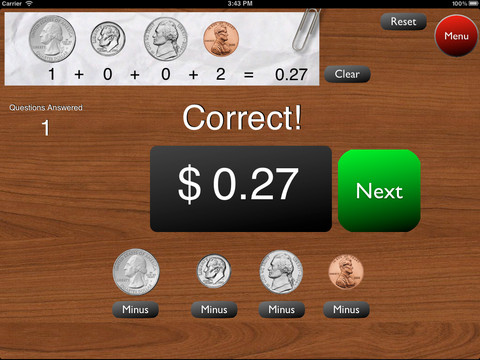
A great FREE app for the iPad – Counting Money gives kids practice counting coins. This educational app has two modes: practice and quiz. In the practice mode, the child must answer the question correctly to proceed. In the quiz mode, 10 questions are generated with only one chance to answer correctly. There are two levels of difficulty: beginner (up to $2.00) and normal (up to $4.00). Users can select the number of questions (10, 20, 30 or 40) and decide if they would like to be graded (based on percentage). As the children count coins to reach a specified total, the app can be set to total the coins as they are being counted (if you wish). This app is easy to use with a lot of flexibility.

Common Core Standards met:

  • 2.MD.8 – Solve word problems involving dollar bills, quarters, dimes, nickels, and pennies, using $ and ¢ symbols appropriately.

Highly recommended!

Counting Money - King's Apps

0

Fold Cam

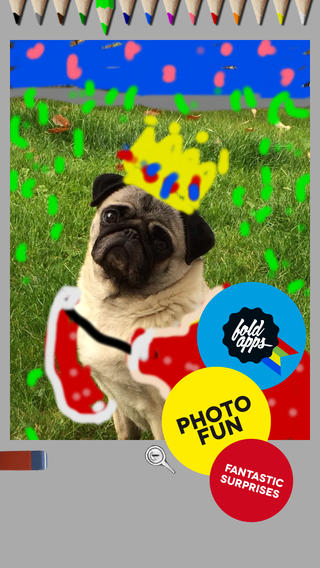
fold camFREE for iPhone/iPad – Fold Cam, an app that mixes photography with art. Fold Cam is simple to use  – just take a picture then decorate it with the colored pencils that appear at the top of the screen. The magnifying glass allows you to zoom in close to add details. The eraser makes it easy to fix. When you are finished enhancing your picture, you can share via Facebook, Twitter or email – easy & fun.

Kids would have fun with this app. Who wouldn’t like decorating the family pet? 🙂

Fold-Cam - Cribster

0

SpeakaZoo and Winston Show

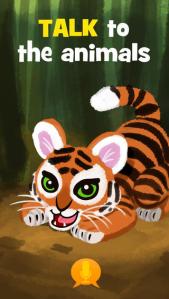
speak a zooFrom the creators of the Winston Show comes another FREE app – SpeakaZoo, the only zoo where the animals talk with you. This educational  app is currently featured as one of the “Best New Apps” by Apple. The SpeakaZoo houses 20 different animals from 4 different habitats. Each one has a lot of character – a fast-talking octopus, a porcupine that needs a hug, an angry beaver, a sleepy bear, etc. And each character has a lot to talk about. The animals ask kids questions then “listen” to their answers. The conversation continues when the animal responds to what the child just answered – fun!

Parents are asked to create an account with a valid email address so that they have full control over all account information and content for children under 13. From the ToyTalk privacy policy FAQs: “ToyTalk apps involve characters that interact with users. When children use ToyTalk apps, audio recordings and photographs of such interactions are captured as part of this use. We may add the ability to capture video in the future. In that case, we will update this FAQ to describe how we use those recordings too.” Read more at: http://www.toytalk.com/legal/

Download link: https://itunes.apple.com/us/app/speakazoo/id850553929?mt=8&uo=4

winston

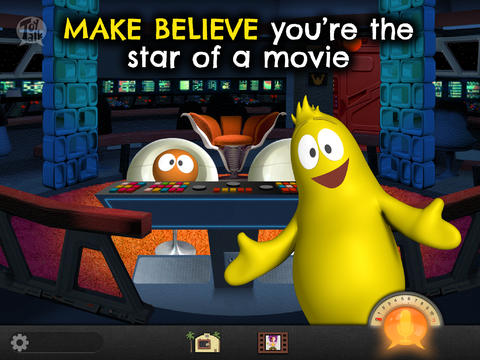
FREE – The Winston Show, an adorable app for kids 6+. Winston (a self-proclaimed, yellow fellow) and his sidekick Ellington have created the first talk show starring you! Special guests include Blackbeard the Pirate, Marie Antoinette, and the Blue Whale. Kids visit 6 different studios within the app. In Studio 1, they become a contestant on a quiz show called Win with Winston. Studio 2 features Fireside Chats on a variety of kid-friendly subjects such as magic and chores. In Studios, 3 kids can choose to become the star in two movies: Squabble Among the Stars or Winston Sly, Private Eye. They battle colorful characters (such as Lewis & Clark) in Studio 4′s You vs., another game show. Studio 5 is the Costume Department where kids can play dress-up in an assortment of costumes. And finally, Studio 6 features the Writing Room where kids choose the path of a story. This app is fabulous for helping kids with conversational language because the characters listen and talk back! It’s quite ingenious and could be really fun – for kids and adults. Adults will love seeing kids interact with Winston and friends. And, they will understand all of the jokes. 🙂 Delightful!!

From the ToyTalk privacy policy FAQs: “Users under 13 are only authorized to use ToyTalk apps under their parent/guardian’s account. As a result, we do not knowingly collect emails or other contact information directly from children under 13. ToyTalk apps involve characters that interact with users. When children use ToyTalk apps, audio recordings and photographs of such interactions are captured as part of this use. We may add the ability to capture video in the future. In that case, we will update this FAQ to describe how we use those recordings too.”  Read more at: http://www.toytalk.com/legal/

Download link: https://itunes.apple.com/us/app/winston-show/id669541931?mt=8&uo=4

1

Math 42

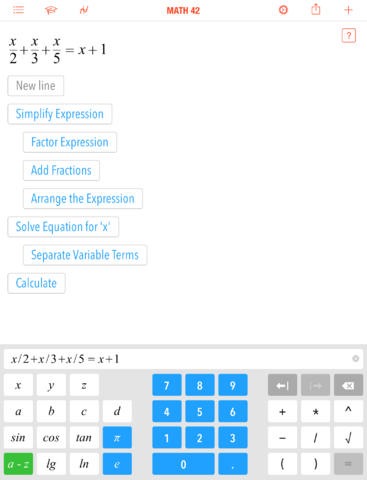
FREE for a limited time – Math 42, an educational app for students in grades 5 – 12. Math 42 can be used as a calculator and/or a math trainer which makes it a great tool for homework and test prep. When a student enters an equation, Math 42 provides the answer and he step-by-step solution. How cool is that?
The math trainer section of the app has a training mode and a test mode. The training mode has 380 exercises per topic. After trying each exercise independently, students can access the step-by-step solution. What a wonderful feature to help kid understand the process! The topics included are simplification of terms, fractions, linear equations, quadratic equations, polynomials, derivations, graphic curve sketching, and more. The test mode has 5 – 20 exercises per test – depending on the topic. And the app collects data – a student’s progress over time. Color coding (red, yellow, green) help students and their teachers see strengths and weaknesses. Check out this app today!!

Download link: https://itunes.apple.com/us/app/math-42/id664457128?mt=8&uo=4

0

Three Little Pigs – A Play

FREE again – Three Little Pigs – A Play for the iPhone/iPad for kids 4+. An updated version of the 3 Little Pigs is presented as a play starring Mitch, Clara, Ran, and Clarence Bear. The book is brightly illustrated and the characters respond when they are tapped. The background music and narration are nicely done. The book can also be read alone. The story generally follows the traditional tale – the first pig builds a house from straw, the second pig builds a house of sticks, and the third pig builds a house of bricks. All of the pigs get away (rather than the first 2 being eaten) and wolf runs away yelping in pain. The first 2 pigs learn the lesson: Take your time and do your best. The story ends with the first 2 pigs starting to rebuild their houses in the spring – this time with bricks, of course!

In my classroom I used different versions of the same fairy tale/folk tale for studying story elements as well as comparing & contrasting. This would be a good version to compare with the traditional tale of the Three Little Pigs since its setting is in modern times. Kids can look for evidence to prove that the story takes place in current times. They could also use Venn diagrams to compare the traditional tale to this version or other versions that they have read. This app could be used to reinforce several comprehension skills.

Recommended!

Three Little Pigs - A Play HD - C&B Unlimited

0

ReadNRespond

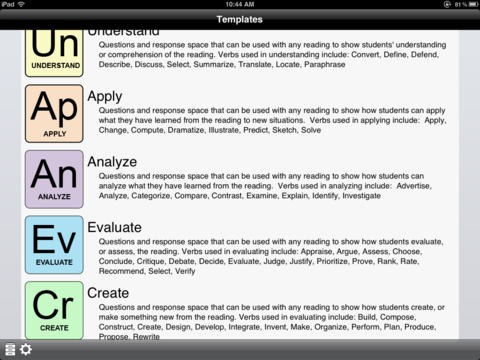
FREE for a limited time – ReadNRespond, an educational app for reading comprehension. Teachers can easily create reading response forms based on Bloom’s Taxonomy with this app. There are 20 questions for each of the 6 levels of understanding – recall, understand, apply, analyze, evaluate and create. The questions are general in nature so that they can be used with any book, movie, etc. There are so many ways to use this app: modeling how to answer questions, whole group instruction, literature group instruction, teacher-directed assignment, student-choice assignment, project-based learning, etc. Response forms can be printed out to assign in class, students can respond/save within the app, or students can email their responses to their teacher. It would even be fun to have students email their responses to each other for peer editing. What a fabulous app for reading students in grades 3 and above – perfect for literature groups!!

Download link: https://itunes.apple.com/us/app/readnrespond/id545919500?mt=8&uo=4
[title]()

0

Lullaby Piano Book

lullaby

FREE again for a limited time – Lullaby Piano Book, an educational app for your budding pianist! The app’s keyboard has 13 sounds. There is a learn mode and a play mode. In the learn mode, kids are guided (note by note) through the songs. In the play mode, the notes are provided but kids are on their own. I wish the app also included an autoplay so kids could hear the song before attempting to play it. The app features cute cartoon characters and 6 songs that kids love – Hickory Dickory Dock, Mary Had A Little Lamb, It’s Raining, It’s Pouring, Eensy Weensy Spider, Three Blind Mice, and  Do Re Mi. This educational app is designed for both iPhone and iPad. 

Lullaby Piano Book - BelugaBloo

0

Drawnimal

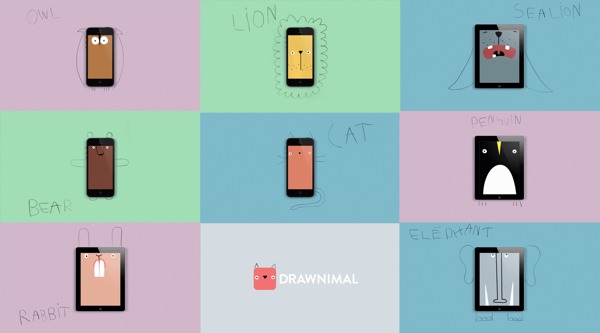
FREE again for a limited time – Drawnimal, an ABC app for kids that has them thinking (and drawing) outside the box. Kids begin by placing the device on a piece of paper or other drawing surface. Then they draw around the device (as shown above) to complete the drawing of an animal. When they press play, the app identifies the animal. Finally, they tap the animal for a delightful surprise! Kids will love the animal animations that they helped to create. It’s the perfect combination of an alphabet app and a drawing app for little ones. And, it’s in 5 languages – English, Spanish, Dutch, Italian, and French. It’s super cute and super fun!

Download link: https://itunes.apple.com/us/app/drawnimal/id586239095?mt=8&uo=4

0

Alphabet Game – Build Letter Confidence

Alphabet Dots

FREE again – Alphabet Game from Ellie’s Games (normally $1.99). This educational app uses bright colors and a simple interface to teach young children to recognize the alphabet from A to Z. Kids learn to recognize both upper and lower case letters by popping colorful dots in order. The app has three levels of difficulty – choosing from 4 letters, 9 letters, or 16 letters. Kids can work on all upper case letters, all lower case letters or a mixed letters. There are also settings for sound, hinting, and enabling vibrations (iPhone only). This simple but visually appealing game is sure to help your little one learn the ABCs.

Alphabet Dots - Ellie's Games, LLC