0

Counting Board

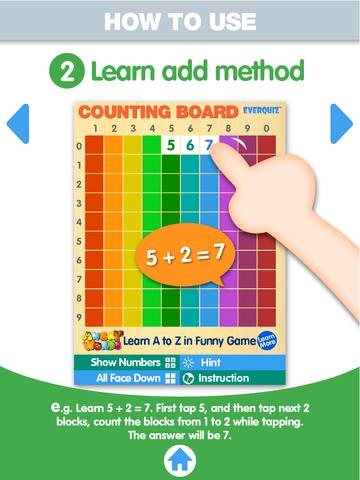
counting boardFREE and fabulous – Counting Board HD, a colorful number grid that can be used to help kids learn basic number concepts. The app is advertised as being suitable for 2 to 4 year olds but it can also used with older students. I frequently used number grids with third graders. Number grids help kids see patterns and visualize math concepts. With younger children, the app can be used for counting to 100 – by ones, fives, tens. Younger kids can also learn basic addition and subtraction by using the app to count up or count back. With older kids, number grids can be used to teach: greater than and less than, how to find missing addends, place value concepts, skip counting, and more! The app can be used with the numbers showing or hidden and the pronunciation can be on or off. The app simple to use, visually appealing, and useful for so many math lessons. I love this app! It’s so much easier than dragging out the laminated number grids and counters. 🙂

Common Core Standards met:

  • K.CC.1. Count to 100 by ones and by tens.
  • K.CC.2. Count forward beginning from a given number within the known sequence (instead of having to begin at 1).
  • 1.NBT.5. Given a two-digit number, mentally find 10 more or 10 less than the number, without having to count; explain the reasoning used.
  • 1.NBT.6. Subtract multiples of 10 in the range 10-90 from multiples of 10 in the range 10-90 (positive or zero differences), using concrete models or drawings and strategies based on place value, properties of operations, and/or the relationship between addition and subtraction; relate the strategy to a written method and explain the reasoning used.
  • 3.OA. 9. Identify arithmetic patterns (including patterns in the addition table or multiplication table), and explain them using properties of operations.

Download link: https://itunes.apple.com/us/app/counting-board/id450751745?mt=8&uo=4

0

Tiny Hands Raccoon Treehouse

raccoon treehouseFREE for a limited time – the FULL version of Tiny Hands Raccoon Treehouse, an adorable app for 3+ preschoolers. Kids sort, match, and classify items using their shapes, patterns, colors, etc. The app features twelve rooms of everyday objects familiar to children. In the bathroom, kids match shapes to the missing tiles on the wall. In the living room and the playroom, they use logic to put things in place. In the backyard, fruits are picked by color. In the garage, tools are sorted by size. I especially like the kitchen where kids have to place items in the refrigerator or cupboards. The rubber duckie won’t stay in the frig if kids try to put him there. Each room presents a different age-appropriate challenge. The artwork is cute and colorful – sure to be appealing to little ones. Sound effects add to the fun. Kids will love helping the raccoons do their chores! Take advantage of downloading this app today while the FULL version is FREE!

Direct Link: https://itunes.apple.com/us/app/tinyhands-raccoon-treehouse/id872578866?mt=8

0

Number Line, by the Math Learning Center

number lineNumber Line, by the Math Learning Center is a fantastic FREE app that will help kids visualize number patterns and understand number operations. The app is well-designed with several useful features. The number line can be set by ones, twos, fives, tens, twenty-fives, and hundreds. It can also be customized to show multiples of any whole number from 1 to 100. This feature is perfect for skip counting and/or for visualizing multiplication. The app permits kids to add and manipulate forward & backward jumps – a great feature for teaching addition & subtraction. This feature also helps kids visualize multiplication as repeated addition of the same number and division as repeated subtraction of the same number. Teachers are able to hide or reveal numbers on the number line. This feature can be used to challenge kids to apply what they know in order to figure out the missing number/numbers. Teachers can also use this feature to teach kids how to solve more difficult patterns that are missing several numbers; such as 4, __, __, 16.  Kids can use the drawing tools to show what they know. They can write equations and expressions with the text tool. They can screen shot their work and use it as an exit slip after a lesson. Add this one to your virtual toolkit today – “seeing math” helps kids understand it. 🙂

Download Link: https://itunes.apple.com/us/app/number-line-by-math-learning/id751816884?mt=8&uo=4

0

Hands-On Equations 1 – The Fun Way to Learn Algebra

hands-onOn sale for only $.99 – Hands-On Equations 1 – The Fun Way to Learn Algebra. This educational app introduces algebra to elementary and middle school students. Dr. Henry Borenson developed and received a patent for Hand-On Equations after teaching math to both low-achieving & Math Olympiad students in New York City. His Hands-On Equations program uses physical game pieces on a balance to represent algebraic equations. Hands-On Equations, Level 1 consists of 6 lessons and a review lesson. Each lesson begins with a video introduction that is followed by two examples and ten exercises. In the first lesson, students use a guess-and-check strategy to figure out the value of pawn that makes the sides balance. In lesson 2, students place the game pieces on the balance scale to represent both sides of the equation. Each lesson becomes more challenging. This method is fantastic for young students who are learning algebra as well as older students who have struggled with algebra. The visual representation of the equations will help all students understand key concepts of algebra. Check it out while it’s FREE. If you like what you see, Hands-On Equations 2 and Hands-On Equations 3 are available for $3.99 each. 🙂

Download link: https://itunes.apple.com/us/app/hands-on-equations-1-fun-way/id505948222?mt=8&uo=4

0

Tiny Airport

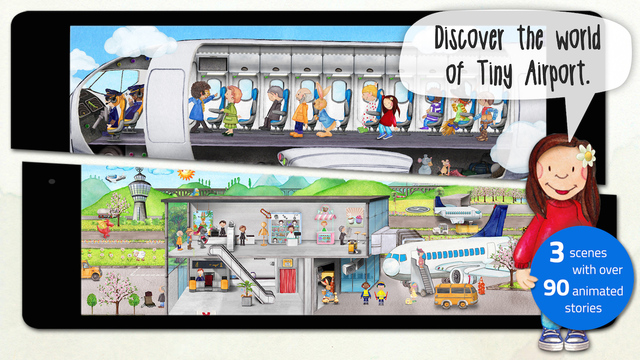
tiny airportFREE for a limited time – Tiny Airport, an interactive seek & find book. Preschoolers tap their way through three interactive scenes (full of fun sounds) to learn about the airport. First they arrive by taxi, check-in, and go through the security check. In scene two, they wait at the departure gate, board, and take-off. In scene three, they are airborne with the other passengers. They even get to fly the plane. There are 90 hidden adventures to uncover with fun, extra surprises in each scene. The app features lots of detail which makes it perfect for storytelling. If you are planning a trip to the airport, get this app to introduce your child to what he/she may experience. 🙂

Download link: https://itunes.apple.com/us/app/tiny-airport-toddlers-seek/id900006134?mt=8 

0

Math Animations Grades (1 – 8)…

math animations

FREE for a limited time – Math Animations (Grades 1-8). This app Includes numbers, decimals, fractions, addition, subtraction, multiplication, division, geometry (perimeter and area of parallelograms, triangles, trapezoids), measurement, algebra for elementary and middle school students. The title says it all! The purpose of this app is to show kids how math works – visually. The app features 55 animations that explain everything from counting to beginning algebra. There are no words used. Math concepts are visually explained in step-by-step illustrations. If you have kids that need to “see” how things work, you may want to add this app to your list of teaching resources!

Download link: https://itunes.apple.com/us/app/math-animations-grades-1-8/id579825429?mt=8&uo=4

0

Everyday Math® APPS: Addition Top – It, Beat the Computer, Squeeze Monster, Equivalent Fractions, Divisibility Dash

FREE again!!!

5 educational apps from McGraw Hill’s Everyday Math® – If your school system uses this program to teach math, you may want to take advantage of these offers. 🙂

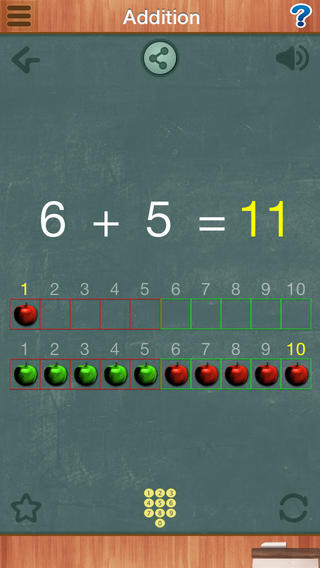
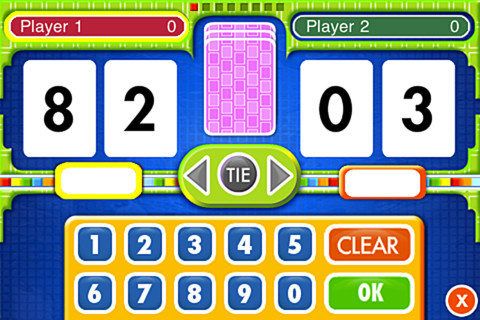
Everyday Math’s Addition Top-It app for iPhone/iPad is a two player game. It is fun easy way for kids to practice basic addition facts from 1 – 10 and greater than/less than.

Common Core Standards met:

  • 1.OA.6 – Add and subtract within 20, demonstrating fluency for addition and subtraction within 10.
  • 2.OA.2 – Fluently add and subtract within 20 using mental strategies. By end of Grade 2, know from memory all sums of two one-digit numbers.

Everyday Mathematics® Addition Top It - McGraw-Hill School Education Group

Everyday Math’s Beat the Computer app for iPhone/iPad is fun easy way for kids to practice basic multiplication facts. They race against the computer to score as many points as they can.

Common Core Standards met:

  • 3.OA.7 –  By the end of Grade 3, know from memory all products of two one-digit numbers.

Everyday Mathematics® Beat the Computer™ Multiplication - McGraw-Hill School Education Group

Everyday Math’s Squeeze Monster app for iPhone/iPad is a two player game. Designed for younger students, it reinforces number line concepts and number comparisons.

Everyday Mathematics® Monster Squeeze™ - McGraw-Hill School Education Group
Everyday Math’s Equivalent Fractions app for iPhone/iPad is fun easy way to reinforce fraction concepts. Note: the app uses a digital version of the fraction cards from the Everyday Math third grade book.

Common Core Standards met:

  • 3.NF.3 – Explain equivalence of fractions and compare fractions by reasoning about their size. Understand two fractions as equivalent (equal) if they are the same size, or the same point on a number line. Recognize and generate simple equivalent fractions, e.g., 1/2 = 2/4, 4/6 = 2/3). Explain why the fractions are equivalent, e.g., by using a visual fraction model.
Everyday Mathematics® Equivalent Fractions™ - McGraw-Hill School Education Group
Everyday Math’s Divisibility Dash app for iPhone/iPad is fun easy way to practice recognizing multiples of a number and applying divisibility tests.

Common Core Standards met:

  •  4.OA.4 – Find all factor pairs for a whole number in the range 1–100. Recognize that a whole number is a multiple of each of its factors. Determine whether a given whole number in the range 1–100 is a multiple of a given one-digit number. Determine whether a given whole number in the range 1–100 is prime or composite.

Everyday Mathematics® Divisibility Dash™ - McGraw-Hill School Education Group

0

Star Walk™ 2 – Guide to the Night Sky to Watch Stars, Planets, Meteor Showers & Constellations

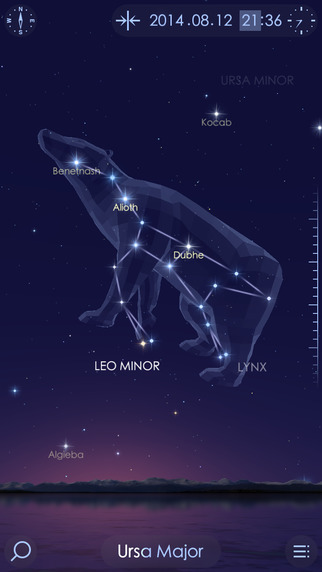
star walk 2Apple’s App of the Week and FREE – Star Walk™ 2 – Guide to the Night Sky to Watch Stars, Planets, Meteor Showers & Constellations. Just point your iPhone or iPad at the sky to begin your journey through the stars, comets, and constellations. Star Walk™ 2  is the next generation of the best-selling Star Walk which has been used by over 10 million people. Summer is the perfect time for you and your children to learn the position of stars, planets, constellations, comets, ISS, satellites, star clusters, nebulae and meteor showers in the night sky. Grab your telescope and Star Walk 2 and have a family stargazing party tonight!

Direct Link: https://itunes.apple.com/us/app/star-walk-2-guide-to-night/id892279069?mt=8

0

Mr. Sandman

imageFREE for a limited time – Mr. Sandman is a beautiful, interactive bedtime story for the iPad/iPhone. The story does a nice job of addressing a common fear of childhood. It is about a young boy who is afraid of the dark. The sandman appears and the boy drifts off to sleep. In his dream, he meets an owl who shows him wonderful & magical things about the dark. The app features incredibly beautiful artwork and dreamy music – perfect to set the mood for the story. But the most wonderful thing about this app is the way that it transitions from page to page. Kids move the story forward in a variety of unique ways. They help the sandman sprinkle the sand, say “Shhh” to calm the frogs, scratch the owl’s belly, touch the moon, and more. Each page transitions to the next page in a uniquely delightful way. And, the app can be switched different languages – nine in all. Mr. Sandman is wonderful – don’t miss it! 🙂

Download link: https://itunes.apple.com/us/app/mr.-sandman/id511273529?mt=8&uo=4

0

Non-Scary, Educational Apps About Sharks

It’s Discovery Channel’s Shark Week, a week of TV programs dedicated to sharks. Shark Week began in 1988 and is now broadcast in 72 countries.

Here’s some educational apps about these creatures who capture the interest of so many people – young and old!
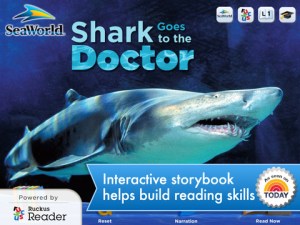
Shark Goes to the Doctor

SeaWorld: Ruckus Reader presents – Shark Goes to the Doctor, an engaging story that follows a sand tiger shark as it is checked by vets. Kids learn interesting facts about sharks’ lives. The cost is currently $3.99.

Download link for SeaWorld: Ruckus Readerhttps://itunes.apple.com/us/app/seaworld-ruckus-reader/id515220048?mt=8&uo=4
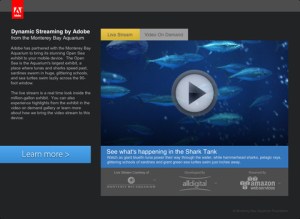
Shark tank

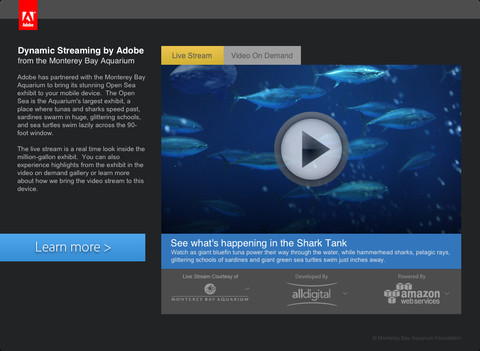
FREE – Sea TV is a collaborative effort between Adobe and Monterey Bay Aquarium (a highly ranked U.S. aquarium) to bring its Open Seas Exhibit to your mobile device! The Open Sea is a million gallon exhibit with a 90-foot window. You may see sharks speed past, sardines swimming in glittering schools, and/or sea turtles on the live video stream. You can also watch videos on demand.

Download link for Sea TVhttps://itunes.apple.com/us/app/sea-tv/id530529039?mt=8&uo=4

shark track 1

shark track 2

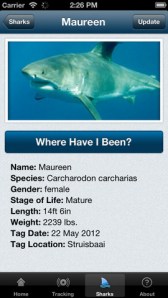
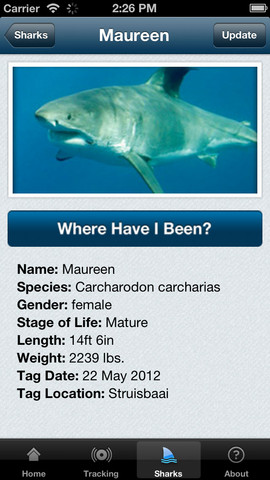
FREE – Global Shark Tracker lets you follow the navigational pattern of sharks that have been tagged with satellite tracking technology.  The purpose of this tracking is for shark conservation and the collection of data on the health of sharks. Very cool!

Download link for Global Shark Tracker:https://itunes.apple.com/us/app/global-shark-tracker/id570772231?mt=8&uo=4Discovery Kids Sharks
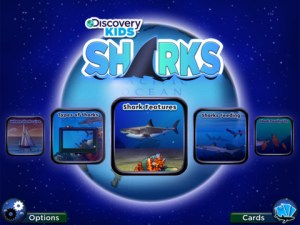
Currently $4.99 – Discovery Kids Sharks for kids 6+. If your child loves sharks, this is a must-have educational app! Kids will learn: shark anatomy, types of sharks, how sharks hunt, where sharks live, and about shark families. The app includes 5 interactive games and 30 digital trading cards that can be shared via email. This app has a great mix of videos (from Discovery’s Shark Week files), fabulous photos of sharks in their natural environment, 150+ interesting shark facts, and a few games. Teachers could use the information in this app to teach a lesson on comparing and contrasting – using a Venn diagram or other graphic organizer. Kids will love learning about sharks using this fun, cool app!

Discovery  Kids Sharks - Parragon

Treasure Kai and the Lost Gold of Shark Island is an adventure story of a 10-year-old treasure hunter named Kai. Kai is always dreaming about treasure and looking for it in his parents’ store: The Treasure Shop. Kai’s dreams magically transport him to Shark Island where he finds a treasure chest. And so the adventure begins…. Kids help in the hunt for gold by choosing from 8 different treasure chests. Each chest reveals another clue – leading Kai through more adventures. Along the way there are animations to discover, great sound effects, and an original score. This digital story is similar to the “choose your own adventure” books with an “Indiana Jones” feel to it. It is different every time it is read with thousands of ways to find the treasure. This app would be great for kids who are a bit older and becoming independent readers. Very cool. 🙂

Visit the website for a preview http://treasurekai.com/. After reading the story, your child can go back to the website for a variety of extras: watch fun fact videos, go behind the scenes, play a video game, work some puzzles, and more.
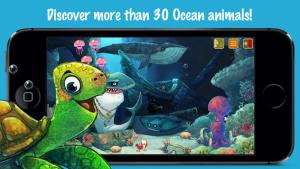
Treasure Kai and the Lost Gold of Shark Island - Interactive Book App for Kids - Treasure Bound Books

ocean

Currently $2.99 – Ocean – Animal Adventures for Kids, an educational app for preschoolers. Kids will become sea life experts as they explore 3 ocean scenes – a coral reef, a shark reef, and the deep-sea. The app has two modes – one for tapping/interacting with the creatures and the other for listening to/learning facts about them. Kids will learn fun facts about more than 30 animals and be delighted with the 60+ animations. The app is narrated in 12 languages – English, German, French, Spanish, Russian, Swedish, Japanese, Chinese, Portuguese (Brazilian), Turkish, Dutch and Italian. Check out this cute interactive book for your 1 – 5 year old today. 🙂

Download link: https://itunes.apple.com/us/app/ocean-animal-adventures-for/id819165012?mt=8&uo=4