0

Reading Rainbow

Give the gift of reading…

Reading Rainbow is a library of over 200 books and videos for kids ages 3 – 9. This educational app is FREE to download but requires a subscription ($9.99 per month or $29.99 for 6 months) for full access. Once you subscribe, your children (up to 5 per family) will have unlimited access to the interactive books and video trips. This app is similar to the award-winning Reading Rainbow television series that was on PBS from 1983 – 2006. It even features the same host – Grammy winner, LeVar Burton. In less than a year, over 2.5 million books/video field trips have been viewed with this app!

After installing the app, kids fill out their profile (name, age, kinds of stories they like to read) and may choose one free book from one of the 6 themed island in the sky. The books are professionally read and feature “Read to Me” or “Read on My Own” options. They are lightly animated and include interactive activities that add to the story. A sticker rewards program motivates kids to read. There is also an individualized tracking system so parents can see books selected and minutes read for each child.

I must admit, I downloaded this app because of nostalgia. My kids grew up watching Reading Rainbow and we all loved it.I am happy to say that the appeal of Reading Rainbow today is the same as it was almost 30 years ago – Reading Rainbow provides kids with quality authentic literature. If I had a child/ grandchild (ages 3-9) or if I were still in the classroom, I would subscribe without hesitation. What a fabulous resource!

Highly Recommended!

Reading Rainbow - Reading Rainbow

0

Hands-On Equations 1 – The Fun Way to Learn Algebra

hands-on

FREE for a limited time – Hands-On Equations 1 – The Fun Way to Learn Algebra. This educational app introduces algebra to elementary and middle school students. Dr. Henry Borenson developed and received a patent for Hand-On Equations after teaching math to both low-achieving & Math Olympiad students in New York City. His Hands-On Equations program uses physical game pieces on a balance to represent algebraic equations. Hands-On Equations, Level 1 consists of 6 lessons and a review lesson. Each lesson begins with a video introduction that is followed by two examples and ten exercises. In the first lesson, students use a guess-and-check strategy to figure out the value of pawn that makes the sides balance. In lesson 2, students place the game pieces on the balance scale to represent both sides of the equation. Each lesson becomes more challenging. This method is fantastic for young students who are learning algebra as well as older students who have struggled with algebra. The visual representation of the equations will help all students understand key concepts of algebra. Check it out while it’s FREE. If you like what you see, Hands-On Equations 2 and Hands-On Equations 3 are available for $3.99 each. 🙂

Download link: https://itunes.apple.com/us/app/hands-on-equations-1-fun-way/id505948222?mt=8&uo=4

0

Drawing with Carl

drawing carl

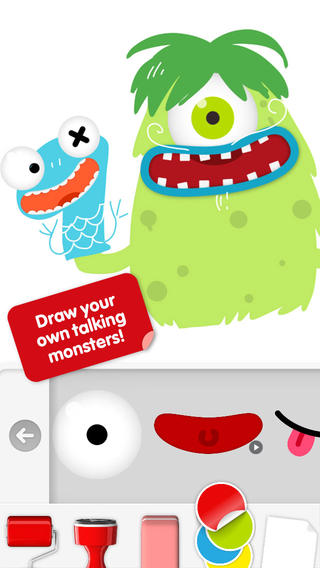
Do you have a child who LOVES to draw? FREE today – Drawing with Carl is a fantastic drawing app for kids. This educational app is very intuitive and easy to use. Kids create pictures using 8 kinds of tools – pencils, crayons, paint brushes, markers, paint tubes, rollers, stampers, erasers, and stickers. The sticker tool is particularly fun. It includes stickers of Carl and his friends, backgrounds (which includes access to your photos), facial features, the alphabet, dinosaurs, mustaches, and assorted shapes. Kids can create and play with talking stickers that repeat anything they say in a funny voice! How fun is that?? Draw a monster and add a talking mouth, import a picture and add a talking mouth, etc. The app also includes 14 colors with and the option to create new colors. Works of art can be shared – save them as photos, email them, or posted them to FB. It’s no wonder that this app has been featured by Apple. Hours of creative fun await your kids!!

0

The Foos

foos

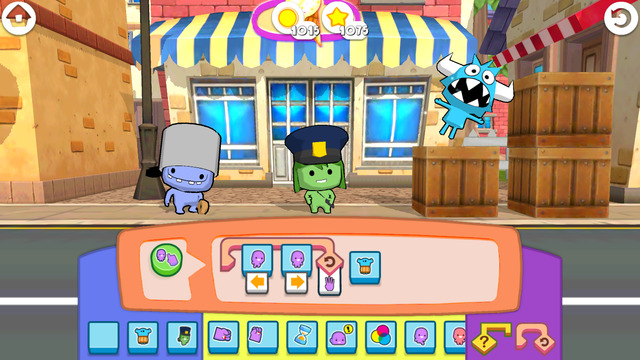
The Foos: Code for an Hour edition is a kid-friendly app that was created for Hour of Code, a nationwide initiative by Computer Science Education Week and Code.org. The purpose of Hour of Code is to introduce millions of students to one hour of computer science and computer programming. The app introduces coding to “kids” of all ages who have no experience programming, Players learn programming logic as they code their way through 24 levels of adventure. The Foos are cute little creatures (such as cops, chefs, ninjas) that encourage kids to create by programming. Coding skills taught include: how to debug programs, loops and conditionals. As kids learn programming, they will also be using core concepts such as pattern recognition, problem solving, sequencing, and visualization. The more kids play, the more persistent they will become in pursuit of solutions. I love the way they have to use patterning and logic to figure things out! The Foos is based on curriculum from MIT and Exploring Computer Science at UCLA. The app is completely FREE and available in over 135 countries. Check it out for some coding fun!

Download link: https://itunes.apple.com/us/app/foos-code-for-hour-free-girls/id923441570?mt=8&uo=4

0

Stick Around by Tony Vincent & MorrisCooke

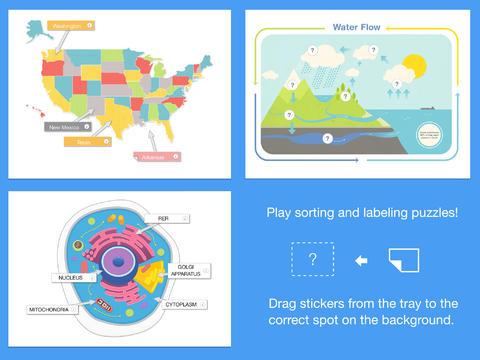
stick aroundFREE today – Stick Around by Tony Vincent & MorrisCooke, an educational app that enables you to design and share your own learning puzzles. The app comes with eight puzzles: parts of speech, water cycle, rock categorizing, cell biology, states, ordering decimals, planets, and Mount Rushmore.  Play with them to discover how app works. Then start thinking of how the app might be utilized for the subjects that you teach. Stick Around is open-ended & suited for all levels of learning.

Puzzles are created in 3 easy steps: make a background, add stickers with text or images, make an answer key. Audio instructions and/or a timer can also be included. The app features several templates to get your started: Venn diagram, two columns, definitions, grid, sequencing, smallest to largest, largest to smallest, and timeline. Or, you can start with a blank page and create your own background. You can also import projects made with Explain Everything™ and turn them into puzzles. Finished projects can be exported to Dropbox, GDrive, WebDAV & email for sharing. Want to see how your students did? Have them take a screen shot of their completed puzzle. The app tracks the time and number of attempts. LOVE this app – you can tell it was developed by educators. 🙂

Download link: https://itunes.apple.com/us/app/stick-around-by-tony-vincent/id557949353?mt=8&uo=4

0

Sharing With Duckie Deck

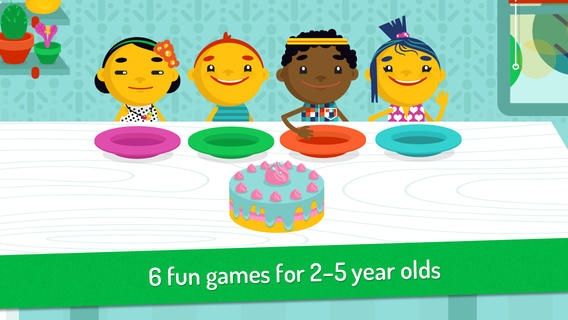
Duckie DeckFREE for a limited time – Sharing With Duckie Deck. This happy & colorful app features six educational activities for preschoolers: food sharing, toy sharing, matching, deductive reasoning, cake decorating, and drawing. As they play the games, kids collects stickers and badges in their special drawer – adding to the fun! The games focus on the positive feelings that are associated with sharing. A cheerful, developmentally appropriate app with a great lesson on sharing – how perfect!

Download link: https://itunes.apple.com/us/app/sharing-duckie-deck-6-in-1/id574861323?mt=8&uo=4

0

Hopscotch HD

Hopscotch HD

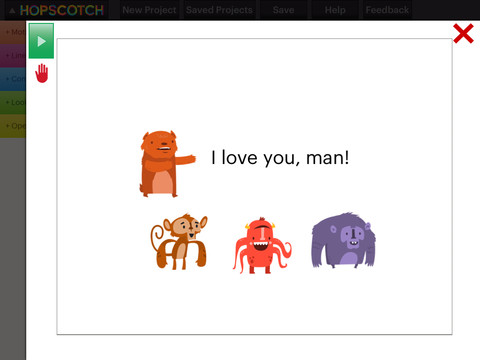
FREE – Hopscotch HD, an educational app that teaches kids how to program their own games and animations! Introduce kids to computer science with this app. 🙂 Kids drag and drop “method blocks” into scripts. When they are done, they can press play to see their code in action! Why teach kids coding? According to the developer – there will be about 1.4 million computer jobs by 2020 and only 400,000 computer science students. Many coders first fell in love with coding when they were  8-12 year old children. Hopscotch is based on a visual programming language named Scratch which was developed by MIT. It promotes STEM education (science, technology, engineering and math) in a fun way – by making coding kid-friendly! LOVE it! And apparently so do others… Hopscotch was featured by Apple in the App Store, won a 2013 Parents’ Choice Gold Award, and was featured in 2014 Children’s Technology Review: Best Educational Technology. 

Hopscotch HD - Hopscotch Technologies

And, as an extra added bonus… here is a link to an iBook called Hopscotch Lesson Ideas. Thanks Apple. 🙂

Download link: https://itunes.apple.com/us/book/hopscotch-lesson-ideas/id939801491?mt=11&uo=4

0

Toca Hair Salon 2

Toca Hair 2

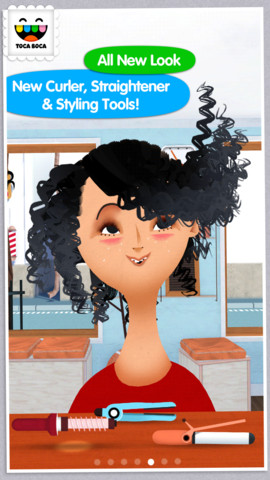
22,198 reviews can’t be wrong so you don’t want to miss this one. Toca Hair Salon 2, a creative educational app, is FREE for a limited time. This app is the sequel to the original – Toca Hair Salon. In this app, kids go back into the salon to groom NEW characters in this app. Using the tools in the salon, they cut hair, comb it, curl it, straighten it, make it grow, shave it, color it, etc. Great sound effects are also included in this fantastically fun app. Kids or parents can take a photo of the finished creation and save it to the camera roll. If parents wish, creations may be posted on the Toca Boca Facebook page. The developers have also built-in options to turn off sounds, pictures, and news. What a great springboard for creative writing – give a character a whole new look and write a story to go with it. Use this app to inspire creative writing on Wacky Hair Day!!

Toca Hair Salon 2 - Toca Boca AB

0

Math Apps from Spinlight – on Sale!

Check out Spinlight Studio’s $.99 sale – great apps at a great price!

Tally Tots

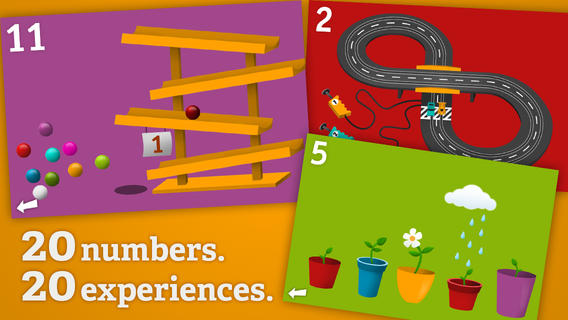
Tally Tots Counting is an educational app that teaches kids to count to 20. The app features 20 interactive mini-games that make learning numbers and counting fun. Kids race 2 cars, make bubbles in 6 colors, place 10 shapes into a puzzle, feed a chipmunk 19 acorns, etc. The app features something unique for each number with lots of positive verbal encouragement along the way. Tally Tots Counting is the perfect choice for young kids learning to count!

Download link: https://itunes.apple.com/us/app/tallytots/id424070269?mt=8&uo=4

operation mathOperation Math is a great educational app from Spinlight Studio. Kids will have fun practicing basic addition, subtraction, multiplication, & division tables in this interactive “spy” game. The object of the game is to stop Dr. Odd’s quest to eliminate the world’s even numbers. In order to do so, kids must complete 105 missions by solving equations. Missions can be selected based on a child’s skill level and/or the operation (+, -, +/-, x, ÷, x/÷ or +/-/x/÷). Of course, time is of the essence so kids have to answer problems in 60 seconds or less. By doing so, they lock doors along their escape routes. And as they complete missions, they earn the gear of a seasoned spy. What a great game – I love how the app integrates math practice into a really cool game for kids. I especially like the modes which permit kids to practice multiple operations at a time. It makes kids pay attention to operation signs and quickly switch their thinking. What a fun way for kids to practice facts and meet CCSS! No wonder Operation Math was given a 2012 Parents’ Choice Award. Get it today – kids will LOVE it!

Common Core State Standards met:

1.OA.6 – Add and subtract within 20, demonstrating fluency for addition and subtraction within 10.
2.OA.2 – Fluently add and subtract within 20 using mental strategies. By end of Grade 2, know from memory all sums of two one-digit numbers.
3.OA.7 – Fluently multiply and divide within 100, using strategies such as the relationship between multiplication and division or properties of operations. By the end of Grade 3, know from memory all products of two one-digit numbers.

Download link: https://itunes.apple.com/us/app/operation-math/id487387270?mt=8&uo=4

0

10 FREE Christmas Apps for Kids!

toca

From the developers of Toca Boca apps comes this FREE gift for the holidays: Toca Hair Salon – Christmas Gift. Kids can go into the salon to groom Santa and/or his favorite Christmas tree, Topzy. They can use the tools in the salon to style their hair – cut it, comb it, make it grow, shave it, color it, and drag decorations into it. Great sound effects are also included in this fun app. Kids or parents can take a photo of the finished creation and save it to their camera roll. If parents wish, creations may be posted on the Toca Boca Facebook page. The developers have also built-in options to turn off sounds, pictures, and news. What a great springboard for creative writing – give Santa a whole new look and write a story to go with it. Thanks to the developers for a gift that inspires kids to be creative. 🙂

Toca Hair Salon - Christmas Gift - Toca Boca AB

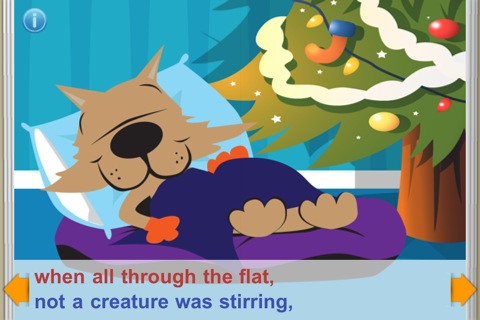
‘Twas the Night Before Jasper’s Christmas is FREE e-book for the iPhone/iPad. Jasper the dog and Smiley the cat are the stars of the classic tale. Kids can read the book to themselves or read along as it is narrated. In the read along mode, chimes let kids know when to advance to the next page. Background music (We wish You a Merry Christmas) can be turned off or on. The pages are not interactive but they are cutely & colorfully illustrated – appealing to kids. And, at the end of the story is a matching game. Beware – there are ads at the top of each page that are easy to click and will take your child to the app store. Cute FREE book – worth downloading. 🙂

Twas The Night Before Jasper's Christmas (FREE) StoryChimes - Siena Entertainment, LLC

friendly Christmas

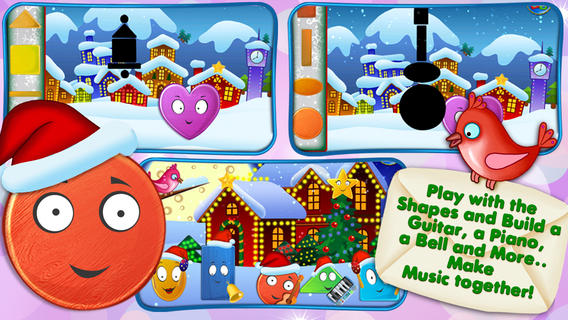
FREE – Friendly Christmas from the developers of Friendly Shapes. Preschoolers will enjoy meeting Oval, Heart, Triangle, Rectangle, & Square in this cute Christmas story. Kids use shapes to help build a snowman, build musical instruments, help elves in Santa’s workshop, and more. There are three modes: auto-play, read-it-to-myself and play. The app also has puzzles, coloring pages and games. So how can it be FREE? Well, this app has ads placed at the bottom of each page between the backward and the forward arrows. For $.99 you have the option of removing the ads.There are also options to purchase additional puzzles and coloring pages – $1.99 per pack. All in all, this is a nicely done app for little ones to learn shapes, colors, left/right, etc.

Download link: https://itunes.apple.com/us/app/friendly-christmas-funny-shape/id562847602?mt=8&uo=4
gingerbread

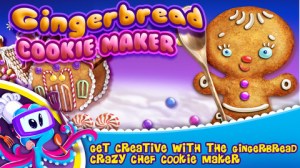
Gingerbread  Crazy Chef Cookie Maker  – Kids can virtually bake and decorate their own gingerbread cookies. An in-app purchase of the full version is available. There are also ads along the bottom. TabTale Books has several other free holiday titles that you can download when you open this app if you are comfortable with their model of delivery – ads, upgrades, etc.   Gingerbread Crazy Chef - Cookie Maker - TabTale LTD


boo

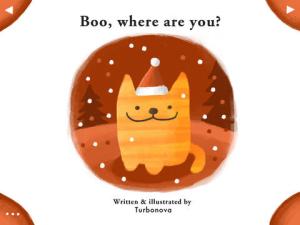
Boo, Where Are You?  –  a darling e-book for toddlers about a dog named Sammy and his friend, Boo the cat. Kids tap-the flaps in the story to try to find Boo. Really cute – read on your own story. 🙂 Boo, where are you? - Fleur van Zuilen

Where is Santa Lite – Santa Tracker is FREE for the iPhone/iPad. The app keeps track of where Santa is and how long it will be before he arrives at your home. When using the “Where is Santa” page, it scans the world every 60 seconds to locate Santa and report on his activities. For instance, “Santa is in the North Pole and he is helping Mrs. Claus in the kitchen.” When using the “My Home” tab, it shows the location of your house and tells how many days, hours, minutes, and seconds it will be before Santa arrives. Beware – there are ads at the bottom of this app that are easy to click and will take your child to the app store. Teachers could use the app to make up math problems with the information given. Have kids convert days into weeks, days into hours, figure out the exact time he is scheduled to arrive, etc. Kids could write a story about what Santa is doing on a particular day, illustrate a timeline of what Santa has been doing for a week, etc. – lots of cute possibilities. Parents can use this app with kids to check on Santa daily – cute way to count down the days to Christmas!
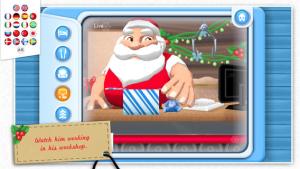
Where is Santa Lite - Santa Tracker - Super Kiddo Studio

Santa's home
“He sees you when you’re sleeping. He knows when you’re awake.”  Now you can see what Santa is doing with Santa’s Home, a FREE app. The app is a “LIVE” feed of Santa’s house – the bedroom, the kitchen, the living room, his office/workshop, and the outside grounds. I checked in on Santa a little after 11 PM and he was already in bed snoring. The app even displays the date and time to make it seem more realistic. The app also gives adults the option of can subscribing to Santa’s newsletter. Adults can also help kids send Santa one of their drawings that he will display in his workshop. CUTE!!
Teachers – This would be a fun one to use for creative writing!! It would also be fun for teaching prediction. 🙂
Night Before

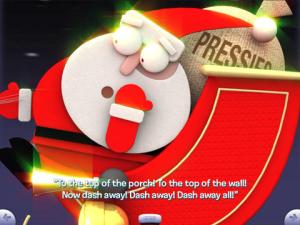
FREE for a limited time – The Night Before Christmas presented by 100 Robots. The Night Before Christmas was written by Cement Clark Moore in 1822 and it has become one of the most popular pieces of Christmas literature. Christmas would not be complete without a reading of this classic. This educational app is beautifully illustrated by Bill Ledger and the animations are enchanting. The quality of the graphics is amazing – kids will be delighted when Santa stuffs himself down the chimney and arrives inside all covered with soot! Check out this delightful rendition of a holiday classic!

Teachers – It would be fun to compare and contrast this contemporary version of the story with a more traditional version. 🙂

Download link: https://itunes.apple.com/us/app/night-before-christmas-presented/id405581736?mt=8&uo=4
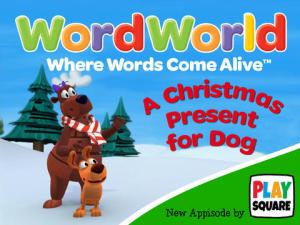
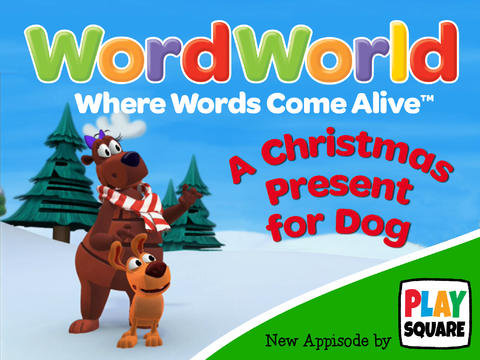
christmas for dogAlso FREE for a limited time, A Christmas Present for Dog. Something is wrong with Dog’s Christmas present. Kids help save the day by completing activities in 13 interactive scenes. Another colorful and engaging app from Playsquare!

Download link: https://itunes.apple.com/us/app/playsquare-presents-wordworlds/id775143502?mt=8&uo=4

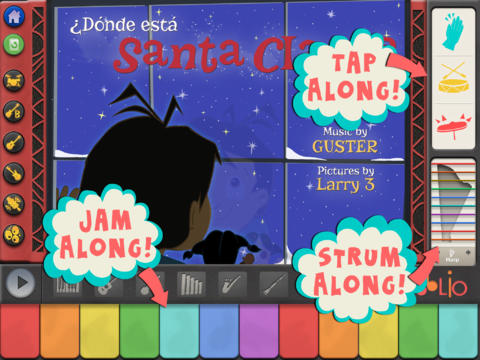
santa bandHo, ho, ho – “Did That Crazy Santa Claus” and 7 more fun tunes!! FREE for a limited time – Santa’s Merry Band, from the creators of Mibblio. Just like Mibblio, this app is an interactive musical/storybook app for kids. Children read the illustrated story-songs called “mibblets” as they listen to the catchy songs. They can also jam along on a wide variety of instruments. The app has a keyboard along the bottom of the screen with a choice of 8 different instruments. They can also use a tambourine or cowbell to tap along to the beat of the song. Kids will enjoy the 8 different Christmas “mibblets” included in this app. Fun for the holidays!!

Download link: https://itunes.apple.com/us/app/santas-merry-band/id738881884?mt=8&uo=4