0

Babel’s ABC – multilingual alphabet

babel's

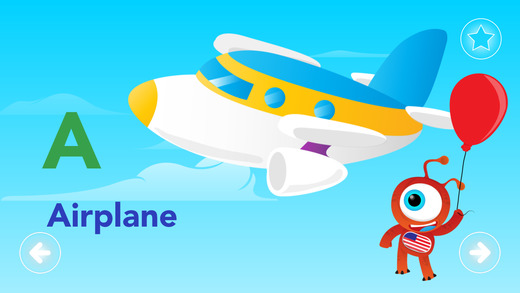
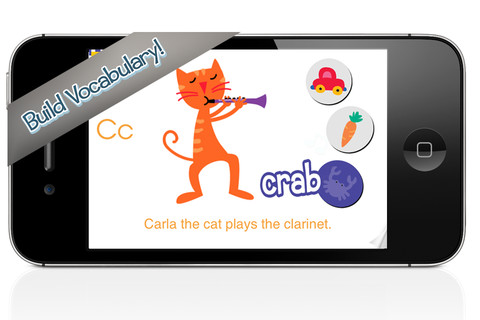
FREE for a limited time – Babel’s ABC – multilingual alphabet, an educational ABC app in three languages. Babel, a curious ET, comes to Earth on vacation. He has the ability to speak all languages in the universe but on this trip he only speaks three –  English, Portuguese and Spanish. Kids learn to pronounce each letter’s name and a word that begins with that letter. The words used in the app were carefully chosen so that the first letters are the same in all 3 languages. Switching to another languages is easy. Kids simply push the button on Babel’s tummy. It’s fun for kids to see how the words are written and pronounced because there are so many similarities. Colorful drawings and fun sound effects complete this nicely done app!

Download link: https://itunes.apple.com/us/app/babels-abc-multilingual-alphabet/id690558034?mt=8&uo=4

0

Use Your Handwriting GOLD

Use yourUse Your Handwriting

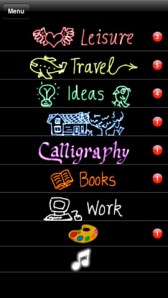
FREE for a limited time… a “productivity” app called Use Your Handwriting GOLD. This app normally sells for $9.99 and it has LOTS of potential for classroom/kid use! You can use your finger to write notes, messages, lists, etc. on your device (iPhone/iPad) screen. You can choose 5 different styles of writing in 22 different colors – there is even a rainbow option! Notes, lists, etc. are saved into categories – which you set. This app is great for kids because writing is not confined to a limited space – the app will move the writing to the left so a line can be completed. After “done” is tapped, the app shrinks the writing and adds it to the area above!

There are SO many uses for this app. Kids could use this app to take notes in class – choosing different color for each subject. They could write poetry in color! Teachers could have their students use this app to create exit slips. Or, students could use the app to take notes, respond to what they’ve read, etc. Younger students could practice their cursive writing with this app. Anything created in the app can be emailed/messaged to the teacher. At home, your kids can use the app to write thank you notes to grandparents which can be delivered via email or MMS. And the BEST part of this app is that it preserves the child’s drawings & handwriting! VERY cool!!

Use Your Handwriting GOLD - Gee Whiz Stuff

0

12 Alphabet Apps :)

Here are twelve of my favorite ABC apps. They vary in style but they are all nicely done. All twelve were free when I downloaded them but only three apps are currently free. Sign up to receive my blog via email so that you don’t miss out on good FREE apps! I only write about apps that I would recommend. Enjoy!!

endless

Once named an Editor’s Choice in the app store, Endless Alphabet is currently $6.99 but it occasionally goes on sale. This adorable interactive app combines learning letters & their sounds with learning vocabulary. There are currently 26 words featured in this educational app – one for each letter of the alphabet. But the app promises to be truly endless with new words to be added.

Kids tap a letter and its word appears of the screen. Then silly monsters come by and knock it over. Kids work to reconstruct the word with animated, talking letters. To teach the meaning of the word, there is also a short animation included. Words featured include: bellow, cooperate, gargantuan, portrait, quarrel – clearly not words found in the average ABC book. The vocabulary development in this app makes it appropriate for a wide range of kids.

Love this app – it’s silly, fun, and educational. My friend’s grandson learned all the letters and sounds of the alphabet because he loved this app so much. 🙂 It’s super cute!!

Endless Alphabet - Callaway Digital Arts Inc.

AlphaTotsCurrently $2.99 – AlphaTots Alphabet, a GREAT ABC app for kids! What makes this educational app unique is that it uses 26 action words to teach the alphabet. Kids are asked to complete 26 interactive tasks, for example: b – build a robot, p – play instruments, z – zap alien spaceships, etc. This app has been featured on The Today Showand has received a lot of positive press. It is a VERY fun app for toddlers/preschoolers who are learning their alphabet!!

Download link: https://itunes.apple.com/us/app/alphatots-alphabet-learning/id436142340?mt=8&uo=4

word wizard

Currently $2.99 – Word Wizard – Talking Movable Alphabet. This educational app features advanced text to speech capabilities to help kids with reading and spelling. Emergent readers can utilize the phonics movable alphabet to explore and play with words and sentences. As they do so, the app pronounces and spell-checks their work. Consonant letters are blue and vowels are red – helping kids to become aware of the differences. The short pronunciation of the vowels is featured as the letters are moved onto the board. Once a word is spelled, the app changes the vowel’s pronunciation for that word if necessary. If a word is not recognized by the app, it is still pronounced (according to the rules of phonics) but it is highlighted in red. How cool is that?!

Word Wizard can also be used for spelling practice. The app features lists of words – more than 1,400 words in all. I love that it includes the 1000 most frequently used words. Learning to recognize these words is important to a child’s overall reading fluency. The app also lets you add your own word lists. Teachers can add in their weekly spelling list and track the progress of their students. Reports can be emailed from teacher to parent or from parent to teacher. There are lots of possibilities for using this app – teach letter sounds, explore word patterns, small group word building, spelling practice, the list goes on… It’s no wonder that this app was featured in the New York Times, featured by Apple as “New and Noteworthy” and named a winner of a Parents’ Choice Award.

Download link: https://itunes.apple.com/us/app/word-wizard-talking-movable/id447312716?mt=8&uo=4

Montessori ABC for Kids HD

Currently $3.99  – Kids Academy · ABC Alphabet Phonics App HD. This educational app has two sections: animated flashcards (to teach kids the letters/sounds) and traceable worksheets (to teach kids how to write the letters). The flashcard section has cute animations to teach kids letters & sounds in a fun way. The writing section has two modes (right-handed and left-handed) to teach upper and lower case letters. The app is designed to have multiple users and parents can track their children’s progress. Nicely done!!

Common Core Standards met:

  • K.RF.1 – Demonstrate understanding of the organization and basic features of print. Recognize and name all upper and lowercase letters of the alphabet.

Montessori ABC for Kids HD: Learn and Trace Alphabet Letters - Kids Academy Company

Interactive Alphabet ABCs

Currently $2.99  – Interactive Alphabet is one of the best alphabet apps that I have seen for babies, toddlers, & preschoolers. It’s so cute and well designed! To start you choose an accent (American or British) and a mode. It has 3 modes for your developing child – baby, explore, and trace. The baby mode takes your child on a guided, touchable tour of the alphabet. The explore mode lets children discover the sights & sounds of the alphabet at their own pace. It features fun activities that kids will want to explore multiple times. In the trace mode, kids learn to properly trace letters (lower case, upper case, or mixed) and words. The app keeps track of your child’s progress by starring the letters & words that are traced most often. The app can also be personalized by adding your own words and pictures. Your child can learn to trace his/her own name as well as the names of other family members, family pets, etc. This educational app truly lays the foundation for reading and spelling! Fabulous – this developer seems to have thought of everything!

Download link: https://itunes.apple.com/us/app/interactive-alphabet-abcs/id383967580?mt=8&uo=4

FREE again – Little Writer is a letter writing app for the iPhone/iPad that is designed to teach 3 – 6 year olds how to write upper & lower case letters, numbers, shapes, and words. It starts by showing the shape of the letter and naming it. The child traces along lines to write the letter. Then the child is praised and told what letter, number, shape or word he/she has just written. When writing a word, the letters are presented one at a time with the full word shown in the upper right-hand corner. When the word is finished, a picture pops up with the child’s writing underneath it.

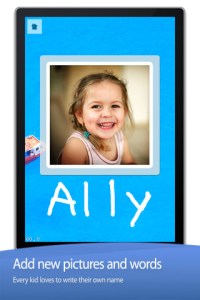
There are a lot of great things about this app. I like the size of the letters  – nice and big for little hands. I also like that there are subtle dotted lines on the page. But, the best part of this app is the ability to customize it. You can turn items on or off in order to introduce letters, numbers, etc. slowly. You can record your voice or your child’s voice pronouncing the names of the letters, numbers, etc. You can add in your own pictures & words so that your child can learn to write his/her own name and names of family members or whatever you wish! You can add additional letters for foreign words so that you can use it to teach simple words in another language. SO many possibilities……

Common Core Standards met:

  • K.RF.1 – Recognize and name all upper and lowercase letters of the alphabet.

Little Writer - The Tracing App for Kids - Innovative Mobile Apps

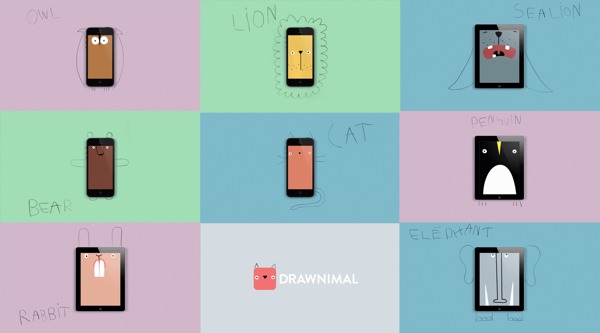
Currently $1.99 – Drawnimal, an ABC app for kids that has them thinking (and drawing) outside the box. Kids begin by placing the device on a piece of paper or other drawing surface. Then they draw around the device (as shown above) to complete the drawing of an animal. When they press play, the app identifies the animal. Finally, they tap the animal for a delightful surprise! Kids will love the animal animations that they helped to create. It’s the perfect combination of an alphabet app and a drawing app for little ones. And, it’s in 5 languages – English, Spanish, Dutch, Italian, and French. It’s super cute and super fun!

Download link: https://itunes.apple.com/us/app/drawnimal/id586239095?mt=8&uo=4

My A - Z 2FREE again – My A – Z, a fully customizable alphabet app. Using this educational app, you can easily create alphabet flashcards for your kids with personal pictures and personal recordings of up to 30 seconds! The app comes with words & pictures for each letter of the alphabet but you have the ability to edit those and/or add your own. Just use already existing photos from your photo albums or use your device’s camera to take new photos. Easy!!

There are so many fun uses for this app. You can help kids make alphabet cards of their family, friends, or a family vacation. They can include recorded greetings from the people pictured! The app can also be used to make alphabet cards for another language, to teach math terms, or make holiday editions of alphabet cards. Obviously, the audience for this app is not just limited to toddlers. It would be fun for older kids to create their own ABC flashcards in any subject area. The possibilities are endless!

My A-Z - Night & Day Studios, Inc.

a to zFREE – A to Z Music Videos. This educational app has 26 animated videos  – one for each letter of the alphabet. As kids watch the videos, they earn tickets to unlock other videos. There is also an option to purchase tickets to unlock videos more quickly. The videos are top-notch! They help children learn letter names and sounds AND develop vocabulary. Every video is produced in a different musical style, so kids are also introduced to a wide variety of musical genres. This app is a must-have for preschool, kindergarten, and first grade teachers – a perfect introduction to the letters of the alphabet!

Common Core Standards met:

  • K. RF.3 – Know and apply grade-level phonics and word analysis skills in decoding words. Demonstrate basic knowledge of one-to-one letter-sound correspondences by producing the primary sound or many of the most frequent sounds for each consonant. Associate the short sounds with common spellings (graphemes) for the five major vowels.

ABCmouse.com 26 A-Z Music Videos - Age of Learning, Inc.

My Beastly ABCs

Currently $2.99 – My Beastly ABCs, an educational app featured in USA Today’s Top 10 iPad Apps for Kids. Kids join a young boy (who is reluctant to get out of bed) on a magical adventure through a not-so-ordinary day! Told in rhyme, the story recounts the boy’s day as he encounters 26 friendly monsters (one for each letter of the alphabet) from all over the world. Kids join in this interactive tale as they play hide & seek with a Boogey Monster, learn how to floss from a Vampire, uproot a Mandrake family, and much more. The app is narrated by Jim Dale with whimsical background music & great sound effects. It has 3 play modes: with narration, without narration, or auto-play. Everything about this app is top quality – beautifully illustrated with the perfect amount of animation & interactivity. There is also an index that gives kids monster facts & descriptions. Kids can read and learn about each of the beasts’ unique characteristics and place of origin. Lots of fun!!

Download link: https://itunes.apple.com/us/app/my-beastly-abcs/id578158826?mt=8&uo=4

Currently $2.99 – Wee Sing & Learn ABC for the iPhone/iPad normally sells for $2.99. Wee Sing has been around for over 30 years. When my children were small, we always had a Wee Sing tape in our car. This app teaches toddlers the alphabet in a musically fun way. Every letter has a page with its own song featuring an animal with an instrument (both beginning with that letter). There are also three additional words for each letter which are pronounced and spelled. The real sound of every animal and each instrument are also included in the app. This app is well done with great attention to detail – a must have for every toddler 🙂
Wee Sing & Learn ABC - zuuka incorporated

abc expedition

ABC Expedition is currently $2.99. Captain Wallace leads a tour of the zoo in this aesthetically pleasing alphabet app. The alphabet letters are placed on large buttons  – easy for kids to push. Each button take the child to an animated page featuring that letter. The page contains both upper & lower case letters and an animal (with its word) that begins with that letter. The animated animals are appealing and include sound effects. GRReat! Both words and letters are pronounced when the child touches them. This app is simple but well done – love the unique color scheme! What a great app for toddlers who love animals and are learning the alphabet. Use it before or after a trip to the zoo! Keep reading my blog to find out when apps are offered for FREE.

ABC Expedition - Meldmedia Inc.

0

Khan Academy

khan (new)

A fabulous educational app just got better!!

Khan Academy is an amazing FREE educational app! Whoever said the best things in life are FREE was absolutely correct. With Khan Academy students can learn almost anything and the app is completely FREE! It has a library of over 5,000 videos which covers a wide range of subjects such as K – 12 math, biology, chemistry, the humanities, and more. And now, Khan Academy‘s iPad app includes over 150,000 interactive, Common Core aligned math exercises with instant feedback and step-by-step hints. Kids can review what they are learning in school or practice at their own pace.

With Khan Academy, anyone can review a subject that they have already studied or they can choose to learn something completely new! Videos can be watched online or downloaded to watch offline. All videos are subtitled so that students can read along, skip ahead, or go back. If students log in to their Khan Academy account, they can track their progress. The app gives credit for watching the videos and allows students to see their achievements. Badges and points are earned for learning. Teachers can access their students’ data – as a class or individually. Khan Academy is an incredible resource for all kinds of learners – students, teachers, principals, home-schoolers, adults returning to school, and lifelong learners. It is truly one of the best educational apps available – at any price!

Khan Academy - Khan Academy

0

Newton – Multiplication

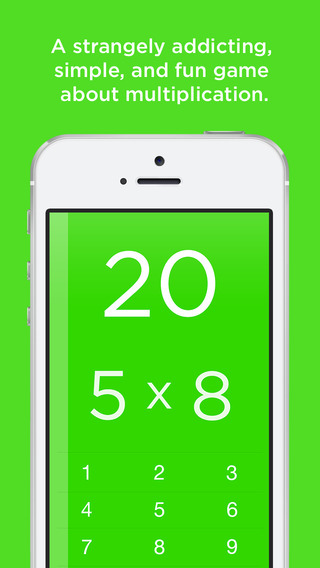
newtonFREE for a limited time – Newton – Multiplication, an educational app for learning multiplication facts. There are three game modes – infinity mode (all the time you need), two-second mode (two seconds per problem), and three-minute mode (how many problems be answered in three minutes). Kids must answer the problems accurately because they are only permitted one lifeline (second chance) per game. The game stops and is scored when a second mistake is made. This game would be really fun for upper elementary students. I think they would enjoy challenging their friends to see who can answer the most questions in three minutes. Results can be shared in a variety of ways (messaged, mailed, tweeted, etc.) so teachers can utilize or monitor this feature. Check it out while it’s free!

Download link: https://itunes.apple.com/us/app/newton-multiplication/id876299541?mt=8&uo=4

0

Flashcard Ninja

flashcard ninjaFREE for a limited time – Flashcard Ninja, an educational app for practicing addition and subtraction with numbers 1 – 20. Kids embark on a journey to become a math ninja. They can record their own sounds to accompany the ninja’s karate moves – a feature that is sure to be a hit. As they answer mixed addition/subtraction questions posed by the ninja master, the “math ninjas” win trophies for their trophy room. A 10, 20, or 30 second timer can be set to allow more time for kids who need it. The timer can also be turned completely off. I wish there an option to customize a child’s practice – addition only, subtraction only, mixed facts up to 10, etc. It would also be nice if the app gathered data. That being said, I can see how this app might appeal to some kids who are otherwise reluctant to practice math. So, check it out while it’s free to see if it works for your children.

Download link: https://itunes.apple.com/us/app/flashcard-ninja-1-20/id540438755?mt=8&uo=4

0

Snowflake Station

Snowflake Station

Happy Winter!!

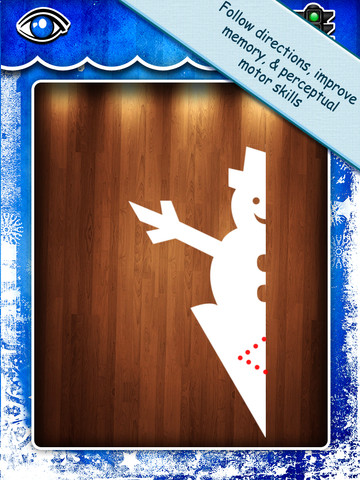
Purple glittery snowflakes – this great educational app is only $.99!! Snowflake Station for the iPad helps kids discover the beauty of symmetry – a key concept in math, science, art, & architecture. The app has 3 sections: Trace a Flake, Creation Station, and Make it Snow. Trace a Flake includes step-by-step instructions for cutting 36 different snowflakes/other symmetrical shapes. In the Creation Station, kids create their own flakes/shapes. There are six different folds, 10 different colored paper, and 10 different colors of glitter to choose from. Kids make “cuts” with their fingers. The tape button works as an undo button. Kids can monitor their progress in the upper left hand corner of the cutting board. Creations can be saved to use in the “Make it Snow” section of the app which does exactly that! Kids use their creations to make it snow in a photo of their choosing. They can use the iPad’s camera to take a picture or use an already saved photo from the camera roll. There are also 10 winter scenes included in the app. Another option in this app is the ability to set up a Juddly (a safe, secure email) account for your child to share his/her creations with you. Very creative & very fun – all while learning about symmetry. 🙂

Common Core Standards:

  • 1.G.3 – Partition a shape into four equal shares, describe the shares using the words halves, fourths, and quarters, and use the phrases half of, fourth of, and quarter of. Describe the whole as two of, or four of the shares. Understand for these examples that decomposing into more equal shares creates smaller shares.
  • 4.G.3. Recognize a line of symmetry for a two-dimensional figure as a line across the figure such that the figure can be folded along the line into matching parts. Identify line-symmetric figures and draw lines of symmetry.

Not only does this app meet CCSS in math, it can also be used in creative writing – The Day It Snowed Orange, Alien Invasion, etc. What a great educational app!

Snowflake Station - Mrs. Judd's Games, LLC

0

3 FREE Apps from the National Council of Teachers of Mathematics

equivalent fractionsFrom the National Council of Teachers of Mathematics comes a FREE app called Equivalent Fractions. Kids create equivalent fractions by dividing and shading squares or circles. Circles can be divided into 24ths. Squares can be divided into 144ths. In the play mode, a fraction is shown and kids must create 2 additional fractions that are equivalent. All 3 fractions must have different denominators. The app also places the fractions on a number line – a great visual for comparing! There is also a “build your own” mode which would be fabulous to use for guided exploration & practice. Kids could also use this section as a virtual manipulative when working independently. This app is an excellent resource for the classroom!

Common Core Standards met:

  • 3.NF.3 – Explain equivalence of fractions and compare fractions by reasoning about their size. Understand two fractions as equivalent (equal) if they are the same size, or the same point on a number line. Recognize and generate simple equivalent fractions, e.g., 1/2 = 2/4, 4/6 = 2/3). Explain why the fractions are equivalent, e.g., by using a visual fraction model.

Equivalent Fractions - National Council of Teachers of Mathematics

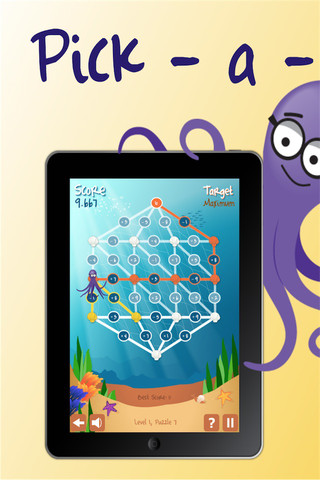
Pick a PathPick-a-Path is another FREE math game from the National Council of Teachers of Mathematics. Kids help Okta the octopus reach a target number by choosing the best path from the top maze to the bottom of a maze. There are 7 different levels with 7 puzzles in each level. The puzzles start with basic operations then move to fractions, negative numbers, decimals, and other more difficult skills. Kids have to plan out a strategy to reach the target which can be a specific value, a minimum value, or a maximum value. This app provides a lot of good skills practice. And… as an extra added bonus, kids have to think of a strategy!

Pick-a-Path - National Council of Teachers of Mathematics

Math concentration

Math Concentration was developed by the National Council of Teachers of Mathematics for students from preschool through fifth grade. It’s a classic matching game that can be played by one or two players. There are six levels of play – numbers 1- 6, numbers 1 – 10, shapes, multiplication, fractions, and percentages & fractions. In all levels, numbers are represented in different ways – written names, digits, pictures, etc. The game also has two modes – a transparent board (for younger students) or a fully covered board. The game is simple to play and kids earn socks for completing all of the matches on the board. 🙂

Download link: https://itunes.apple.com/us/app/math-concentration/id458437534?mt=8&uo=4

0

9 FREE Research Apps on World Leaders

current monarchs

FREE for a limited time – Current Monarchs, a research app about modern day kings and queens. The app contains articles about 30 different monarchs as well as links to web images & resources for additional research. The list is searchable by keywords. You can also bookmark your favorites articles. Check it out as a resource for your classroom.

Download link: https://itunes.apple.com/us/app/current-monarchs/id528988963?mt=8&uo=4

Also FREE for a limited time from the same developer:

The German Monarchy: https://itunes.apple.com/us/app/the-german-monarchy/id493585698?mt=8&uo=4

The Presidents of the Phillippines: https://itunes.apple.com/us/app/presidents-philippines/id471685284?mt=8&uo=4

Russian Tzars: https://itunes.apple.com/us/app/russian-tsars/id409969433?mt=8&uo=4

Guide to Norwegian Monarchs: https://itunes.apple.com/us/app/guide-to-norwegian-monarchs/id617186470?mt=8&uo=4

The French Monarchy: https://itunes.apple.com/us/app/the-french-monarchy/id412656109?mt=8&uo=4

The Monarchs of Prussia: https://itunes.apple.com/us/app/the-monarchs-of-prussia/id602247545?mt=8&uo=4

Danish Monarchs: https://itunes.apple.com/us/app/danish-monarchs/id519500057?mt=8&uo=4

Holy Roman Emperors: https://itunes.apple.com/us/app/holy-roman-emperors/id409919336?mt=8&uo=4

0

6 FREE Apps to Encourage Lifelong Learning

Winter blahs? Try adding one or more of these apps to your daily classroom routine. Students will love learning something new each day!

This Day in HistoryOne of my favorite FREE resources… WORLD BOOK  – This Day in History for iPad is a great FREE resource for the classroom. Historical events for the day are displayed on a calendar page. You can click on links to related media such as articles, photos/illustrations, music, speeches and more! When I was teaching, I had students  do “morning work” (correct punctuation, capitalization, & spelling in two sentences) while I took attendance, did lunch count, etc. This educational app would have been perfect for that daily assignment because I always used information about something interesting that happened that day. After correcting the sentences, the kids and I would discuss the history of that day. I was always amazed at how well kids retained what we had discussed during the opening minutes of every day. Throughout the year they would often remark, “We learned about that in our morning work.” You may want to try making this educational app part of your classroom’s morning routine. 🙂

WORLD BOOK - This Day in History for iPad - Software MacKiev

WonderopolisFREE – Wonderopolis, a fabulous educational app. Explore Wonderopolis (the website) with your mobile device.

Wonderopolis (Wonderopolis | Where the Wonders of Learning Never Cease) is a fantastic website that provides a daily Wonder of the Day®.  A fun & intriguing question is featured every day. The website/app includes a written explanation of the answer, vocabulary words, and a gallery of images & videos – all to foster learning and inspire curiosity about the Wonder of the Day®. Other daily features include a “Try It Out” section which suggests activities based on the day’s question, a “Still Wondering” section which gives additional/related information, and a quiz. There is even a section for teachers/parents called the “Educator Sandbox” with additional resources and opportunities to connect with the Wonderopolis community. It’s such a fascinating and wonderful resource – I enjoy reading it myself!

Using this website/app would be a fabulous addition to a daily classroom routine. Kids could read (or listen to) the daily Wonder of the Day® as part of their independent work time. They could journal about what they learned and/or what they are still wondering about. A class discussion could be scheduled for later. What a great way to encourage THINKING! Wonderopolis is a fabulous resource to ignite the natural curiosity and imagination of kids!

Download link: https://itunes.apple.com/us/app/wonderopolis/id505247028?mt=8&uo=4

BrainPOP has been around for more than a decade as an educational website. The site features short animated movies – 750+ lessons covering science, social studies, math, art & music, etc. The content is geared for grades 4 and above but I found that many movies were also suitable for third graders. When I was in the classroom, it was one of my favorite online resources.

Now you can download the BrainPOP Featured Movie, the educational app for FREE! Your child can learn something new every day. After watching the daily movie there is a short interactive quiz. And… if your child can’t get enough of this app, there are two subscription options: $1.99 per month/ 4 movies & quizzes a day OR $6.99 per month/full access.

Teachers could add the BrainPOP movie of the day to their daily routine. Watch it at a transition time – right before lunch, after lunch, while waiting for buses to called, etc. Interesting and educational!!

BrainPOP Featured Movie - BrainPOP®

Also available for FREE is BrainPOP Jr. Movie of the Week, another educational app. Every week Annie and Moby (two lovable characters) help 5 to 9 year olds learn about a different subject. There is also a quiz and activities to accompany each animated movie. BrainPOP Jr. has been on the web since 2006 delivering content for younger students in science, social studies, reading, writing, math, and more.

Again, teachers could add the BrainPOP Jr. Movie of the Week to their routine. Start your Monday off with the “Movie of the Week” or use it on Friday. BrainPOP gives teachers another way spark kids interest in learning!

BrainPOP Jr. Movie of the Week - BrainPOP®

weirdDid you know that hippo’s lips are about two feet wide? Get ready to learn all sorts of wacky facts with this app. Just updated and FREE – Weird But True, an e-book from National Geographic Kids. Over 625 kid-friendly, wacky facts are presented in a fun & interactive way. Kids can swipe to move from fact to fact or shake their device to generate a random fact. Sound effects and surprises add to the fun! There is a fact finder which kids can use to locates facts by subject – animals, weather, space, etc. The app also includes a “Weird-O-Meter” which kids can use to rate the level of weirdness for each fact. Additional fact packs are available as in-app purchases –  $.99 each. This app won the Spring 2012 Parents’ Choice Award and was chosen as New & Noteworthy, What’s Hot, & Staff Favorites by Apple. Kids will LOVE this app. 🙂

Weird But True - National Geographic Society

newsCheck out a FREE trial of News-o-Matic, an educational newspaper app for kids 7 – 11 years old. A new edition is published every Monday through Friday. Each edition features 5 articles from the news – sports, science, world news, wacky events, etc. The articles are kid-friendly and age-appropriate. Kids can read on their own or have the articles read to them. Important vocabulary words are underlined and linked to their definitions. The articles also include fun facts, a map for locating where the news is happening, videos, and games. Once registered, kids can connect to the News Room to draw pictures, express opinions, or ask questions about the news. This app helps kids become informed citizens of the world!

The FREE trial lasts for 2 weeks. After that, you must subscribe: yearly – $19.99. monthly – $1.99, or weekly – $0.99. If you subscribe before the end of your free trial, you get a special rate. Teachers, there is also a News-o-Matic School Edition. It comes with a teacher’s guide which includes discussion prompts, comprehension questions, Lexile reading levels, and more. And, it’s a great resource for non-fiction reading!

Download link: https://itunes.apple.com/us/app/news-o-matic-daily-reading/id578023255?mt=8&uo=4