0

Alien Buddies

Alien Buddies

Alien Buddies is FREE again for a limited time. Formerly listed as “New & Noteworthy” by Apple, this educational app is geared towards kids ages 3 – 7. It features 4 different activities (matching, puzzles, dot-to-dot, and stickers) with varying levels of difficulty. Matching can be played in 2 modes (visual or audio) to reinforce colors, shapes, numbers and letters. Puzzles can be set to contain 4, 6, or 8 pieces. In the sticker section, kids add out-of-this-world stickers to 8 different space scenes. All activities are well done but I especially like the dot-to-dot activity which has a “please help” or an “I can do it myself” button. Kids need to visually recognize the order of the numbers to connect the dots and the app counts as the dots are connected – love it! The app is cute, colorful, and sure to appeal to kids!

Download link: https://itunes.apple.com/us/app/alien-buddies-preschool-learning/id469461540?mt=8&uo=4

0

Marco Polo Ocean

marco polo

FREE for a limited time – Marco Polo Ocean, an adorable educational app for preschoolers. Kids will learn about Earth’s oceans in two ways – through build & explore activities or free play. There are 5 build and explore activities – build a coral reef, build marine animals, build fish, build a boat, and build a submersible. As kids add parts to each puzzle, they learn the appropriate vocabulary. Many vocabulary words are also explained. During free play, kids can do several things: explore from the shore to the sea floor, steer their vehicles through ocean waters, add creatures to the water to see how they interact with each other, and more. Marco Polo Ocean uses self-directed discovery to expose kids to STEM education (science, technology, engineering, and math) in a fun, engaging way. Kids will learn about the ocean structure, the species that live there, characteristics of the fish/marine mammals, etc. It’s no wonder that Marco Polo Ocean was named App Store Editors’ Choice in 15 Countries!! Do not miss this one. It puts the fun back in learning. 🙂

Download link: https://itunes.apple.com/us/app/marcopolo-ocean/id797157312?mt=8&uo=4


0

7 Fabulous Apps for Teaching Fractions

fractions

Currently FREE  – Fractions by Brainingcamp, an excellent educational app for teaching fractions. The app covers 7 topics: introduction to fractions, equivalent fractions, common denominators, comparing/ordering fractions, adding/subtracting fractions, multiplying fractions, and dividing fractions. Each topic includes: a narrated lesson (with visual models), virtual manipulatives for kids to explore, practice questions to check understanding, and a challenging game for additional practice. Kids earn badges as they work through the components of each topic.

WOW – I love everything about this app. The lessons are wonderful. The manipulatives are designed to promote understanding of the concepts presented. The practice questions give students and their teachers a check of their understanding. And, the challenging games helps kids further master the topic. It would be a fabulous for grades 3 and beyond!

Common Core State Standards met:

  • 3.NF.1. Understand a fraction 1/b as the quantity formed by 1 part when a whole is partitioned into b equal parts; understand a fraction a/b as the quantity formed by a parts of size 1/b.
  • 3.NF.3 – Explain equivalence of fractions and compare fractions by reasoning about their size. Understand two fractions as equivalent (equal) if they are the same size. Recognize and generate simple equivalent fractions, e.g., 1/2 = 2/4, 4/6 = 2/3).
  • 4.NF.3 – a. Understand addition and subtraction of fractions as joining and separating parts referring to the same whole.
  • 5.NF.3 – Interpret a fraction as division of the numerator by the denominator (a/b = a ÷ b).

Download link: https://itunes.apple.com/us/app/fractions-by-brainingcamp/id471353363?mt=8&uo=4

on no fractrionsUpdated again in March 2014 – Oh No, Fractions! This FREE app just keeps getting better and better because the developer encourages teacher input. How wonderful is that – a developer willing to listen to teachers’ needs!

Oh No Fractions! is a great FREE iPhone/iPad app for comparing and exploring fractions. The educational app is simple to use – kids just swipe to the right or the left to indicate whether one fraction is “greater than” or “less than” or “equal to” a second fraction. As they work, kids can tap above each fraction to see if it can be reduced/simplified – a great feature. But, one of the best features of this app is the “peek”/”prove it” feature. Kids can use a manipulative to “peek” at an answer before they commit to it or they can use the manipulative to “prove” their answer later. This feature is fabulous because it allows the child to visualize his/her answer. Kids can also use this app to practice finding the common denominator. Then they can use it for addition, subtraction, multiplication, and division of fractions. The app also generates corresponding decimals/percentages for each answer. What a great tool for helping kids to understand fractions!! It’s no wonder that it received the 2013 Children’s Technology Review Editor’s Choice Award.

Common Core Standards met:

  • 3.NF.3 – Explain equivalence of fractions and compare fractions by reasoning about their size. Understand two fractions as equivalent (equal) if they are the same size. Recognize and generate simple equivalent fractions, e.g., 1/2 = 2/4, 4/6 = 2/3).

Oh No Fractions! - Curious Hat Lab - Curious Hat

equivalent fractions

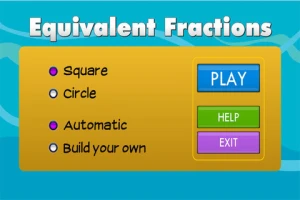
From the National Council of Teachers of Mathematics comes a FREE app called Equivalent Fractions. Kids create equivalent fractions by dividing and shading squares or circles. Circles can be divided into 24ths. Squares can be divided into 144ths. In the play mode, a fraction is shown and kids must create 2 additional fractions that are equivalent. All 3 fractions must have different denominators. The app also places the fractions on a number line – a great visual for comparing! There is also a “build your own” mode which would be fabulous to use for guided exploration & practice. Kids could also use this section as a virtual manipulative when working independently. This app is an excellent resource for the classroom!

Common Core Standards met:

  • 3.NF.3 – Explain equivalence of fractions and compare fractions by reasoning about their size. Understand two fractions as equivalent (equal) if they are the same size, or the same point on a number line. Recognize and generate simple equivalent fractions, e.g., 1/2 = 2/4, 4/6 = 2/3). Explain why the fractions are equivalent, e.g., by using a visual fraction model.

Equivalent Fractions - National Council of Teachers of Mathematics

tiny fractionsNow $4.99 but was FREE when it was released – Tiny Fractions. This educational app teaches identifying, comparing, ordering, finding equivalents, simplifying, adding, and subtracting fractions using vials of liquid. It starts out simple and gets more difficult as kids progress through the app. It also keeps track of the student’s progress – showing teachers/parents specifically which fractions were missed. Simply done and easy to use, this app does a great job helping kids visualize and learn fractions!

Common Core Standards met:

  • 3.NF.1. Understand a fraction 1/b as the quantity formed by 1 part when a whole is partitioned into b equal parts; understand a fraction a/b as the quantity formed by a parts of size 1/b.
  • 3.NF.3 – Explain equivalence of fractions and compare fractions by reasoning about their size. Understand two fractions as equivalent (equal) if they are the same size. Recognize and generate simple equivalent fractions, e.g., 1/2 = 2/4, 4/6 = 2/3).
  • 4.NF.3 – a. Understand addition and subtraction of fractions as joining and separating parts referring to the same whole.
Tiny Fractions - TapToLearn Software

squeebles

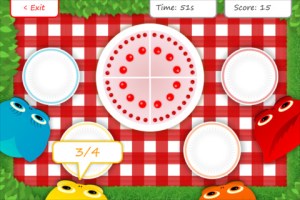
From England and currently $1.99 –  Squeebles Fractions, an app for the iPhone/iPad that is designed to teach fractions to 7 – 11 year olds. The Squeebles want to enter a cake making contest but their ingredients have been stolen by the Math Monster. By working on the app’s 4 games, kids help the Squeebles earn back their ingredients. In Piece of Cake, kids drag the fractional part of a cake to a Squeebles when he asks for it. The easy mode covers halves, fourths, thirds. The hard mode cover fractions to tenths. In Tricky Pairs, kids have to match pairs of equivalent fractions. In the easy mode they match 4 pairs and in the hard mode they match up to 9 pairs. Think Big has kids feeding cake to the Squeeble that calls out the biggest fraction. The easy mode covers halves, fourths, thirds. The hard mode cover fractions to twelfths. Super Sums requires kids to add fractions as quickly as they can and has three levels of difficulty. After earning ingredients, kids can create cakes and enter them in The Cake Show – fun! Another great thing about this app is that you can have more than one player. My only concern is that the easy mode of Piece of Cake requires kids to know some equivalent fractions – for example, it asked kids to pick 3/4 of a cake divided into 8 pieces, 1/3 of a cake divided into 6 pieces, etc. I wish it would have required a basic knowledge of fractions in the easy mode then moved on to equivalent fractions in the hard mode. This app is cute, fun, and provides great practice for a wide spectrum of kids.

Common Core Standards met:

  • 3.NF.3 – Explain equivalence of fractions and compare fractions by reasoning about their size. Understand two fractions as equivalent (equal) if they are the same size, or the same point on a number line. Recognize and generate simple equivalent fractions, e.g., 1/2 = 2/4, 4/6 = 2/3).
  • 4.NF.3 – a. Understand addition and subtraction of fractions as joining and separating parts referring to the same whole.

Download link: https://itunes.apple.com/us/app/squeebles-fractions/id557576867?mt=8&uo=4

equivalent

Currently $1.99 but often “goes free” – Everyday Mathematics® Equivalent Fractions™  for iPhone/iPad is fun easy way to reinforce fraction concepts. Note: the app uses a digital version of the fraction cards from the Everyday Math third grade book.
Common Core Standards met:

  • 3.NF.3 – Explain equivalence of fractions and compare fractions by reasoning about their size. Understand two fractions as equivalent (equal) if they are the same size, or the same point on a number line. Recognize and generate simple equivalent fractions, e.g., 1/2 = 2/4, 4/6 = 2/3). Explain why the fractions are equivalent, e.g., by using a visual fraction model.

Download link: https://itunes.apple.com/us/app/everyday-mathematics-equivalent/id417016316?mt=8&uo=4
Fraction Wall

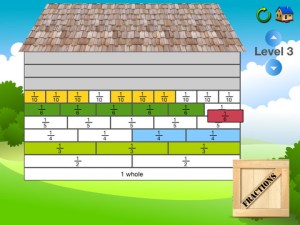
Currently $1.99 – Fraction Wall, an app designed for small group or independent learning. This educational app has 4 sections: Teacher Tool, Complete the Wall, 2 Player Game, and Addition. The Teacher Tool can be used to show/discover equivalent fractions or it can be used to answer equivalent fraction problems. Complete the Wall has kids moving bricks on top of equivalent fractions. There are 4 levels: level 1 – halves and quarter; level 2 – halves, thirds, quarters and sixths; level 3 – halves, thirds; quarters fifths, sixths, tenths; level 4 – halves up to tenth. 2 Player Game has kids competing against each other to be the first to fill their wall of equivalent fractions. Addition has kids adding fractions to answer multiple choice questions. There is a clickable wall to help them visualize the answer if needed. This section also has 4 levels. The app can be customized to exclude more difficult fractions from the wall. This app would work well in the classroom – great for practicing and/or for using as a tool to visualize answers. Much more fun than a worksheet for practicing fractions!

Common Core Standards met:

  • 3.NF.3 – Explain equivalence of fractions and compare fractions by reasoning about their size. Understand two fractions as equivalent (equal) if they are the same size. Recognize and generate simple equivalent fractions, e.g., 1/2 = 2/4, 4/6 = 2/3).
0

Math Animations Grades (1 – 8)…

math animations

FREE for a limited time – Math Animations (Grades 1-8): Includes numbers, decimals, fractions, addition, subtraction, multiplication, division, geometry (perimeter and area of parallelograms, triangles, trapezoids), measurement, algebra. Elementary and Middle School Mathematics. The title says it all! The purpose of this app is to show kids how math works – visually. The app features 55 animations that explain everything from counting to beginning algebra. There are no words used. Math concepts are visually explained in step-by-step illustrations. If you have kids that need to “see” how things work, you may want to add this app to your list of teaching resources!

Download link: https://itunes.apple.com/us/app/math-animations-grades-1-8/id579825429?mt=8&uo=4

0

Ocean – Animal Adventures for Kids

ocean

FREE for a limited time – Ocean – Animal Adventures for Kids, an educational app for preschoolers. Kids will become sea life experts as they explore 3 ocean scenes – a coral reef, a shark reef, and the deep sea. The app has two modes – one for tapping/interacting with the creatures and the other for listening to/learning facts about them. Kids will learn fun facts about more than 30 animals and be delighted with the 60+ animations. The app is narrated in 12 languages – English, German, French, Spanish, Russian, Swedish, Japanese, Chinese, Portuguese (Brazilian), Turkish, Dutch and Italian. Check out this cute interactive book for your 1 – 5 year old today. 🙂

Download link: https://itunes.apple.com/us/app/ocean-animal-adventures-for/id819165012?mt=8&uo=4

1

Counting Money

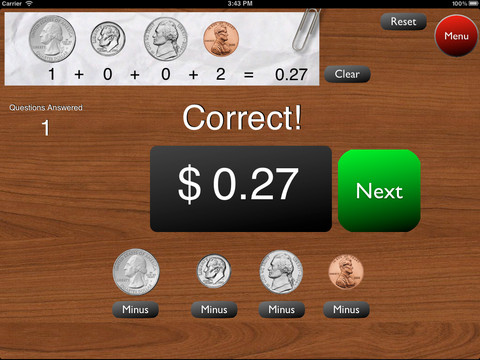
A great FREE app for the iPad – Counting Money gives kids practice counting coins. This educational app has two modes: practice and quiz. In the practice mode, the child must answer the question correctly to proceed. In the quiz mode, 10 questions are generated with only one chance to answer correctly. There are two levels of difficulty: beginner (up to $2.00) and normal (up to $4.00). Users can select the number of questions (10, 20, 30 or 40) and decide if they would like to be graded (based on percentage). As the children count coins to reach a specified total, the app can be set to total the coins as they are being counted (if you wish). This app is easy to use with a lot of flexibility.

Common Core Standards met:

  • 2.MD.8 – Solve word problems involving dollar bills, quarters, dimes, nickels, and pennies, using $ and ¢ symbols appropriately.

Highly recommended!

Counting Money - King's Apps

0

SpeakaZoo and Winston Show

speak a zooFrom the creators of the Winston Show comes another FREE app – SpeakaZoo, the only zoo where the animals talk with you. This educational  app is currently featured as one of the “Best New Apps” by Apple. The SpeakaZoo houses 20 different animals from 4 different habitats. Each one has a lot of character – a fast-talking octopus, a porcupine that needs a hug, an angry beaver, a sleepy bear, etc. And each character has a lot to talk about. The animals ask kids questions then “listen” to their answers. The conversation continues when the animal responds to what the child just answered – fun!

Parents are asked to create an account with a valid email address so that they have full control over all account information and content for children under 13. From the ToyTalk privacy policy FAQs: “ToyTalk apps involve characters that interact with users. When children use ToyTalk apps, audio recordings and photographs of such interactions are captured as part of this use. We may add the ability to capture video in the future. In that case, we will update this FAQ to describe how we use those recordings too.” Read more at: http://www.toytalk.com/legal/

Download link: https://itunes.apple.com/us/app/speakazoo/id850553929?mt=8&uo=4

winston

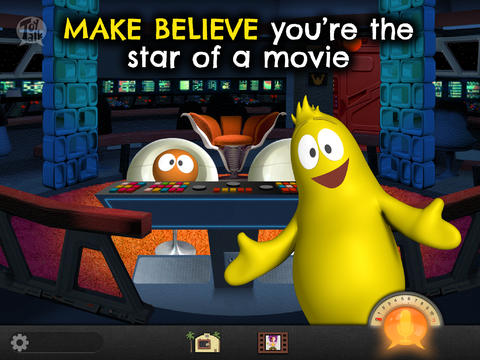
FREE – The Winston Show, an adorable app for kids 6+. Winston (a self-proclaimed, yellow fellow) and his sidekick Ellington have created the first talk show starring you! Special guests include Blackbeard the Pirate, Marie Antoinette, and the Blue Whale. Kids visit 6 different studios within the app. In Studio 1, they become a contestant on a quiz show called Win with Winston. Studio 2 features Fireside Chats on a variety of kid-friendly subjects such as magic and chores. In Studios, 3 kids can choose to become the star in two movies: Squabble Among the Stars or Winston Sly, Private Eye. They battle colorful characters (such as Lewis & Clark) in Studio 4′s You vs., another game show. Studio 5 is the Costume Department where kids can play dress-up in an assortment of costumes. And finally, Studio 6 features the Writing Room where kids choose the path of a story. This app is fabulous for helping kids with conversational language because the characters listen and talk back! It’s quite ingenious and could be really fun – for kids and adults. Adults will love seeing kids interact with Winston and friends. And, they will understand all of the jokes. 🙂 Delightful!!

From the ToyTalk privacy policy FAQs: “Users under 13 are only authorized to use ToyTalk apps under their parent/guardian’s account. As a result, we do not knowingly collect emails or other contact information directly from children under 13. ToyTalk apps involve characters that interact with users. When children use ToyTalk apps, audio recordings and photographs of such interactions are captured as part of this use. We may add the ability to capture video in the future. In that case, we will update this FAQ to describe how we use those recordings too.”  Read more at: http://www.toytalk.com/legal/

Download link: https://itunes.apple.com/us/app/winston-show/id669541931?mt=8&uo=4

1

Math 42

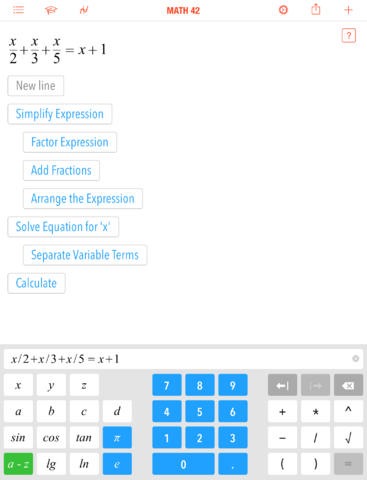
FREE for a limited time – Math 42, an educational app for students in grades 5 – 12. Math 42 can be used as a calculator and/or a math trainer which makes it a great tool for homework and test prep. When a student enters an equation, Math 42 provides the answer and he step-by-step solution. How cool is that?
The math trainer section of the app has a training mode and a test mode. The training mode has 380 exercises per topic. After trying each exercise independently, students can access the step-by-step solution. What a wonderful feature to help kid understand the process! The topics included are simplification of terms, fractions, linear equations, quadratic equations, polynomials, derivations, graphic curve sketching, and more. The test mode has 5 – 20 exercises per test – depending on the topic. And the app collects data – a student’s progress over time. Color coding (red, yellow, green) help students and their teachers see strengths and weaknesses. Check out this app today!!

Download link: https://itunes.apple.com/us/app/math-42/id664457128?mt=8&uo=4

0

Three Little Pigs – A Play

FREE again – Three Little Pigs – A Play for the iPhone/iPad for kids 4+. An updated version of the 3 Little Pigs is presented as a play starring Mitch, Clara, Ran, and Clarence Bear. The book is brightly illustrated and the characters respond when they are tapped. The background music and narration are nicely done. The book can also be read alone. The story generally follows the traditional tale – the first pig builds a house from straw, the second pig builds a house of sticks, and the third pig builds a house of bricks. All of the pigs get away (rather than the first 2 being eaten) and wolf runs away yelping in pain. The first 2 pigs learn the lesson: Take your time and do your best. The story ends with the first 2 pigs starting to rebuild their houses in the spring – this time with bricks, of course!

In my classroom I used different versions of the same fairy tale/folk tale for studying story elements as well as comparing & contrasting. This would be a good version to compare with the traditional tale of the Three Little Pigs since its setting is in modern times. Kids can look for evidence to prove that the story takes place in current times. They could also use Venn diagrams to compare the traditional tale to this version or other versions that they have read. This app could be used to reinforce several comprehension skills.

Recommended!

Three Little Pigs - A Play HD - C&B Unlimited

0

ReadNRespond

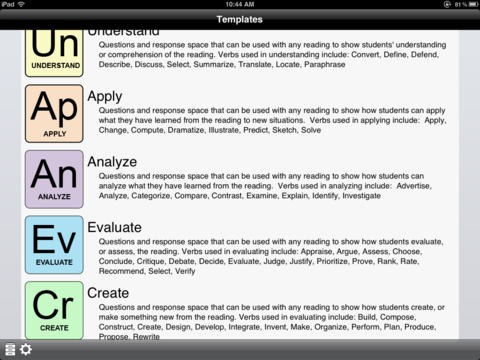
FREE for a limited time – ReadNRespond, an educational app for reading comprehension. Teachers can easily create reading response forms based on Bloom’s Taxonomy with this app. There are 20 questions for each of the 6 levels of understanding – recall, understand, apply, analyze, evaluate and create. The questions are general in nature so that they can be used with any book, movie, etc. There are so many ways to use this app: modeling how to answer questions, whole group instruction, literature group instruction, teacher-directed assignment, student-choice assignment, project-based learning, etc. Response forms can be printed out to assign in class, students can respond/save within the app, or students can email their responses to their teacher. It would even be fun to have students email their responses to each other for peer editing. What a fabulous app for reading students in grades 3 and above – perfect for literature groups!!

Download link: https://itunes.apple.com/us/app/readnrespond/id545919500?mt=8&uo=4
[title]()