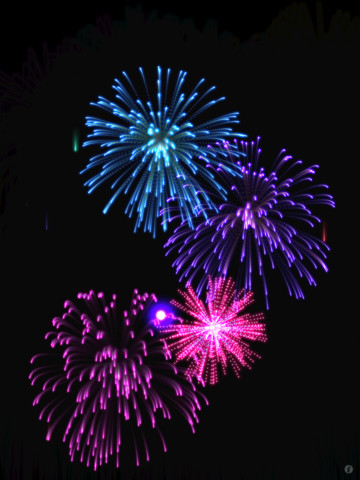
FREE today, just in time for New Year’s Eve – Real Fireworks Artwork 4-in-1 HD. So how real are they? My dog is a believer. 🙂 He did not enjoy the realistic sounds (which can be disabled). The main features of this app are customizable (tail length, explosion size, particle size, gravity, color mode) fireworks, an interactive visualizer, a wallpaper maker, and a drawing pad. If the weather is not cooperating on the 4th, kids (and adults) will have fun creating their own indoor fireworks. If you have an Apple TV, you can connect it to your iPad 2 (or later) and watch fireworks on your TV. Classroom teachers could use this app to celebrate the class doing well on a test, earning class points for good behavior, etc. Fun stuff!!

Category Archives: FREE apps (for a limited time)
Buildo Museum Sticker Book & Buildo History Sticker Book
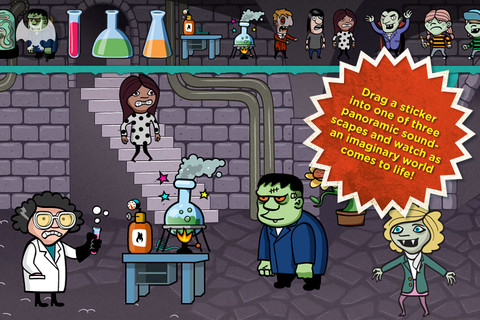
FREE – the trial versions of Buildo Museum Sticker Book and Buildo History Sticker Book, spooky sticker books inspired by ancient museums. Included with each FREE version is one scene. The full versions are available with in-app purchases and they include three scenes with 100 + stickers of paintings, statues, security guards, visitors, rascals, ghosts, monsters, vampires, etc. Both apps also feature panoramic backgrounds with interactive sounds. Kids can scale, rotate and flip stickers to create a scene for oral stories. The goal of the Buildo series is to get kids to thinking about creative story telling. Use these virtual sticker books to start creating oral stories today.
Buildo Museum Sticker Book:
Buildo History Sticker Book:
Alien Buddies
Alien Buddies is FREE again for a limited time. Formerly listed as “New & Noteworthy” by Apple, this educational app is geared towards kids ages 3 – 7. It features 4Â different activities (matching, puzzles, dot-to-dot, and stickers) with varying levels of difficulty. Matching can be played in 2 modes (visual or audio) to reinforce colors, shapes, numbers and letters. Puzzles can be set to contain 4, 6, or 8 pieces. In the sticker section, kids add out-of-this-world stickers to 8 different space scenes. All activities are well done but I especially like the dot-to-dot activity which has a “please help” or an “I can do it myself” button. Kids need to visually recognize the order of the numbers to connect the dots and the app counts as the dots are connected – love it! The app is cute, colorful, and sure to appeal to kids!
Download link:Â https://itunes.apple.com/us/app/alien-buddies-preschool-learning/id469461540?mt=8&uo=4
Snowflake Station
Happy Winter!!
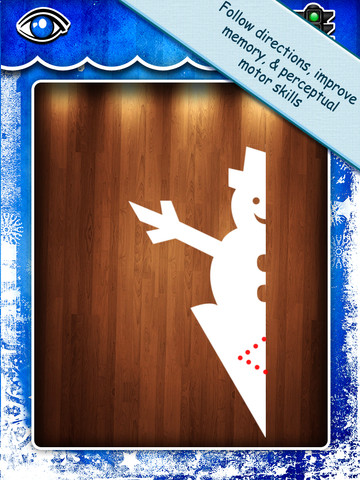
Purple glittery snowflakes – this great educational app is only $.99!! Snowflake Station for the iPad helps kids discover the beauty of symmetry – a key concept in math, science, art, & architecture. The app has 3 sections: Trace a Flake, Creation Station, and Make it Snow. Trace a Flake includes step-by-step instructions for cutting 36 different snowflakes/other symmetrical shapes. In the Creation Station, kids create their own flakes/shapes. There are six different folds, 10 different colored paper, and 10 different colors of glitter to choose from. Kids make “cuts” with their fingers. The tape button works as an undo button. Kids can monitor their progress in the upper left hand corner of the cutting board. Creations can be saved to use in the “Make it Snow” section of the app which does exactly that! Kids use their creations to make it snow in a photo of their choosing. They can use the iPad’s camera to take a picture or use an already saved photo from the camera roll. There are also 10 winter scenes included in the app. Another option in this app is the ability to set up a Juddly (a safe, secure email) account for your child to share his/her creations with you. Very creative & very fun – all while learning about symmetry. 🙂
Common Core Standards:
- 1.G.3 – Partition a shape into four equal shares, describe the shares using the words halves, fourths, and quarters, and use the phrases half of, fourth of, and quarter of. Describe the whole as two of, or four of the shares. Understand for these examples that decomposing into more equal shares creates smaller shares.
- 4.G.3. Recognize a line of symmetry for a two-dimensional figure as a line across the figure such that the figure can be folded along the line into matching parts. Identify line-symmetric figures and draw lines of symmetry.
Not only does this app meet CCSS in math, it can also be used in creative writing – The Day It Snowed Orange, Alien Invasion, etc. What a great educational app!
Toca Mini
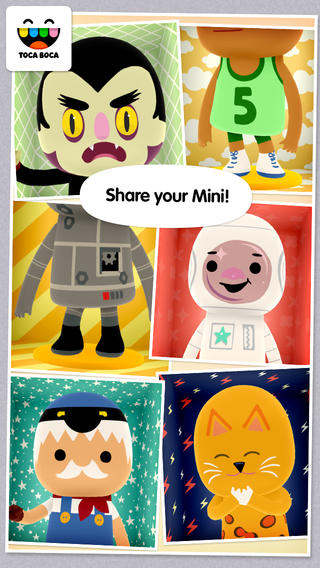
FREE for a limited time – Toca Mini, another creative app from Toca Boca. With this app kids can create silly monsters, imaginary animals, or playful friends. Toca Minis can become whatever you want them to be. To start, kids add colors to the mini’s body, arms, & legs. Then they add details using a wide variety of stamps – bows, hats, buttons, polka dots, etc. Next, kids add facial features which brings their minis to life – they, ooh, ah, sneeze, smile, blink, and more.  Kids can also add hair, eyebrows, beards, mustaches, etc. With 60 different colors and 78 different stamps, there are thousands of possible combinations. When kids finish creating their own unique mini, they can take a snapshot and save it to the camera roll. Then they can print it, share it, pull it into a story writing app, and more. Creating a mini could be a great springboard for creative writing – descriptive paragraphs, a story about their created character/creature. Toca Boca has created another open-ended, creative app!
Download link:Â https://itunes.apple.com/us/app/toca-mini/id718082838?mt=8&uo=4
Toca Mini is available for Android on Google Play for $2.99.
Santa’s Home
Hands-On Equations 1 – The Fun Way to Learn Algebra
FREE for a limited time – Hands-On Equations 1 – The Fun Way to Learn Algebra. This educational app introduces algebra to elementary and middle school students. Dr. Henry Borenson developed and received a patent for Hand-On Equations after teaching math to both low-achieving & Math Olympiad students in New York City. His Hands-On Equations program uses physical game pieces on a balance to represent algebraic equations. Hands-On Equations, Level 1 consists of 6 lessons and a review lesson. Each lesson begins with a video introduction that is followed by two examples and ten exercises. In the first lesson, students use a guess-and-check strategy to figure out the value of pawn that makes the sides balance. In lesson 2, students place the game pieces on the balance scale to represent both sides of the equation. Each lesson becomes more challenging. This method is fantastic for young students who are learning algebra as well as older students who have struggled with algebra. The visual representation of the equations will help all students understand key concepts of algebra. Check it out while it’s FREE. If you like what you see, Hands-On Equations 2 and Hands-On Equations 3 are available for $3.99 each. 🙂
Download link:Â https://itunes.apple.com/us/app/hands-on-equations-1-fun-way/id505948222?mt=8&uo=4
Drawing with Carl
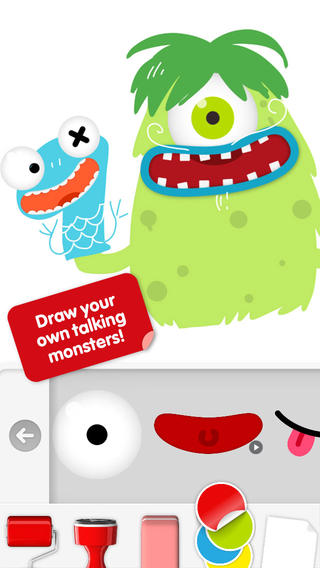
Do you have a child who LOVES to draw? FREE today – Drawing with Carl is a fantastic drawing app for kids. This educational app is very intuitive and easy to use. Kids create pictures using 8 kinds of tools – pencils, crayons, paint brushes, markers, paint tubes, rollers, stampers, erasers, and stickers. The sticker tool is particularly fun. It includes stickers of Carl and his friends, backgrounds (which includes access to your photos), facial features, the alphabet, dinosaurs, mustaches, and assorted shapes. Kids can create and play with talking stickers that repeat anything they say in a funny voice! How fun is that?? Draw a monster and add a talking mouth, import a picture and add a talking mouth, etc. The app also includes 14 colors with and the option to create new colors. Works of art can be shared – save them as photos, email them, or posted them to FB. It’s no wonder that this app has been featured by Apple. Hours of creative fun await your kids!!
Stick Around by Tony Vincent & MorrisCooke
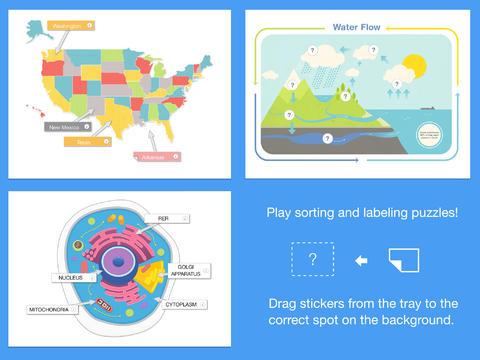
FREE today – Stick Around by Tony Vincent & MorrisCooke, an educational app that enables you to design and share your own learning puzzles. The app comes with eight puzzles: parts of speech, water cycle, rock categorizing, cell biology, states, ordering decimals, planets, and Mount Rushmore.  Play with them to discover how app works. Then start thinking of how the app might be utilized for the subjects that you teach. Stick Around is open-ended & suited for all levels of learning.
Puzzles are created in 3 easy steps: make a background, add stickers with text or images, make an answer key. Audio instructions and/or a timer can also be included. The app features several templates to get your started: Venn diagram, two columns, definitions, grid, sequencing, smallest to largest, largest to smallest, and timeline. Or, you can start with a blank page and create your own background. You can also import projects made with Explain Everything™ and turn them into puzzles. Finished projects can be exported to Dropbox, GDrive, WebDAV & email for sharing. Want to see how your students did? Have them take a screen shot of their completed puzzle. The app tracks the time and number of attempts. LOVE this app – you can tell it was developed by educators. 🙂
Download link:Â https://itunes.apple.com/us/app/stick-around-by-tony-vincent/id557949353?mt=8&uo=4
Comic Book
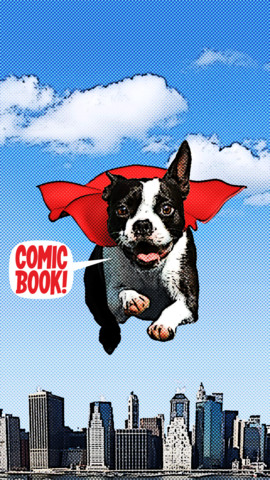
FREE today only – Comic Book. This app was named Best Photo App of 2011 and was the App of the Week in 12 different countries! Using the app’s selection of image filters, comic fonts, customizable captions, classic comic graphics and page layouts, you can easily change your photos into comics. So many creative uses for the classroom!! Download now, brainstorm later – don’t miss this one.