0

Wee Kids Math

wee kids math

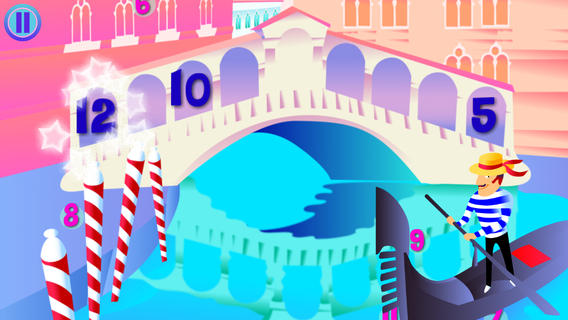
FREE for a limited time – Wee Kids Math, an educational app that features a variety of activities for beginning math students. There are 20 activities in all – each activity presented in a new brightly colored scene. Kids can order numbers on a caterpillar, match number words/numerals/pictures on ocean liners, practice addition on a farm, practice subtraction in the ocean, etc. A definite strength of this app is its variety. Number skills (0 – 20) included are matching, counting, ordering, identifying equalities & inequalities, identifying > & <, adding, and subtracting. The app jumps right into each activity without any sort of instructions. Most of the activities are fairly intuitive. But if kids can’t figure what they are supposed to do, they can go back & press the help button. Then they will find visual instructions for each activity. This app would be a good one to use WITH your child. There is no progress tracking so you will want to see what your child understands. 🙂

Download link: https://itunes.apple.com/us/app/wee-kids-math/id638457112?mt=8&uo=4

0

ProCollage – Photo Collage Maker & Photo Stitch Creator

procollage

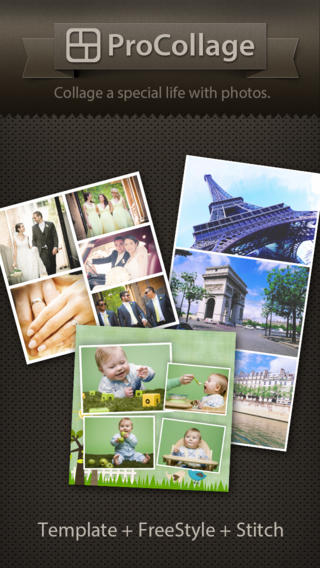
FREE today only – ProCollage – Photo Collage Maker & Photo Stitch Creator, a wonderful app for creating collages! With ProCollage you can easily make creative collages with your photos and/or pictures from the internet – basically, any images that you have saved in your camera roll/photo stream. This app is incredibly intuitive and easy to use. There are three collage modes to choose from – template collage, freestyle collage, and stitching photo. All modes support up to 9 photos. In all modes it’s easy to: flip and rotate photos, add/replace photos, add text (60 colors & patterns), customize borders, corners & backgrounds, and more.
There are SO many fun uses of this app for education. Teachers, use ProCollage to make a collage of a student’s work or a collage of the school year’s highlights. Add collages of what’s happening in your classroom to your class newsletter, website, or blog. Have students use ProCollage to introduce themselves at the start of the year. Send students on a scavenger hunt of geometric shapes then have them make a ProCollage of what they found. Add a ProCollage to a report or make a ProCollage representing the main character of a book, etc. The list is only limited by your imagination! I LOVE educational apps like this – open-ended with great potential for creativity! WOW!!

Download link: https://itunes.apple.com/us/app/procollage-photo-collage-maker/id593389475?mt=8&uo=4

0

Smiley Sight Words

Smiley Sight Words

FREE for a limited time – Smiley Sight Words. This educational app teaches kids 1,600 common sight words compiled from high frequency lists such as Dolch, Fry, Pinnell-Fountas, UK, and others. Why learn sight words? Over half of the words we read each day are sight words! For early readers, this percentage is much greater. Many of these words do not follow the rules of phonics and/or cannot be represented by pictures. In order to read fluently, students should learn to read these words “by sight.”

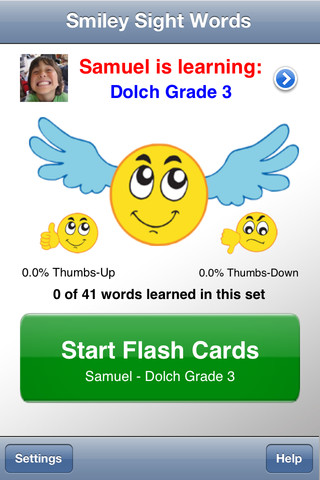
The app is very simple to use. First enter the students’ names and pictures. In the settings you can enter up to 40 students –  perfect for a classroom teacher or an intervention specialist! Next you choose a list of words for each child to work on. There are 40 sets of Smiley Words (the 1000 most frequently used words), 18 sets of Dolch words, 10 sets of Fry words, 10 sets of UK words, 12 sets of AU color-coded words, plus 11 additional sets (upper case letters, lower case letters, number words, color words, etc.). There is also the option of making customized lists by mixing and matching words from other lists within the app. The app is ready to use! It displays one flashcard at a time. Tap the word to hear an American-English pronunciation. Then rate the ability to read the word with a thumbs up or a thumbs down. To be proficient, 3 thumbs up need to be collected for each word! The app generates a progress report at the end of the session which can be saved to photos. Once saved, it can be printed or emailed. The progress report is stated positively – Thumbs up % Pretty slick! This app makes it easy for teachers to provide individualized practice and keep track of their students’ progress. 🙂

Smiley Sight Words™ - 24x7digital LLC

0

Too Noisy Lite

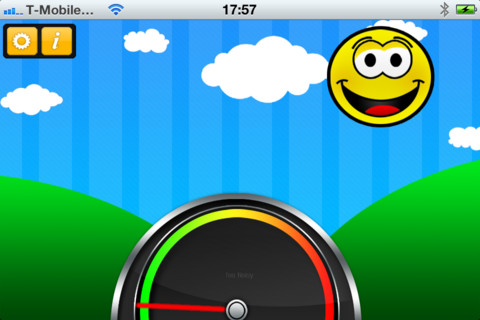
Too Noisy Lite is a FREE noise meter for iPhone/iPad. It measures the level of noise in a room and graphically displays whether it is at an acceptable level or not. If the level is acceptable, a smiling face is displayed. If the noise level increases beyond a level of acceptability, the graphic changes to indicate that the noise level is NOT acceptable. In the settings, a teacher/adult can adjust the sensitivity of the meter to go with the activity. A testing situation could be set at a 99% sensitivity level and group work could be set at a much lower sensitivity level. The meter worked when I tried it but, I was not in a large room with a group of kids. By using an Apple Digital AV adapter or a VGA adapter, Too Noisy can be projected on a TV or monitor so kids can learn what noise level is acceptable – cool idea! I would think that the LITE version is worth a try to see if it works for your situation. There is also a PRO version and themed versions available for $.99 each. Check out this great FREE educational app!

Too Noisy - Walsall Academy

0

ABC Food

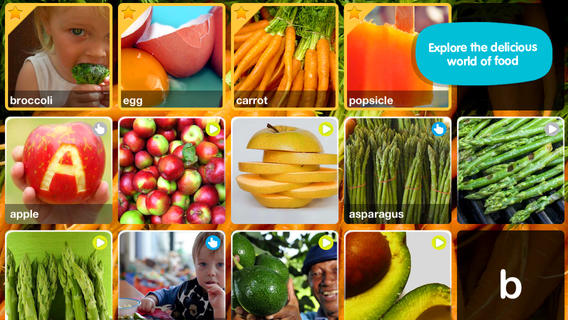
foodFREE for a limited time – ABC Food. This educational app introduces your toddler (3 – 5) to over 70+ food words through sight, sound, and touch. The app opens to a grid arranged in ABC order. Kids can tap on a letter to find foods that begin with that letter or they can tap on a specific food to learn about it. As the food’s photo appears, a child’s voice says the initial letter then reads the name of the food (which appears in writing at the bottom of the screen). A little cartoon person drops down on the left hand side of the screen with a link to a video clip or an interactive scene. The child can scroll to the left for additional pictures and videos about each food. The app also contains “Read To Me” Fun Facts about each food word featured. Explore the world of food from apples to zucchini with this educational app.

This app needs an internet connection to work because the 100+ videos are actually links from You Tube. They are chosen by Peapod Labs and checked to be interesting and safe for kids. Kids cannot link from this app into other You Tube content. This app is nicely done  – great for building vocabulary and beginning to read/spell words.

Also check out my reviews of ABC Wildlife, ABC House, ABC Music, and ABC Aquarium by the same developers. :)

Download link: https://itunes.apple.com/us/app/abc-food/id460479661?mt=8&uo=4

0

2 Kidztory Classics: Little Red Riding Hood & The Ugly Duckling

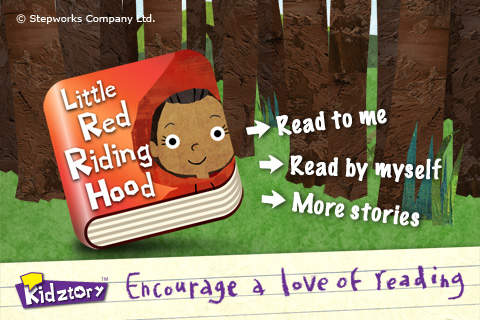
little redFREE for a limited time – Little Red Riding Hood and The Ugly Duckling, interactive versions of two classic tales. Kidztory apps can be read in two modes – read to me or read by myself. The artwork is very appealing – simple, bright, & colorful. LIttle Red Riding Hood is narrated by a child with no grandmas or wolves harmed in this version of the tale. As kids read along they will enjoy finding the cute animations and sounds on every page. And, every Kidztory storybook app shares a gentle lesson for life. Add these two classics to your digital library today – you won’t be sorry!

Download links:

Little Red Riding Hood: https://itunes.apple.com/us/app/little-red-riding-hood-kidztory/id444927406?mt=8&uo=4

Ugly Duckling: https://itunes.apple.com/us/app/ugly-duckling-kidztory-animated/id425599237?mt=8&uo=4


0

Brainingcamps Apps: Area of Figures and Fractions

areaFREE for a limited time – Area of Figures, an excellent educational app for teaching area from Brainingcamp LLC.The app helps kids understand how to find the area of 4 different figures:  rectangles, parallelograms, triangles, and circles. For each figure there is a narrated lesson (with visual models), virtual manipulatives for kids to explore, practice questions to check understanding, and a challenging game for additional practice.

What a GREAT app! The lessons are wonderful – clearly explained and involve students along the way. The manipulatives are designed to promote understanding of the concepts presented. The practice questions give students and their teachers a check of their understanding. And, the challenging games helps kids further master the topic. It would be a fabulous for grades 3 and beyond!

Common Core Standards met:

  • 3.G.5. Recognize area as an attribute of plane figures and understand concepts of area measurement.
  • 3.G.6. Measure areas by counting unit squares (square cm, square m, square in, square ft, and improvised units).
  • 6.G.1. Find the area of right triangles, other triangles, special quadrilaterals, and polygons by composing into rectangles or decomposing into triangles and other shapes; apply these techniques in the context of solving real-world and mathematical problems.

Download link: https://itunes.apple.com/us/app/area-of-figures/id434220361?mt=8&uo=4

Also FABULOUS and currently FREE…

fractions

Fractions by Brainingcamp, an excellent educational app for teaching fractions. The app covers 7 topics: introduction to fractions, equivalent fractions, common denominators, comparing/ordering fractions, adding/subtracting fractions, multiplying fractions, and dividing fractions. Each topic includes: a narrated lesson (with visual models), virtual manipulatives for kids to explore, practice questions to check understanding, and a challenging game for additional practice. Kids earn badges as they work through the components of each topic.

WOW – I love everything about this app. The lessons are wonderful. The manipulatives are designed to promote understanding of the concepts presented. The practice questions give students and their teachers a check of their understanding. And, the challenging games helps kids further master the topic. It would be a fabulous for grades 3 and beyond!

Common Core State Standards met:

  • 3.NF.1. Understand a fraction 1/b as the quantity formed by 1 part when a whole is partitioned into b equal parts; understand a fraction a/b as the quantity formed by a parts of size 1/b.
  • 3.NF.3 – Explain equivalence of fractions and compare fractions by reasoning about their size. Understand two fractions as equivalent (equal) if they are the same size. Recognize and generate simple equivalent fractions, e.g., 1/2 = 2/4, 4/6 = 2/3).
  • 4.NF.3 – a. Understand addition and subtraction of fractions as joining and separating parts referring to the same whole.
  • 5.NF.3 – Interpret a fraction as division of the numerator by the denominator (a/b = a Ă· b).

Download link: https://itunes.apple.com/us/app/fractions-by-brainingcamp/id471353363?mt=8&uo=4

0

Labo Drawing Lessons

labo

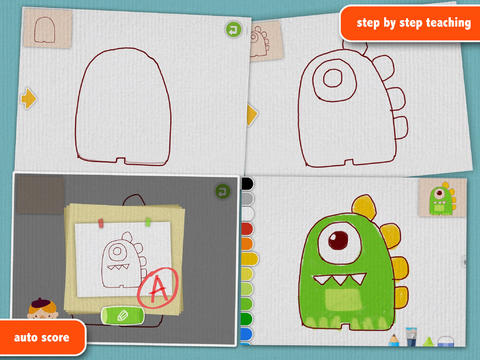
FREE for a limited time – Labo Drawing Lessons. This educational app has 3 different modes: drawing lessons, free drawing, and PK. In the lesson mode, your child will learn to draw 40 different things from 5 categories: animals, plants, vehicles, monsters, people. The app utilizes a step-by-step teaching method then scores (from A+ to D-) the drawing after it has been completed. In the free drawing mode, kids work on a blank canvas and draw their own creations. They are not scored in this mode. They can choose from 3 tools (pencil, crayon, brush) and 18 different colors. They can also pull in photos from the camera roll to use as a background. In both modes, kids can take pictures of their drawings, redo them, or trash them. If they take a picture, the creation is stored in the photo gallery and saved to the device’s camera roll. Once a drawing is on the camera roll, it can be shared, printed, or pulled into other apps. Finally, there is a PK mode which permits a child to compete with their parents or friends to see who can draw faster. Check out this YouTube video to see how this app works: http://www.youtube.com/watch?

Download link: https://itunes.apple.com/us/app/labo-drawing-lessons-3y+/id879834557?mt=8&uo=4

0

Toca Mini

toca mini

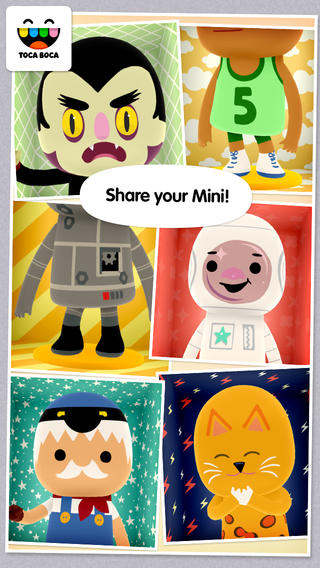
FREE for a limited time – Toca Mini, another creative app from Toca Boca. With this app kids can create silly monsters, imaginary animals, or playful friends. Toca Minis can become whatever you want them to be. To start, kids add colors to the mini’s body, arms, & legs. Then they add details using a wide variety of stamps – bows, hats, buttons, polka dots, etc. Next, kids add facial features which brings their minis to life – they, ooh, ah, sneeze, smile, blink, and more.  Kids can also add hair, eyebrows, beards, mustaches, etc. With 60 different colors and 78 different stamps, there are thousands of possible combinations. When kids finish creating their own unique mini, they can take a snapshot and save it to the camera roll. Then they can print it, share it, pull it into a story writing app, and more. Creating a mini could be a great springboard for creative writing – descriptive paragraphs, a story about their created character/creature. Toca Boca has created another open-ended, creative app!

Download link: https://itunes.apple.com/us/app/toca-mini/id718082838?mt=8&uo=4

Toca Mini is available for Android on Google Play for $2.99.

0

iTooch 6th Grade Language Arts

itooch 6

FREE for a limited time iTooch 6th Grade Language Arts. This app normally sell for $4.99. It offer exercises for practicing/learning  grammar, vocabulary, writing, and reading comprehension. The app has over 1500 questions which are organized by chapter. First, kids choose an area to practice. The app is set on practice mode when the testing option is turned off. Once an answer is submitted, a solution button appears for most questions. When pressed, it explains why an answer is correct. There is also a lesson summary available for each chapter. If the testing mode is tuned on, kids are graded & timed on their answers. They earn points based on the number correct and their time. If they do not meet the criteria for that chapter (4 out of 6), they can choose to “go back to practice” or try the test again. Other useful features of this app include: speech synthesis for kids who may have difficulty reading the problems and the option to adjust the font size. These apps can be used by multiple students and track their individual achievement – great for tutors and classroom teachers. Check it out while it is free. 🙂

Download link: https://itunes.apple.com/us/app/itooch-6th-grade-language/id521723371?mt=8&uo=4