0

Curious World

curious world

Partially FREE from Houghton Mifflin Harcourt – Curious World, an educational app for young kids. Silly characters named Izzy & Mac lead kids through a world of curious adventures. The app has four themed activity packs available. The Light & Shadows Pack is always FREE. And to celebrate the launch of the app, the Curious George Dinosaur Discovery Pack is also FREE for a limited time. Each pack has five or more activities, including a real-world experience for families to enjoy together. The app also includes a Curiosity Toolkit which includes drawing/coloring tools, stickers, puzzles, a camera, and a microphone. Kids can take a picture with the app’s camera then turn it into a four, nine, or sixteen piece puzzle – what a fun feature!  Preschoolers (ages 3 – 5) will love Izzy & Mac and their cute new app! 

Download link: https://itunes.apple.com/us/app/curious-world/id894474902?mt=8&uo=4

0

Fingerpaint Magic II

fingerprint magic

FREE for a limited time  – Fingerpaint Magic II, a fingerpainting app for kids and adults. Creating a digital masterpiece with this app is easy and there’s no mess to clean up! Just tap on the screen and start painting… with one or all of your fingers. You can use randomly generated colors or choose your own colors. You can set the size, life, velocity, and tilt of your brush. There are ten neutral backgrounds included or you can choose one of your photos as a background. Another fun feature of the app is mirroring. Strokes can be mirrored diagonally or in all four corners. Use Fingerpaint Magic II to enhance your photos or create your own wallpapers. Or, just use it to create and share art with family and friends. This app would be fun for little ones and great for developing their fine motor skills. 🙂

Download link: https://itunes.apple.com/us/app/fingerpaint-magic-ii/id735937898?mt=8&uo=4

Also FREE – Fingerpaint Magic, the original version of this app.

Download link: https://itunes.apple.com/us/app/fingerpaint-magic/id586165483?mt=8&uo=4


0

Giggle Ghosts

FREE for a limited time – Giggle Ghosts, a cute counting app for preschoolers. The giggle ghosts are very cute – kids will love to hear them laugh. Kids help 20 ghosts get the party by bouncing them across rooftops. In the first level the sky is clear and they have to bounce 5 ghosts. The app counts to 5 and shows the written numbers. The second level is the same but there are leaves blowing in the sky. In the third level there are clouds in the sky and in the fourth level it is raining. Both provide additional counting practice from 1- 5. At the end, all 20 ghosts at the party are counted. This app is great for little ones – nothing scary, just fun & friendly ghosts going to a party. 🙂

Giggle Ghosts - by Busy Bee Studios - Busy Bee Studios

0

Toddler Tap!

FREE again – Toddler Tap!, an educational app for your youngest iPad user. The app is very simple to use. Kids tap an object and the object is named. There are 8 categories of words – colors, numbers, shapes, letters, vegetables, fruits, pets, vehicles, instruments, and home. The app is visually appealing – uncluttered pages of simple and colorful drawings. The voice can be turned on/off and the language can be switched from English to Spanish. There is also the option to print the pictures. Parents/teachers can create magnets or stickers for sorting and classifying activities. Check it out while it is FREE. 🙂

Download link: https://itunes.apple.com/us/app/toddler-tap!/id579523195?mt=8&uo=4

0

Sago Mini Doodlecast

FREE for a limited time – Sago Mini Doodlecast, an adorable drawing app for kids. This educational app is unique in several ways. First of all, it features 30+ open-ended drawing prompts that inspire creativity. Kids draw pictures to answer questions such as: Who lives on this planet? What is wet? What makes you happy? As your child draws, short videos of the entire drawing process are created, with accompanying audio. The app encourages parent/child play – recording your child’s creation (stroke by stroke) along with your conversation about his/her drawing. And, the app supports more than 14 languages. Parents can use the app as a teaching tool or to encourage kids to express their feelings. Finished videos can be shared with friends and family – perfect for grandparents who live far away! Super sweet app!!

Download link: https://itunes.apple.com/us/app/sago-mini-doodlecast/id469487373?mt=8&uo=4

0

Hopscotch HD

Hopscotch HD

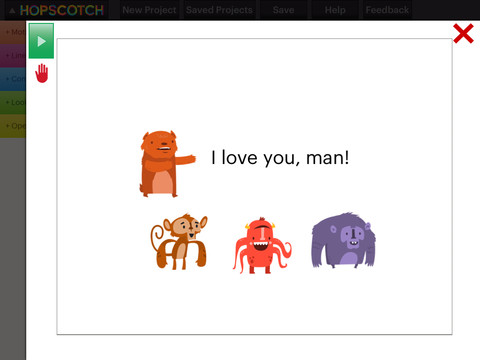
FREE for a limited time – Hopscotch HD, an educational app that teaches kids how to program their own games and animations! Introduce kids to computer science with this app. 🙂 Kids drag and drop “method blocks” into scripts. When they are done, they can press play to see their code in action! Why teach kids coding? According to the developer – there will be about 1.4 million computer jobs by 2020 and only 400,000 computer science students. Many coders first fell in love with coding when they were  8-12 year old children. Hopscotch is based on a visual programming language named Scratch which was developed by MIT. It promotes STEM education (science, technology, engineering and math) in a fun way – by making coding kid-friendly! LOVE it! And apparently so do others… Hopscotch was featured by Apple in the App Store, won a 2013 Parents’ Choice Gold Award, and was featured in 2014 Children’s Technology Review: Best Educational Technology. 

Hopscotch HD - Hopscotch Technologies

0

Squiggles, Let’s Color, Miku’s Picnic, and Lazoo Zoo

The FAB 4 (for young kids) – FREE and fabulously creative apps from Lazoo.

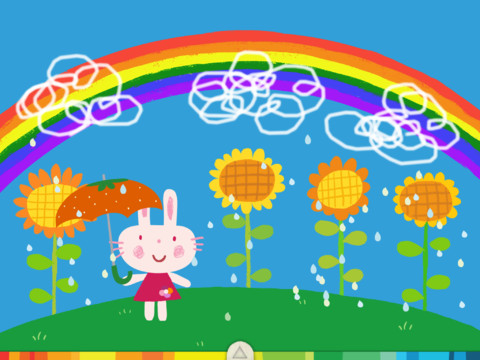
Squiggles is a FREE educational app for the iPad and it is ADORABLE!  Kids are encouraged to draw squiggles to create: rain clouds (to water flowers), waves (to help fish swim), wool (on sheep), cotton candy, etc. Once the squiggles are drawn, they press GO and the drawings come alive. The app includes an interactive storybook and an animated short which introduces the characters – Bobu, the monkey & Miku, the rabbit. It also includes 14 squiggle-ready drawing pages as well as a blank page for your child to create his/her own pictures. Tools included are stickers, markers, paint, chalk, a ketchup bottle, as well as 10 colors & a mystery color wheel. Work can be saved into the gallery of the parents’ section by pressing the piggy bank. This app is super cute!! It encourages children to be imaginative & creative – it’s one of my favorites! 🙂

Highly recommended!

Squiggles! - Lazoo Worldwide, Inc

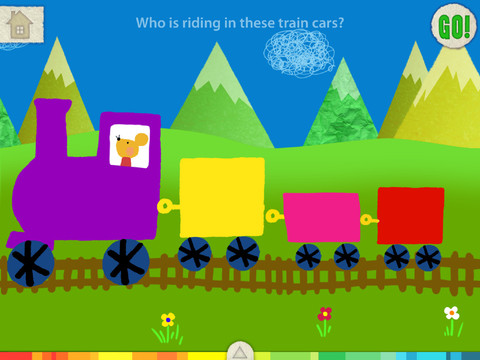
FREE for a limited time – Let’s Color, another educational app that encourages creativity! The app includes an animated short in which the characters – Bobu, the monkey & Miku, the rabbit use their imaginations to turn triangles into a strawberry, a dog, a mountain, etc. Then kids are encouraged to color different things to complete a page: what is coming out of a hose, who is riding in the train, etc. Once the coloring is completed, they press GO and the drawings come alive. There are 17 coloring pages as well as a blank page for your child to create his/her own pictures. Additional coloring pages can be purchased within the app. Tools included are stickers, markers, paint, chalk, a ketchup bottle, as well as 10 colors & a mystery color wheel. Work can be saved into the gallery of the parents’ section by pressing the piggy bank. Another super cute app from Lazoo, a developer that encourages imagination and creativity. :)

Highly recommended!

Let's Color! - Lazoo Worldwide, Inc

Miku's Picnic

Also FREE for a limited time – Miku’s Picnic, an adorable interactive story designed to support creative thinking. Kids join Bobu, the monkey & Miku, the rabbit on a chase after some jumping beans. The two need help capturing the beans before they bounce away! Along the way kids learn about using their imaginations and creative problem solving as the Bobu & Moku use “Squiggles” to… make a car go faster, make springs to get to the top of a tree, make binoculars to look for the beans, make a rocket zoom to the moon, and more. This educational app has 2 reading modes – “Read to Me” and “Read it Myself” as well as an option to record your own voice as the narrator. The story ends with a link to the FREE Squiggles app for kids so kids can “take a turn” drawing. I love the way Miku’s Picnic encourages kids to use their imaginations to solve problems!

Download link: https://itunes.apple.com/us/app/lazoo-mikus-picnic/id652945863?mt=8&uo=4

Lazoo ZooFREE for a limited time  – Lazoo Zoo, another fabulous educational app from the developers of Squiggles. KIds help out with snack time at the zoo where there are 10 animals (lion, ape, chameleon, giraffe, hippo, whale, crocodile, crab, bird, & penguins) to feed. But Lazoo Zoo is not your ordinary zoo, so its animals react in extraordinary ways – the giraffe’s spots change according to what it’s fed, the ape tosses the food it doesn’t like to others, and more! Kids can even create their own foods to feed the animals. And, Lazoo Zoo has a photo booth where kids can snap their picture with their favorite animals. How cute is that?! 🙂 Check out the trailer at: http://www.youtube.com/watch?v=L564yPHM3No&feature=youtu.be

Download link: https://itunes.apple.com/us/app/lazoo-zoo/id727786503?mt=8&uo=4

0

7 Apps That Boost Vocabulary

There are several good vocabulary apps on the market that are great for students who trying to boost their vocabularies. I wish some of them would have been around when my kids were studying for the SAT. 🙂

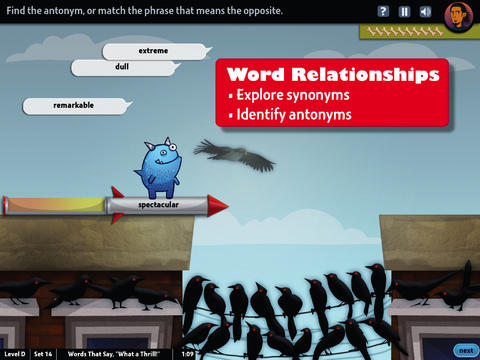
world's worst petFREE & fabulous – World’s Worst Pet-Vocabulary, an educational app for kids in grades 4 – 8. Snargg, a cute blue pet needs kids to use their vocabulary skills to get him out of trouble. The app’s four games teach context, word sorts, synonyms, & antonyms as they expose kids to over 1000 words across 5 levels: grades 4 – 8. Words are taught in sets – 10 conceptually related words per set. Kids are encouraged to replay each word set to improve their scores. Other features of the app include: clearly explained definitions with examples of how the word is used, multiple exposures to words, writing prompts, and… a really fun narrative with rewards. The app allows multiple players which makes it perfect for the classroom. Teachers can use it to differentiate instruction, as part of a center, for individual or group assignments, as homework, etc. There are so many great things about this app – meaningful content, a fun interface, and it meets CCSS. It’s fantastic, wonderful, remarkable, tremendous, amazing … 🙂

Common Core Standards met:

  • 4.L.5 – Demonstrate understanding of figurative language, word relationships, and nuances in word meanings. c.Demonstrate understanding of words by relating them to their opposites (antonyms) and to words with similar but not identical meanings (synonyms).
  • 5.L.5 – Demonstrate understanding of figurative language, word relationships, and nuances in word meanings. c. Use the relationship between particular words (e.g., synonyms, antonyms, homographs) to better understand each of the words.

Download link: https://itunes.apple.com/us/app/worlds-worst-pet-vocabulary/id730540095?mt=8&uo=4

bluster

Recently updated for iOS 7, Bluster is a FREE app for the iPad developed by McGraw-Hill. This educational app was designed to teach vocabulary and word development to students in grades 2 – 4. Topics covered are rhyming, prefixes & suffixes, word roots, synonyms, homophones, and adjectives. There are 3 modes of play – single, team, and versus. Team mode permits collaboration with a friend. Versus mode allows head-to-head play with the ability to disrupt your opponent by causing weather related attacks. Kids start by choosing their mode of play, grade level, and word match type. They then swipe through the list to match 3 words with the same meaning, rhyme, prefix, suffix, or word root. There are 10 groups of 3 to match in each round of play. Bluster presents 800+ vocabulary words in a fun way!

Common Core Standards met:

  • 2.L.4 – Determine the meaning of the new word formed when a known prefix is added to a known word (e.g., happy/unhappy, tell/retell). Use a known root word as a clue to the meaning of an unknown word with the same root (e.g., addition, additional).
  • 3.L.4 – Determine the meaning of the new word formed when a known affix is added to a known word (e.g., agreeable/disagreeable, comfortable/uncomfortable, care/careless, heat/preheat). Use a known root word as a clue to the meaning of an unknown word with the same root (e.g., company, companion).
  • 4.L.4 – Use common, grade-appropriate Greek and Latin affixes and roots as clues to the meaning of a word (e.g., telegraph, photograph, autograph).
  • 4.L.5. Demonstrate understanding of words by relating them to their opposites (antonyms) and to words with similar but not identical meanings (synonyms).

Download link: https://itunes.apple.com/us/app/bluster!/id416160693?mt=8&uo=4

Words to Learn By

Words to Learn By by McGraw Hill has 300 words to study. It was offered for FREE when I downloaded it but it is currently $.99. The words are grouped into 3 levels – building, expanding and advancing. Each word includes a definition, an audio pronunciation, and a synonym. There are 4 options in the quiz mode – flashcards, definitions, fill-in-the-blanks (GREAT for teaching context clues), and a synonym shuffle game. This app is not too difficult and could be used with upper elementary and junior high students.

Words to Learn By - McGraw-Hill School Education GroupWord a Day

Word a Day was offered for FREE when I downloaded it but it is currently $1.99. This app takes a fun approach to expanding your vocabulary – one day/one word at a time! This app features a new word every day – each word has a humorous illustration and a narrated audio which pronounces the word, defines it, and uses it in context. If you feature a vocabulary word of the day in your classroom, you may want to look at this app – it’s a cute one!

Word A Day Pictures & Audios by VocabAhead - Lafazi, Inc

Vocabology

Vocabology – Word of the Day was offered FREE the day I downloaded it but is currently $.99.  It offers words of the day from several sources on the internet: foreign language words (Spanish, Portuguese, German, Italian, French, Latin), Dictionary.com, Wiktionary, Merriam-Webster, TheFreeDictionary.com, Yahoo  Education, Common SAT words, Urban Dictionary, and WordSmith.org. The app also includes a quizzes. In-app purchases are available for SAT words, Latin words, and more. BEWARE – some of the words from the urban dictionary are explicit and NOT suitable for the classroom. You have the option of disabling this word source within the app. You need to do so before you put this app in the hands of kids! I appreciate that the developer has included this option.

Vocabology - Word of the Day - ThatWith.Me, LLC


Cultiwords

Currently $.99 – Cultiwords, an educational app for systematically building your vocabulary. The app comes with a 40-words set which includes definitions, anecdotes, and review questions. There are 3 additional sets of words available as in-app purchases. The app introduces each new word by posing a multiple-choice question with 3 possible answers. After you answer, it tells you if you were correct, gives the word’s definition, and provides additional clarifying information about that word. Words are then added to your personal dictionary. The review mode quizzes you on words in your dictionary. Review questions test a deeper understanding of the word – synonyms/antonyms, contextual settings, etc. Once you answer 3/3 questions about a word correctly, that word moves to the Acquired List. Well-organized and simple to use – this app would be great for kids in upper elementary and beyond. My only wish is that it had more words!!

Download link: https://itunes.apple.com/us/app/cultiwords/id585437267?mt=8&uo=4

vocab

Was FREE but now $3.99 – 3rd Grade Vocabulary Prep, an educational app designed to improve children’s vocabulary. Teachers enter an administrative password before entering their students’ names. This administrative feature permits teachers to review their students’ scores and track individual student improvement. The app also generates a “most difficult words for this student” list so teachers can see where individuals are having difficulty. Once the students’ names have been entered, kids can begin to study. There are 10 words to study at each level. Kids click on each word to hear its pronunciation, meaning, and a sample sentence. I love that the words are used in context! They can go through the lesson as often as needed to learn the words. There are 2 quizzes to take to make sure that students are making progress. If a student misses a word on one of the practice quizzes, the word goes back in the deck for further review. A test must be passed (90%) in order to move to the next level. Teachers can send emails to parents that provide specific test results or that recap the child’s progress to date. Nicely done!

0

Marco Polo Ocean

marco polo

This Parents’ Choice Gold Award winner is FREE for a limited time. Marco Polo Ocean is a fun & educational app for preschoolers. Kids learn about Earth’s oceans through build & explore activities (puzzles) or through free play. There are 5 build and explore activities: coral reef, killer whale, herring, boat, and submersible. As kids add parts to each puzzle, they build their vocabulary and learn fun facts. During free play, kids can: explore from the shore to the sea floor, steer their vehicles through ocean waters, add creatures to the water to see how they interact with each other, and more. Marco Polo Ocean uses self-directed discovery to expose kids to STEM education (science, technology, engineering, and math) in a fun, engaging way. Kids will learn about the ocean structure, the species that live there, characteristics of the fish/marine mammals, etc. It’s no wonder that Marco Polo Ocean was named App Store Editors’ Choice in 15 Countries!! Do not miss this one. It’s learning and fun rolled into one! 🙂

Download link: https://itunes.apple.com/us/app/marcopolo-ocean/id797157312?mt=8&uo=4

0

Little Writer – The Tracing App for Kids

FREE again – Little Writer is a letter writing app for the iPhone/iPad that is designed to teach 3 – 6 year olds how to write upper & lower case letters, numbers, shapes, and words. It starts by showing the shape of the letter and naming it. The child traces along lines to write the letter. Then the child is praised and told what letter, number, shape or word he/she has just written. When writing a word, the letters are presented one at a time with the full word shown in the upper right-hand corner. When the word is finished, a picture pops up with the child’s writing underneath it.

There are a lot of great things about this app. I like the size of the letters  – nice and big for little hands. I also like that there are subtle dotted lines on the page. But, the best part of this app is the ability to customize it. You can turn items on or off in order to introduce letters, numbers, etc. slowly. You can record your voice or your child’s voice pronouncing the names of the letters, numbers, etc. You can add in your own pictures & words so that your child can learn to write his/her own name and names of family members or whatever you wish! You can add additional letters for foreign words so that you can use it to teach simple words in another language. SO many possibilities……

Common Core Standards met:

  • K.RF.1 – Recognize and name all upper and lowercase letters of the alphabet.

Highly Recommended!

Little Writer - The Tracing App for Kids - Innovative Mobile Apps