2

Hooked on Phonics Learn to Read Classroom Edition

phonics

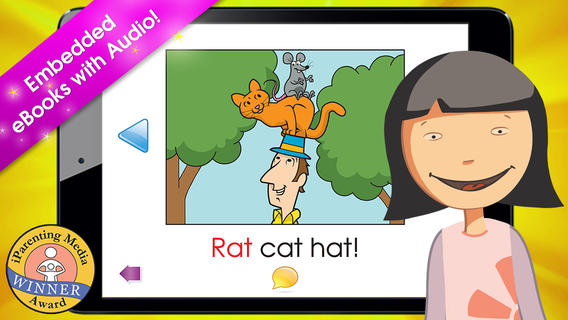
FREE today only – Hooked on Phonics Learn to Read Classroom Edition. This app is normally $49.99 but FREE today (May 6, 2014) in honor of National Teacher’s Day. The classroom edition comes with 12 units and 36 e-books. The 36 e-books have controlled vocabulary – 100% decodable for students who have completed the lessons. Each lesson has music videos that teach the phonemes for that lesson. They feature catchy tunes that teach each letter’s sound & examples of words starting with the letter – great for beginning readers. Kids then practice blending & building words. Finally they read 3 stories featuring the words they just practiced. Students earn trophies and points as they move through the lessons. Check out this app for beginning and/or struggling readers while it’s FREE!

Download link: https://itunes.apple.com/us/app/hooked-on-phonics-learn-to/id806401149?mt=8&uo=4

0

Pocketbooth – the photobooth that fits in your pocket

pocketbooth

FREE today – Pocketbooth – the photobooth that fits in your pocket, an app that turns your iPhone/iPad into a 1950s-era vintage photobooth. Pocketbooth takes a series of photos (a few seconds apart) to create photo strips of your special events. The app includes five photo effects (1975, antique, B&W, color, sepia), two paper types, and two border styles. There are additional filters/borders available as in-app purchases. Pocketbooth can use either the front or the rear facing camera of your device. Photo strips can be shared via Facebook, Twitter, email, or they can be saved to your camera roll. They can  be printed on a wireless printer or you can have them professionally printed/mailed to your friends for an additional charge. Pocketbooth was chosen Starbuck’s App of the Week, featured as New and Noteworthy” by Apple, and listed as one of 2010’s Hottest Apps – iTunes Rewind. What a fabulous app to have for your next birthday party, family reunion, etc.

And teachers… how cool would it be to have a photobooth in your classroom? It would be perfect for taking pictures of special events – Dr. Seuss Day, St. Patrick’s Day, Halloween, Wacky Hair Day, Silly Hat Day, etc. The kids could help make the props. 🙂 It would also be great for special projects – animal reports (kids dress as their animal), biographies (kids dress as their person), the 100th day (kids dress as if they are 100 years old), etc. How fun!!

Download link: https://itunes.apple.com/us/app/pocketbooth-photobooth-that/id385145330?mt=8&uo=4

0

Tellagami

Telegami

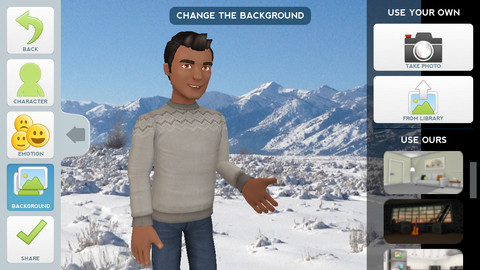
Currently FREE, Tellagami (rhymes with origami) is a unique storytelling app. Short stories called gamis are easy to create. First you select and customize a character by choosing his/her skin tone, eye color, hair color, and clothing. Then you choose an emotion – happy, sad, surprised, angry, scared, silly. Next you choose a background from the app, from your photo library, or create one by using your camera. You are now ready to create your gami. You can record your gami in you own voice or choose the text button to type in what your character will say  – the limit is 450 characters. Gamis can be shared via email, messaging, Facebook, or Twitter.

This educational app is fabulous!! Its uses are only limited by your imagination!! Kids can use gamis to introduce themselves at the beginning of the year. They can customize gamis to look like themselves and be reporters, scientists, teachers, etc. They can create the character (and setting) from a book they are reading. They can message or email a parent to explain what they are learning in class. Teachers could use gamis as interactive exit slips. The list is endless. Kids will LOVE creating gamis!

Tellagami ™ - Tellagami Inc.

0

SlateMath for Kids – Kindergarten and 1st Grade Games

slate math

SlateMath for Kids – Kindergarten and 1st Grade Games is a FREE educational app with 38 educational activities that prepare kids for kindergarten/first grade math. I found out about this app from one of my readers. Great suggestion – it’s a hidden gem! All of the games are presented in a travel book so kids learn about the world as they complete the varied math activities. They travel to Scotland, Norway, Germany, Czech Republic, Switzerland, Italy, Greece, Russia, Spain, and Sweden – how fun! Skills presented include: counting, writing digits, ordering, addition, patterns, odd/even numbers, and problem solving. Kids are rewarded with fireworks when they answer questions correctly and helped when they miss questions. Written directions can be easily switched to 25 different languages. The app permits multiple users with each user’s progress tracked in his/her travel book. I love the travel theme and the variety of well-developed, age-appropriate activities that this app provides. Check it out! 🙂

Download link: https://itunes.apple.com/us/app/slatemath-for-kids-kindergarten/id589371294?mt=8&uo=4

0

Weird But True

weird

Did you know that hippo’s lips are about two feet wide? Get ready to learn all sorts of wacky facts with this app. Just updated and FREE – Weird But True, an e-book from National Geographic Kids. Over 625 kid-friendly, wacky facts are presented in a fun & interactive way. Kids can swipe to move from fact to fact or shake their device to generate a random fact. Sound effects and surprises add to the fun! There is a fact finder which kids can use to locates facts by subject – animals, weather, space, etc. The app also includes a “Weird-O-Meter” which kids can use to rate the level of weirdness for each fact. Additional fact packs are available as in-app purchases –  $.99 each. This app won the Spring 2012 Parents’ Choice Award and was chosen as New & Noteworthy, What’s Hot, & Staff Favorites by Apple. Kids will LOVE this app. 🙂

Highly recommended!

Weird But True - National Geographic Society

0

Alphabet – Educational Letter Bubble Activity Game

Alphabet Dots

FREE again – Alphabet – Educational Letter Bubble Activity Game from Ellie’s Games (normally $1.99). This educational app uses bright colors and a simple interface to teach young children to recognize the alphabet from A to Z. Kids learn to recognize both upper and lower case letters by popping colorful dots in order. The app has three levels of difficulty – choosing from 4 letters, 9 letters, or 16 letters. Kids can work on all upper case letters, all lower case letters or a mixed letters. There are also settings for sound, hinting, and enabling vibrations (iPhone only). This simple but visually appealing game is sure to help your little one learn the ABCs.

Alphabet Dots - Ellie's Games, LLC

0

Cursive Writing Wizard – Trace Letters & Words

handwriting

FREE today – Cursive Writing Wizard – Trace Letters & Words, a fabulous app for teaching kids how to write in cursive. Start by choosing one of the 4 available fonts: Zaner Bloser, D’Nealian, French Cursive, or French Cursive 2. Then kids are ready to start tracing using animated stickers with fun sound effects. They can trace shapes, upper case letters, lower case letters, numerals, or words. The app has two modes: free or 5 stars. In free mode, kids trace the letters with all of the parameters selected. By selecting the “gear” button, the app’s parameters can be  customized to fit each child’s needs – letter size, difficulty, style (stickers or pen), show/hide model, allow to stop between key points, tracing speed, etc. In the 5 star mode, kids trace each letter 5 times – each step is more challenging. Detailed reports are provided showing what kids have completed. Teachers/parents can replay and export tracings to view a chid’s progress – wow! And, the app permits unlimited users – perfect for the classroom.

After teaching cursive writing for 30 years, I know that the biggest challenge is teaching kids to properly connect the letters. This app does a fabulous job!! There is a list of 3-letter words and often confused letters for kids to practice. But the best part of this app is the ability to add new lists. Kids’ names can be added. Lists of words with difficult connections can be added. Weekly spelling lists can be added. There are so many possibilities for meaningful practice of cursive writing. Don’t miss out on this one – it’s the best cursive writing app that I have seen to date!

Download link: https://itunes.apple.com/us/app/cursive-writing-wizard-trace/id757843896?mt=8&uo=4

0

Guess How Much I Love You – Interactive Episodes

Guess How Much I Love You

Guess How Much I Love You – Interactive Episodes is FREE for a limited time. This wonderful educational app from Australia is based on the book Guess How Much I Love You by Sam McBratney and inspired by the animated TV series created by SLR Productions Pty Ltd. Guess How Much I Love You is a beautiful story about the love between a parent and a child – one of my all time favorites. Originally published in the UK in 1994, it has sold more than 20 million copies in 37 languages. It was the first book I purchased for my granddaughter – truly a book not to be missed!! That being said, this app conveys the same sweetness that makes the original story so special.

Kids join Little Nutbrown Hare in 2 interactive episodes – “Can You Touch the Stars” and “Snow White Hare.” Designed for 3 – 5 year children to explore with their parents, the episodes are integrated with simple games & puzzles. At the end of each episode, Big NutBrown Hare and Little NutBrown Hare express their love for each other. Don’t miss this one – it is SO sweet!

Guess How Much I Love You - Interactive Episodes - SLR Productions Pty Ltd

0

3 FREE Virtual Math Manipulatives

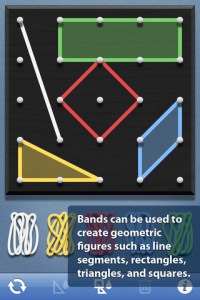
Geoboard by The Math Learning Center (a nonprofit organization dedicated to K – 12 education) is a FREE app that turns your iPhone/iPad into a virtual geoboard. Geoboards can be used as tools to teach mathematical concepts such as polygons, perimeter, area, line segments, angles, congruent shapes, symmetry, fractions, etc. Shapes are created by stretching bands on the geoboard’s pegs. There are 5 colors of bands in the iPhone version and 8 in the iPad version. There is also a tool to fill in shapes. On the iPad version, you can switch from the standard 25 peg board to a 150 peg board to create more complex shapes. This is a great app with the potential to be used in so many ways.

Highly recommended for your virtual math tool kit!

Geoboard, by The Math Learning Center - Clarity Innovations

FREE for the iPad, Virtual Manipulatives contains math manipulatives for teaching fractions, decimals, and percents. Included are tiles/circles divided into halves, thirds, fourth, fifths, sixths, eighths, tenths, and 12ths AND their corresponding decimals and percentages! The manipulatives are color coded across the settings so that 1/2 is blue as is .50 and 50%. Kids drag tile pieces onto the work area to compare fractions/decimals/percentages. In the settings you can change from tiles to circles, make the pieces transparent, and hide the numbers on the pieces. Completed work can be easily saved to photos. Finding equivalent fractions has never been so slick – WOW!!

Common Core Standards

  • 3.NF.3 – Explain equivalence of fractions in special cases, and compare fractions by reasoning about their size. Understand two fractions as equivalent (equal) if they are the same size, or the same point on a number line.
  • 4.NF.1 – Explain why a fraction a/b is equivalent to a fraction (n × a)/(n × b) by using visual fraction models, with attention to how the number and size of the parts differ even though the two fractions themselves are the same size. Use this principle to recognize and generate equivalent fractions.

Highly Recommended!
Virtual Manipulatives! - ABCya.com

equivalent fractions

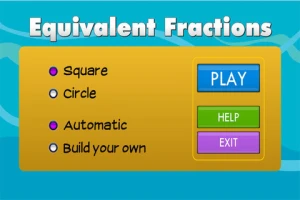
From the National Council of Teachers of Mathematics comes a FREE app called Equivalent Fractions. Kids create equivalent fractions by dividing and shading squares or circles. Circles can be divided into 24ths. Squares can be divided into 144ths. In the play mode, a fraction is shown and kids must create 2 additional fractions that are equivalent. All 3 fractions must have different denominators. The app also places the fractions on a number line – a great visual for comparing! There is also a “build your own” mode which would be fabulous to use for guided exploration & practice. Kids could also use this section as a virtual manipulative when working independently. This app is an excellent resource for the classroom !!

Common Core Standards met:

  • 3.NF.3 – Explain equivalence of fractions and compare fractions by reasoning about their size. Understand two fractions as equivalent (equal) if they are the same size, or the same point on a number line. Recognize and generate simple equivalent fractions, e.g., 1/2 = 2/4, 4/6 = 2/3). Explain why the fractions are equivalent, e.g., by using a visual fraction model.

Highly Recommended!

Equivalent Fractions - National Council of Teachers of Mathematics

0

Squeebles Maths Bingo

squeebles

FREE for  limited time – Squeebles Maths Bingo, a super-cute, educational app for practicing math facts. The Maths Monster has scared away all of the Squeeble customers from Ruby’s ice cream parlor. And if that wasn’t bad enough… he has stolen all of her ice cream ingredients! Kids help Ruby recover her ingredients (and customers) by solving addition, subtraction, multiplication, & division problems in a fun bingo game. One kids have earned back some of the ingredients, they create ice cream concoctions using over 200 unique ingredients. The Squeeble customers rate each ice cream treat. Kids will find out that some of the Squeebles like some very strange flavors and/or combinations – like brussel sprout ice cream with sugar mice or orange ice cream with pea soup sauce. There are over 3 million combinations! The app is perfect for the classroom because an unlimited number of players can be registered. The app keeps track of stats (number correct & percentage) for each player. In the settings, teachers/parents can differentiate the level of difficulty for individual players. Ice ream ratings are shown as decimals or whole numbers – opening up opportunities to have kids collect & report data. Wouldn’t it be fun to have kids construct bar graphs of the results? It’s no wonder that Squeebles games have been featured on BBC Radio, in The Daily Telegraph, The Observer, and The Guardian. It’s fun, educational, and standards-based!

Common Core Standards met:

  • 1.OA.6 – Add and subtract within 20, demonstrating fluency for addition and subtraction within 10.
  • 2.OA.2 – Fluently add and subtract within 20 using mental strategies. By end of Grade 2, know from memory all sums of two one-digit numbers.
  • 3.OA.7 – Fluently multiply and divide within 100, using strategies such as the relationship between multiplication and division or properties of operations. By the end of Grade 3, know from memory all products of two one-digit numbers.

Download link: https://itunes.apple.com/us/app/squeebles-maths-bingo/id580882257?mt=8&uo=4