0

Wubbzy Loves You

wubbzy

FREE for a limited time – Wubbzy Loves You, a storybook app featuring Wonder Wubbzy and Flower Power Daizy. This educational app was developed by Cupcake Digital in partnership with the producers of the Emmy® Award-winning Nick Jr. TV series Wow! Wow! Wubbzy!®.

 Wubbzy and Daizy spread some Wuzzleburg love as they help the mailman deliver friendship cards and save Friendship Day! The app has 3 modes: read to me, read & play, or just a book. Kids will discover animations & interactivity on every page of the first two modes. The app also has educational games, painting pages, and sing-along music videos. Print-outs and activities to supplement the story are available online at cupcakedigital.com. What is not to love about this educational app? – Cute story packed with interactivity, educational games, sing-along videos, and a supplemental activities. Download it now for Valentine’s Day!

Download link: https://itunes.apple.com/us/app/wubbzy-loves-you/id599433395?mt=8&uo=4


0

My Story Time

My Story Time

FREE for a limited – My Story Time, an educational app that makes your child the main character in the underwater story  entitled If I Were a Scuba Diver. To begin, you or choose or take 2 photos (faces) to put into the story. The app makes it easy to align and scale them. Time to read! Children can read the story on their own or there is a narration button on each page. The story is told in rhyme, brightly illustrated, and the characters appear to be swimming if you tilt some of the pages. 🙂 The story is cute. But… it’s write-up describes it as a fairy tale and “technically” it is not.  The developers hope to add additional stories but at this time there is only the one. Kids LOVE being the start of a story. It might be fun to create this story before/after a trip to the beach!

MyStoryTime - Personalized Story Books for Kids - Austin Archibald

0

Little Fox Music Box

Old MacDonald

Mr. Fox’s Sound Studio

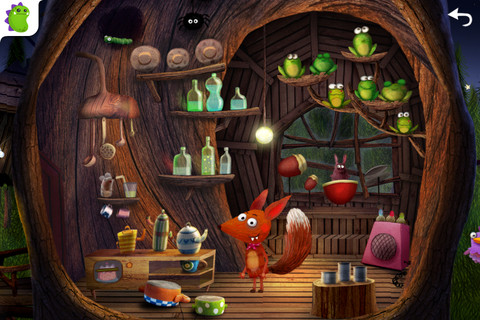
Little Fox Music Box, an educational app for 2 – 6 year olds, is currently FREE. The app has been downloaded over a million times and was featured as Apple’s App of the Week. The artwork design is from Heidi Wittlinger, an Oscar nominated artist. The app includes 3 children’s songs: Old MacDonald, London Bridge, and Evening Song. Kids can also visit Mr. Fox’s sound studio which is full of 100+ interactive  surprises. The app includes a Karaoke mode and it can be switched from English to German. Kids will be delighted with this adorable app!

Highly recommended!

Little Fox Music Box – Kids songs – Sing along - Shape Minds and Moving Images GmbH

0

American History Time Line

FREE again for a limited time from McGraw Hill – American History Timeline. Kids can navigate the timeline to read about the hundreds of important people, places, and events that have shaped American history. When kids tap on a thumbnail photo, this educational app brings up a larger image and an explanation of the person, place, or event. The majority  of the drawings/photos used are from Library of Congress. There are 7 categories (such as women, inventors, constitution, etc.) that can be turned on and off so kids can see figures and/or events specific to that category. World events are also included on a parallel timeline. Two games are included: Time Line Scramble and Memory. Kids sequence events in the correct order with the Time Line Scramble Game. In the Memory Game, they match the correct date with the correct event or person.

I really like the design of the app – the ability to customize what categories you want to look at, the authenticity of the drawings/photos, the parallel world history timeline for comparison. It would be great for teaching kids read or create timelines.

American History Time Line - McGraw-Hill School Education Group

0

Tellagami

Telegami

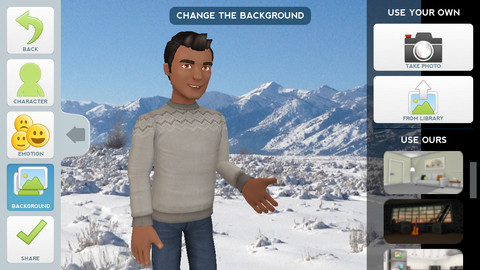
Currently FREE, Tellagami (rhymes with origami) is a unique storytelling app. Short stories called gamis are easy to create. First you select and customize a character by choosing his/her skin tone, eye color, hair color, and clothing. Then you choose an emotion – happy, sad, surprised, angry, scared, silly. Next you choose a background from the app, from your photo library, or create one by using your camera. You are now ready to create your gami. You can record your gami in you own voice or choose the text button to type in what your character will say  – the limit is 450 characters. Gamis can be shared via email, messaging, Facebook, or Twitter.

This educational app is fabulous!! Its uses are only limited by your imagination!! Kids can use gamis to introduce themselves at the beginning of the year. They can customize gamis to look like themselves and be reporters, scientists, teachers, etc. They can create the character (and setting) from a book they are reading. They can message or email a parent to explain what they are learning in class. Teachers could use gamis as interactive exit slips. The list is endless. Kids will LOVE creating gamis!

Tellagami ™ - Tellagami Inc.

0

Geography Drive USA™

geography

FREE for a limited time – Geography Drive USA™, a fabulous geography app for up to 3 players. This educational app teaches kids about the 50 U.S. states – their shapes, capitals, nicknames, postal abbreviations, flags, key symbols and more. As kids travel on a cross-county adventure, they stop in each state to answer trivia questions about national rivers, mountains, parks and time zones, important trails and railroads, major U.S. cities, landmarks, and attractions. When they answer questions correctly, they unlock airports and fuel stations – essential to stay in the game. The more you know, the further you go. 🙂

Additional fun features include: a visitor center with state brochures and regional & national maps, a game-based newspaper with headlines that recognize player achievements, trophies waiting to be claimed & displayed, and the ability to customize and upgrade the players’ cars. There are also 4 bonus games included. Love this app – it’s the perfect blend of fun and learning!

2013 Gold Parents’ Choice Award, 2013 Children’s Technology Review Editor’s Choice Award, and featured on Fox News.

Download link: https://itunes.apple.com/us/app/geography-drive-usa/id579100969?mt=8&uo=4

0

littleBIG History

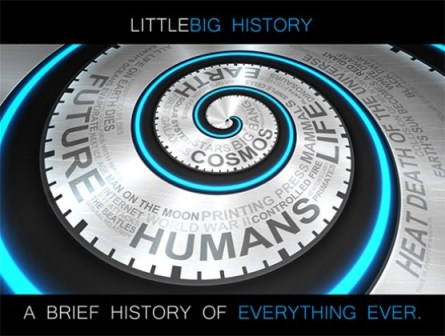
FREE for a limited time – littleBIG History, an educational app that bills itself as ” a brief history of everything ever.” The app is organized as an interactive timeline that starts with the Big Bang and goes through modern times placing humanity within the larger context of the cosmos, earth, and evolution of life. It currently includes 90 categories, 700 pictures, and 1300+ events (links to Wikipedia) with plans to add more. There is also a search option within the app. Check out this cool educational resource today. 🙂

Download link: https://itunes.apple.com/us/app/littlebig-history/id543049472?mt=8&uo=4

0

3 FREE Virtual Math Manipulatives

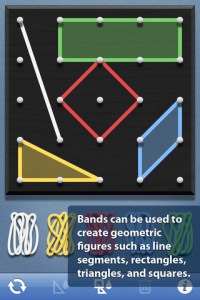
Geoboard by The Math Learning Center (a nonprofit organization dedicated to K – 12 education) is a FREE app that turns your iPhone/iPad into a virtual geoboard. Geoboards can be used as tools to teach mathematical concepts such as polygons, perimeter, area, line segments, angles, congruent shapes, symmetry, fractions, etc. Shapes are created by stretching bands on the geoboard’s pegs. There are 5 colors of bands in the iPhone version and 8 in the iPad version. There is also a tool to fill in shapes. On the iPad version, you can switch from the standard 25 peg board to a 150 peg board to create more complex shapes. This is a great app with the potential to be used in so many ways.

Highly recommended for your virtual math tool kit!

Geoboard, by The Math Learning Center - Clarity Innovations

FREE for the iPad, Virtual Manipulatives contains math manipulatives for teaching fractions, decimals, and percents. Included are tiles/circles divided into halves, thirds, fourth, fifths, sixths, eighths, tenths, and 12ths AND their corresponding decimals and percentages! The manipulatives are color coded across the settings so that 1/2 is blue as is .50 and 50%. Kids drag tile pieces onto the work area to compare fractions/decimals/percentages. In the settings you can change from tiles to circles, make the pieces transparent, and hide the numbers on the pieces. Completed work can be easily saved to photos. Finding equivalent fractions has never been so slick – WOW!!

Common Core Standards

  • 3.NF.3 – Explain equivalence of fractions in special cases, and compare fractions by reasoning about their size. Understand two fractions as equivalent (equal) if they are the same size, or the same point on a number line.
  • 4.NF.1 – Explain why a fraction a/b is equivalent to a fraction (n × a)/(n × b) by using visual fraction models, with attention to how the number and size of the parts differ even though the two fractions themselves are the same size. Use this principle to recognize and generate equivalent fractions.

Highly Recommended!
Virtual Manipulatives! - ABCya.com

equivalent fractions

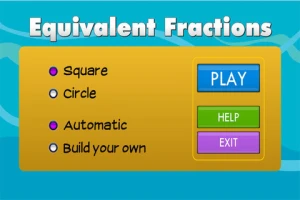
From the National Council of Teachers of Mathematics comes a FREE app called Equivalent Fractions. Kids create equivalent fractions by dividing and shading squares or circles. Circles can be divided into 24ths. Squares can be divided into 144ths. In the play mode, a fraction is shown and kids must create 2 additional fractions that are equivalent. All 3 fractions must have different denominators. The app also places the fractions on a number line – a great visual for comparing! There is also a “build your own” mode which would be fabulous to use for guided exploration & practice. Kids could also use this section as a virtual manipulative when working independently. This app is an excellent resource for the classroom !!

Common Core Standards met:

  • 3.NF.3 – Explain equivalence of fractions and compare fractions by reasoning about their size. Understand two fractions as equivalent (equal) if they are the same size, or the same point on a number line. Recognize and generate simple equivalent fractions, e.g., 1/2 = 2/4, 4/6 = 2/3). Explain why the fractions are equivalent, e.g., by using a visual fraction model.

Highly Recommended!

Equivalent Fractions - National Council of Teachers of Mathematics

0

Fractions – by Brainingcamp

fractions

FREE again – Fractions by Brainingcamp, an excellent educational app for teaching fractions. The app covers 7 topics: introduction to fractions, equivalent fractions, common denominators, comparing/ordering fractions, adding/subtracting fractions, multiplying fractions, and dividing fractions. Each topic includes: a narrated lesson (with visual models), virtual manipulatives for kids to explore, practice questions to check understanding, and a challenging game for additional practice. Kids earn badges as they work through the components of each topic.

WOW – I love everything about this app. The lessons are wonderful. The manipulatives are designed to promote understanding of the concepts presented. The practice questions give students and their teachers a check of their understanding. And, the challenging games helps kids further master the topic. It would be a fabulous for grades 3 and beyond!

Common Core State Standards met:

  • 3.NF.1. Understand a fraction 1/b as the quantity formed by 1 part when a whole is partitioned into b equal parts; understand a fraction a/b as the quantity formed by a parts of size 1/b.
  • 3.NF.3 – Explain equivalence of fractions and compare fractions by reasoning about their size. Understand two fractions as equivalent (equal) if they are the same size. Recognize and generate simple equivalent fractions, e.g., 1/2 = 2/4, 4/6 = 2/3).
  • 4.NF.3 – a. Understand addition and subtraction of fractions as joining and separating parts referring to the same whole.
  • 5.NF.3 – Interpret a fraction as division of the numerator by the denominator (a/b = a ÷ b).

Highly Recommended!

Download link: https://itunes.apple.com/us/app/fractions-by-brainingcamp/id471353363?mt=8&uo=4

0

Imagination Box

FREE for a limited time – Imagination Box, a creative art app for kids. What child doesn’t love creating with play dough? Hours of creative play awaits your child and there is no mess to clean up! It’s perfect for a trip to the doctor, a ride in the car, etc. The app includes 62 pieces of play dough (in 9 colors) including uppercase letters, numbers, and shapes. There are 12 backgrounds available for your child’s creations. Or, you can use your own photos as a background. Make a hat for the family dog or a play dough mustache for grandpa – how fun! There are also 10 markers available in the app adding even more possibilities for creativity. The app could also be used as a take-along “design center” for play dough. Kids could design their creations on the iPad, then actually recreate it with the real stuff. So many possibilities… get it today! 🙂

Download link: https://itunes.apple.com/us/app/imagination-box-colors-shapes/id698092635?mt=8&uo=4