0

10 FREE Science Apps for Kids

sunFREE science app – DIY Sun Science teaches kids about the science of the sun. Funded by the NASA and developed by Berkeley’s Lawrence Science Hall, this educational app is the second in a series of FREE science apps. It includes 12+ hands-on activities, live images of the sun from NASA’s satellite, videos of the sun, and more. Each activity starts with a summary which gives an overview of the activity, the time it will take to complete (prep – clean-up), and the suggested age group. Next, there is a materials list. All items are inexpensive and widely available. Then there is a series of step-by-step directions – with pictures. Finally, there is an explanation of “what’s going on” in the activity. Related videos are at the bottom of the page so that your child can learn more. This app is very well-organized, easy to use, and provides a wonderful introduction to sun science. The best part about the app is that it gives kids and adults the opportunity to learn something new together which is fabulous!

Download link: https://itunes.apple.com/us/app/diy-sun-science/id836712493?mt=8&uo=4

DIY Nano

Recently updated to include 3 new hands-on activities and 8 new nanotechnology videos is another FREE science app – DIY Nano.  This educational app teaches kids (and their adults) about the nanoscale. Funded by the National Science Foundation and developed by Berkeley’s Lawrence Science Hall, this educational app provides a series of activities and videos about nanoscale science, engineering, and technology. There are 12 hands-on activities in this app. Each one starts with a summary which gives an overview of the activity, the time it will take to complete (prep – clean-up), and the suggested age group. Next, there is a materials list. All items are inexpensive and widely available. Then there is a series of step-by-step directions – with pictures. Finally, there is an explanation of “what’s going on” in the activity. Related videos are at the bottom of the page so that your child can learn more. This app is very well-organized, easy to use, and provides a wonderful introduction to the world of nanoscale science. The best part about the app is that it gives kids and adults the opportunity to learn something new together. How exciting is that?!?

DIY Nano HD - The Lawrence Hall of Science

Science 360FREE from the National Science Foundation comes Science 360 for iPad – scientific images and videos from around the world. This educational app covers a range of topics and breaking news from NSF-funded institutions. New content is added weekly. Users can browse the app’s unique 360 display board to learn about something new or they can find specific content by searching keywords. It’s easy to save images and videos for later use right within the app – perfect for teachers who are gathering resources for a unit. The quality of the images is spectacular and they are available in HD for download to your iPad. Keep abreast of the latest scientific discoveries with this app – a great resource!!

Download link: https://itunes.apple.com/us/app/science360-for-ipad/id439928181?mt=8&uo=4

Bill Nye The Science GuyGreat FREE educational app – Bill Nye The Science Guy. 2013 was Bill Nye’s 20th Anniversary and Disney celebrated with the release of this educational app. Kids scan their thumbs to gain entrance to Nye Labs – a scientifically fascinating place. There they can play games, watch clips from their favorite shows, try some experiments, and more. When I was still teaching, I frequently used Bill Nye’s materials. My students loved his energetic, fun videos and often begged to watch them again! It’s no wonder he is the winner of 38 Emmys. This app takes kids to a place where science rules!!

Download link: https://itunes.apple.com/us/app/bill-nye-the-science-guy/id652548755?mt=8&uo=4

Color UncoveredTwo FABULOUS & FREE educational apps from the Exploratorium!! Both interactive books contain illusions, articles, and videos. These apps make science fun by answering questions like – What color is a whisper? Are there secret messages in music played backward? Kids will love the illusions and you won’t believe these apps are FREE! Very interesting – for kids AND their parents/teachers.

Color Uncovered: https://itunes.apple.com/us/app/color-uncovered/id470299591?mt=8&uo=4

Sound Uncovered: https://itunes.apple.com/us/app/sound-uncovered/id598835017?mt=8&uo=4
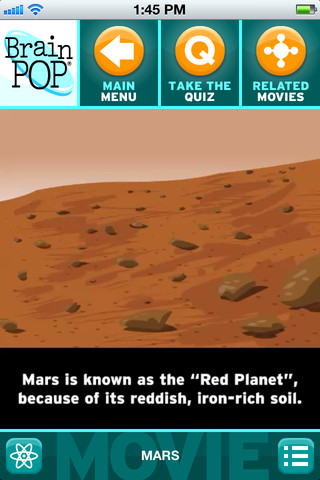
brain popBrainPOP has been around for more than a decade as an educational website. The site features short animated movies – 750+ lessons covering science, social studies, math, art & music, etc. The content is geared for grades 4 and above but I found that many movies were also suitable for third graders. When I was in the classroom, it was one of my favorite online resources.

Now you can download the BrainPOP Featured Movie, the educational app for FREE! Your child can learn something new every day. After watching the daily movie there is a short interactive quiz. And… if your child can’t get enough of this app, there are two subscription options: $1.99 per month/ 4 movies & quizzes a day OR $6.99 per month/full access.

Teachers could add the BrainPOP movie of the day to their daily routine. Watch it at a transition time – right before lunch, after lunch, while waiting for buses to called, etc. Interesting and educational!!

Download link: https://itunes.apple.com/us/app/brainpop-featured-movie/id364894352?mt=8&uo=4

brain pop jr

Also available for FREE is BrainPOP Jr. Movie of the Week, another educational app. Every week Annie and Moby (two lovable characters) help 5 to 9 year olds learn about a different subject. There is also a quiz and activities to accompany each animated movie. BrainPOP Jr. has been on the web since 2006 delivering content for younger students in science, social studies, reading, writing, math, and more.

Again, teachers could add the BrainPOP Jr. Movie of the Week to their routine. Start your Monday off with the “Movie of the Week” or use it on Friday. BrainPOP gives teachers another way spark kids interest in learning!

Download link: https://itunes.apple.com/us/app/brainpop-jr.-movie-of-the-week/id536371867?mt=8&uo=4

Zachy the RobotFREE again for limited time – Zachy the Robot: The Leaning Tower of Robocity, episode 1 of an interactive cartoon series for kids ages 3-7. The series was developed and tested in cooperation with Carnegie Mellon University Children’s School. It introduces basic STEM (science, technology, engineering, math) concepts to kids. In this first episode, kids are introduces to basic engineering concepts when Zachy and his friends, the Repairbots, are called in to fix a skyscraper that is leaning. Kids will love watching this animated adventure and helping the Repairbots solve the problem. This educational app was a winner of a Parents’ Choice Recommended Award in 2011 – a well-deserved honor! It exposes kids to STEM concepts in a fun & engaging way!

Download link: https://itunes.apple.com/us/app/zachy-robot-leaning-tower/id441107189?mt=8&uo=4

Robots for iPadWho doesn’t love robots? Robots for iPad is FREE for a limited time. This educational app was listed as “New & Noteworthy” by Apple. It was also reviewed or mentioned in the NY Times, Mashable, Wired, CNET and more! Kids (and adults) can explore real-world robots with this fun app which is chock full of interactivity, animations, photos, videos, & articles. The app introduces over 150 robots from 19 countries. Kids can swipe each robot for a 360° view then tap the robot to interact with it. There are also hundreds of videos and 500+ pictures. The app has information about all kinds of robots (drones, androids, etc.) as well as information about some famous robots – Honda’s humanoid Asimo, a NASA Mars rover, and Google’s self-driving car. VERY cool and very informative!

Teachers, there are lots of possibilities for using this app in your classroom. After exploring, use it for writing activities – descriptive paragraphs, write about a robot you would invent, pick a robot and write a story, etc. The app’s ratings section could be used for graphing activities. There is also a great timeline included as well as a section on how to get started in robotics. I can see how kids will love this app. 🙂

Download link: https://itunes.apple.com/us/app/robots-for-ipad/id566581906?mt=8&uo=4

 

0

Easter Apps

Links to a few FREE Easter apps that I have found – enjoy!!

Bogga Easter

FREE March 22 – 23 – Bogga Easter for kids 2+. Kids look for an egg hidden by the clever Easter bunny. When they find it, they can decorate it & take a picture of it. They can also tap the decorated egg with a magic wand to discover the treats inside. Simple to use for little ones!

Bogga Easter - Boggatap

egg head

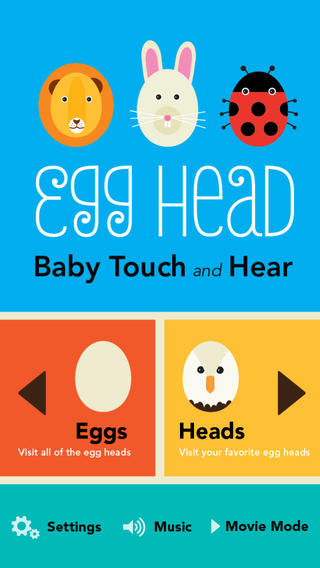
FREE this week – Egg Head: Baby Touch and Hear, an adorable app for little ones. Kids tap over 20 different eggs to transform them into egg-headed animals: a busy bee, mooing cow, a floating octopus, a hoppy bunny (of course) and more! Parents can work with their kids to learn the names & sounds of each animal or let them discover on their own. Kids can have fun guessing what animal may appear. There is also a movie mode that permits the littlest iPad users to simply watch. Simple, colorful, and cute – a great app for little ones!

Download link: https://itunes.apple.com/us/app/egg-head-baby-touch-and-hear/id607127533?mt=8&uo=4

Bunnyfur

Bunnyfur’s Easter Eggs – an interactive book for toddlers. Kids help decorate eggs, find hidden eggs, etc. Short but cute!

Bunnyfur's Easter Eggs - Interactive Touch, Inc.

Jasper

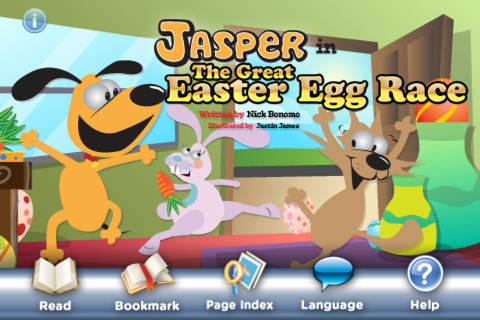
Jasper in The Great Easter Egg Race is another adventure of Jasper & Smiley. Fluffy the bunny has hidden eggs all over the house for an Easter egg hunt. The first one to find 5 eggs wins!

Jasper in The Great Easter Egg Race StoryChimes... - Siena Entertainment, LLC

0

TED – TED conferences

Parents/Teachers – here is an app for you (and the kids)!

TED started in 1984 as a conference bringing together people from three worlds: Technology, Entertainment, and Design. It is now a nonprofit devoted to ideas worth spreading. Here is information on 2 apps that will bring the world of TED to the device of your choice!

TED - original

tedRiveting talks by remarkable people and FREE to the world. Connect with the official TED app for iPhone/iPad. Access more than 1,400 TEDTalk videos with more added every week! When you open the app, you will see a wide variety of featured talks – Where is Google going  next? by Larry Page, A new way to grow bone by Molly Steven, Teach teachers how to create magic by Christopher Emdin, and so on. There are about 60 talks to choose from. Click on a title that interests you to get additional information about that talk: the length of the talk, a short synopsis, related talks, and related tags. Then you can watch the talk, save it, bookmark it, or share it. The app permits you to browse the entire library at any time – even when you are offline. You can browse by tag or by language. TEDTalks are subtitled in over 100 languages!  You can create your own playlist or the app can create one for you based on your mood and how much time you have to listen. A fabulous resource for lifelong learners!!

TED - TED Conferences

And now, Ted has a new initiative for teachers and students called TED-Ed. Teachers can create lessons around any TED-Ed original, TED Talk, or YouTube video and/or start a TED-Ed Club in their school.

From their site: “TED-Ed aims to amplify the voices and ideas of teachers and students around the world. TED-Ed’s commitment to creating lessons worth sharing is an extension of TED’s mission of spreading great ideas. With this philosophy in mind, and with the intention of supporting teachers and sparking the curiosity of learners around the world, TED-Ed is the newest of TED’s initiatives.”

Connect to TED-Ed here: Lessons Worth Sharing | TED-Ed

0

Caillou Check Up – Doctor’s Office

caillou

Kids learn about going to the doctor’s office with Caillou Check Up – Doctor’s Office, an adorable app for toddlers/preschoolers. This educational app has 11 mini-games that will teach your child about his/her next check-up. Four of the activities (check height & weight, tonsil check, follow the stick, & eye check) are included for FREE. The other 7 activities (thermometer, ear check, stethoscope, blood pressure, reflex check, medicine shot, & applying ointment) are available as in-app purchases. The app utilizes a variety of mechanics as kids tap and drag their way through the interactive mini-games. After completing each task, kids are rewarded with a colorful celebration. The app is sure to take the stress out of your child’s next visit to the doctor. No wonder it’s featured by Apple as one of the “Best New Apps & Games.”  🙂

Download link: https://itunes.apple.com/us/app/caillou-check-up-doctors-office/id772369925?mt=8&uo=4

1

Wonderopolis

Wonderopolis

FREE – Wonderopolis, a fabulous educational app. Now you can explore Wonderopolis (the website) with your mobile device.

Wonderopolis (Wonderopolis | Where the Wonders of Learning Never Cease) is a fantastic website that provides a daily Wonder of the Day®.  A fun & intriguing question is featured every day. The website/app includes a written explanation of the answer, vocabulary words, and a gallery of images & videos – all to foster learning and inspire curiosity about the Wonder of the Day®. Other daily features include a “Try It Out” section which suggests activities based on the day’s question, a “Still Wondering” section which gives additional/related information, and a quiz. There is even a section for teachers/parents called the “Educator Sandbox” with additional resources and opportunities to connect with the Wonderopolis community. It’s such a fascinating and wonderful resource – I enjoy reading it myself!

Using this website/app would be a fabulous addition to a daily classroom routine. Kids could read (or listen to) the daily Wonder of the Day® as part of their independent work time. They could journal about what they learned and/or what they are still wondering about. A class discussion could be scheduled for later. What a great way to encourage THINKING! Wonderopolis is a fabulous resource to ignite the natural curiosity and imagination of kids!

Download link: https://itunes.apple.com/us/app/wonderopolis/id505247028?mt=8&uo=4

0

ClassDojo

Class Dojo just added FREE messaging! A teacher can now send “direct” messages to individuals and/or “broadcast” messages. This great FREE app just got better!!

ClassDojo is a FREE & fabulous tool that helps improve classroom behaviors. Rewarding good behavior in real-time is easy – all it takes is a click. To use ClassDojo, you only need one device (computer, smart phone, a laptop, or a tablet) and an internet connection. It is very easy to set up. Each student on your class list is assigned a cute, monster-like avatar. Kids earn points for positive behaviors and lose points for negative behaviors. ClassDojo is also fully customizable so you can delete behaviors from the original list and/or add your own behaviors. As you use it, it automatically logs any data that you input. This data can be used to generate behavior reports to share with parents and administrators. How awesome is that? You can go into a meeting/conference with reports in hand! And now, parents can check online to see what kind of day their child is having.

If I were still in the classroom, I would enter my class list twice – once for data on work/study habits and the other for data on behaviors. I would make my habits/behaviors match exactly what was on my report cards. Then as I used the app, I would also be gathering data for my report cards. At the end of the grading period, I would just print out the date and enter it on the report cards – how easy!  I would also have the data (in a printed report) to be able to back up any grade on the card.  “As you can see Mrs. Doe, Jane only turned in her homework 56% of the time.”  Instant data would also be available for the RTI process, IEPs or any other team meeting on a child. What a powerful tool for teachers! An educational app that has the ability to positively impact the learning environment – LOVE it!!

Check out the website for more information: www.classdojo.com

Highly recommended !!

ClassDojo - Class Twist Inc

0

World’s Worst Pet – Vocabulary

world's worst pet

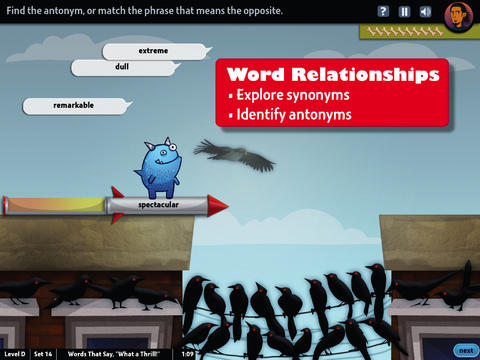
FREE & fabulous – World’s Worst Pet-Vocabulary, an educational app for kids in grades 4 – 8.  Snargg, a cute blue pet needs kids to use their vocabulary skills to get him out of trouble. The app’s four games teach context, word sorts, synonyms, & antonyms as they expose kids to over 1000 words across 5 levels: grades 4 – 8. Words are taught in sets – 10 conceptually related words per set. Kids are encouraged to replay each word set to improve their scores. Other features of the app include: clearly explained definitions with examples of how the word is used, multiple exposures to words, writing prompts, and… a really fun narrative with rewards. The app allows multiple players which makes it perfect for the classroom. Teachers can use it to differentiate instruction, as part of a center, for individual or group assignments, as homework, etc. There are so many great things about this app – meaningful content, a fun interface, and it meets CCSS. It’s fantastic, wonderful, remarkable, tremendous, amazing … 🙂

Common Core Standards met:

  • 4.L.5 – Demonstrate understanding of figurative language, word relationships, and nuances in word meanings. c.Demonstrate understanding of words by relating them to their opposites (antonyms) and to words with similar but not identical meanings (synonyms).
  • 5.L.5 – Demonstrate understanding of figurative language, word relationships, and nuances in word meanings. c. Use the relationship between particular words (e.g., synonyms, antonyms, homographs) to better understand each of the words.

Download link: https://itunes.apple.com/us/app/worlds-worst-pet-vocabulary/id730540095?mt=8&uo=4

0

10 FREE Science Apps for Kids

sunFREE science app – DIY Sun Science teaches kids about the science of the sun. Funded by the NASA and developed by Berkeley’s Lawrence Science Hall, this educational app is the second in a series of FREE science apps. It includes 12+ hands-on activities, live images of the sun from NASA’s satellite, videos of the sun, and more. Each activity starts with a summary which gives an overview of the activity, the time it will take to complete (prep – clean-up), and the suggested age group. Next, there is a materials list. All items are inexpensive and widely available. Then there is a series of step-by-step directions – with pictures. Finally, there is an explanation of “what’s going on” in the activity. Related videos are at the bottom of the page so that your child can learn more. This app is very well-organized, easy to use, and provides a wonderful introduction to sun science. The best part about the app is that it gives kids and adults the opportunity to learn something new together which is fabulous!

Download link: https://itunes.apple.com/us/app/diy-sun-science/id836712493?mt=8&uo=4

DIY Nano

Recently updated to include 3 new hands-on activities and 8 new nanotechnology videos is another FREE science app – DIY Nano.  This educational app teaches kids (and their adults) about the nanoscale. Funded by the National Science Foundation and developed by Berkeley’s Lawrence Science Hall, this educational app provides a series of activities and videos about nanoscale science, engineering, and technology. There are 12 hands-on activities in this app. Each one starts with a summary which gives an overview of the activity, the time it will take to complete (prep – clean-up), and the suggested age group. Next, there is a materials list. All items are inexpensive and widely available. Then there is a series of step-by-step directions – with pictures. Finally, there is an explanation of “what’s going on” in the activity. Related videos are at the bottom of the page so that your child can learn more. This app is very well-organized, easy to use, and provides a wonderful introduction to the world of nanoscale science. The best part about the app is that it gives kids and adults the opportunity to learn something new together. How exciting is that?!?

DIY Nano HD - The Lawrence Hall of Science

Science 360FREE from the National Science Foundation comes Science 360 for iPad – scientific images and videos from around the world. This educational app covers a range of topics and breaking news from NSF-funded institutions. New content is added weekly. Users can browse the app’s unique 360 display board to learn about something new or they can find specific content by searching keywords. It’s easy to save images and videos for later use right within the app – perfect for teachers who are gathering resources for a unit. The quality of the images is spectacular and they are available in HD for download to your iPad. Keep abreast of the latest scientific discoveries with this app – a great resource!!

Download link: https://itunes.apple.com/us/app/science360-for-ipad/id439928181?mt=8&uo=4

Bill Nye The Science GuyGreat FREE educational app – Bill Nye The Science Guy. 2013 was Bill Nye’s 20th Anniversary and Disney celebrated with the release of this educational app. Kids scan their thumbs to gain entrance to Nye Labs – a scientifically fascinating place. There they can play games, watch clips from their favorite shows, try some experiments, and more. When I was still teaching, I frequently used Bill Nye’s materials. My students loved his energetic, fun videos and often begged to watch them again! It’s no wonder he is the winner of 38 Emmys. This app takes kids to a place where science rules!!

Download link: https://itunes.apple.com/us/app/bill-nye-the-science-guy/id652548755?mt=8&uo=4

Color UncoveredTwo FABULOUS & FREE educational apps from the Exploratorium!! Both interactive books contain illusions, articles, and videos. These apps make science fun by answering questions like – What color is a whisper? Are there secret messages in music played backward? Kids will love the illusions and you won’t believe these apps are FREE! Very interesting – for kids AND their parents/teachers.

Color Uncovered: https://itunes.apple.com/us/app/color-uncovered/id470299591?mt=8&uo=4

Sound Uncovered: https://itunes.apple.com/us/app/sound-uncovered/id598835017?mt=8&uo=4

brain popBrainPOP has been around for more than a decade as an educational website. The site features short animated movies – 750+ lessons covering science, social studies, math, art & music, etc. The content is geared for grades 4 and above but I found that many movies were also suitable for third graders. When I was in the classroom, it was one of my favorite online resources.

Now you can download the BrainPOP Featured Movie, the educational app for FREE! Your child can learn something new every day. After watching the daily movie there is a short interactive quiz. And… if your child can’t get enough of this app, there are two subscription options: $1.99 per month/ 4 movies & quizzes a day OR $6.99 per month/full access.

Teachers could add the BrainPOP movie of the day to their daily routine. Watch it at a transition time – right before lunch, after lunch, while waiting for buses to called, etc. Interesting and educational!!

Download link: https://itunes.apple.com/us/app/brainpop-featured-movie/id364894352?mt=8&uo=4

brain pop jr

Also available for FREE is BrainPOP Jr. Movie of the Week, another educational app. Every week Annie and Moby (two lovable characters) help 5 to 9 year olds learn about a different subject. There is also a quiz and activities to accompany each animated movie. BrainPOP Jr. has been on the web since 2006 delivering content for younger students in science, social studies, reading, writing, math, and more.

Again, teachers could add the BrainPOP Jr. Movie of the Week to their routine. Start your Monday off with the “Movie of the Week” or use it on Friday. BrainPOP gives teachers another way spark kids interest in learning!

Download link: https://itunes.apple.com/us/app/brainpop-jr.-movie-of-the-week/id536371867?mt=8&uo=4

Zachy the RobotFREE again for limited time – Zachy the Robot: The Leaning Tower of Robocity, episode 1 of an interactive cartoon series for kids ages 3-7. The series was developed and tested in cooperation with Carnegie Mellon University Children’s School. It introduces basic STEM (science, technology, engineering, math) concepts to kids. In this first episode, kids are introduces to basic engineering concepts when Zachy and his friends, the Repairbots, are called in to fix a skyscraper that is leaning. Kids will love watching this animated adventure and helping the Repairbots solve the problem. This educational app was a winner of a Parents’ Choice Recommended Award in 2011 – a well-deserved honor! It exposes kids to STEM concepts in a fun & engaging way!

Download link: https://itunes.apple.com/us/app/zachy-robot-leaning-tower/id441107189?mt=8&uo=4

Robots for iPadWho doesn’t love robots? Robots for iPad is FREE for a limited time. This educational app was listed as “New & Noteworthy” by Apple. It was also reviewed or mentioned in the NY Times, Mashable, Wired, CNET and more! Kids (and adults) can explore real-world robots with this fun app which is chock full of interactivity, animations, photos, videos, & articles. The app introduces over 150 robots from 19 countries. Kids can swipe each robot for a 360° view then tap the robot to interact with it. There are also hundreds of videos and 500+ pictures. The app has information about all kinds of robots (drones, androids, etc.) as well as information about some famous robots – Honda’s humanoid Asimo, a NASA Mars rover, and Google’s self-driving car. VERY cool and very informative!

Teachers, there are lots of possibilities for using this app in your classroom. After exploring, use it for writing activities – descriptive paragraphs, write about a robot you would invent, pick a robot and write a story, etc. The app’s ratings section could be used for graphing activities. There is also a great timeline included as well as a section on how to get started in robotics. I can see how kids will love this app. 🙂

Download link: https://itunes.apple.com/us/app/robots-for-ipad/id566581906?mt=8&uo=4
 

0

Endless Numbers

endless numbers

SO excited – LOVE these apps!!

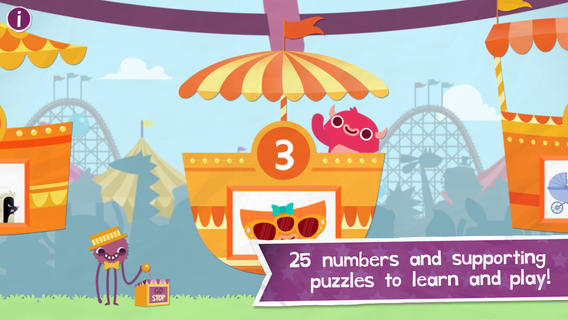
From the developers of Endless Alphabet  & Endless Reading, comes a new app – Endless Numbers. The adorable silly Endless monsters are back and this time it’s to teach preschoolers about numbers. Kids can try numbers 1 – 5 in this FREE version with numbers 1 – 25 available as an in-purchase. Additional number packets will be sold in the future.

The app opens to a ferris wheels full of numbers. Kids tap a number and the fun begins. The app counts to the chosen number. Then the kids count by dragging the animated numbers back in place. Next, silly monsters come by to knock over the numbers and an equation appears. Addition is introduced. After working with the equation, kids count again. This time they count the eyes on the monster. Finally, there is a short animation that presents context & meaning for each number. This app delivers early number skills (number recognition, counting, simple addition, odd numbers, patterns) in an entertaining way. Endless Numbers makes early learning what it should be – joyful and fun. It is currently featured as a “Best New App” on Apple’s App Store. What a fabulous educational app!!

Download link: https://itunes.apple.com/us/app/endless-numbers/id804360921?mt=8&uo=4


0

Thesaurasize

thesaur

Looking for the perfect word? Check out Thesaurasize, a new FREE resource for teachers, students, and others lovers of the English language. According to the app, thesaurasize is a verb meaning: 1. to look up in a thesaurus 2. to completely ruin an essay by referring to a thesaurus for every other word, thus inserting words that you don’t really understand the definition of to make yourself appear smarter to the reader. I think some teachers may be able to relate to meaning #2. 🙂

Thesaurasize offers a quick way to look up synonyms for traditional and nontraditional words of the English language. The initial list of synonyms and the definitions came from the Wiktionary. The Princeton WordNet dictionary was also searched. So how does it work? Just type in a word and Thesaurasize generates a “clickable” list of synonyms with their definitions. The app also provides examples for many of the entries. Highlighted words within definitions can also be “clicked” for their definitions. Click your way to a better word choice today by using Thesaurasize.  And… it’s FREE!!

Download link: https://itunes.apple.com/us/app/thesaurasize/id840193912?mt=8&uo=4